
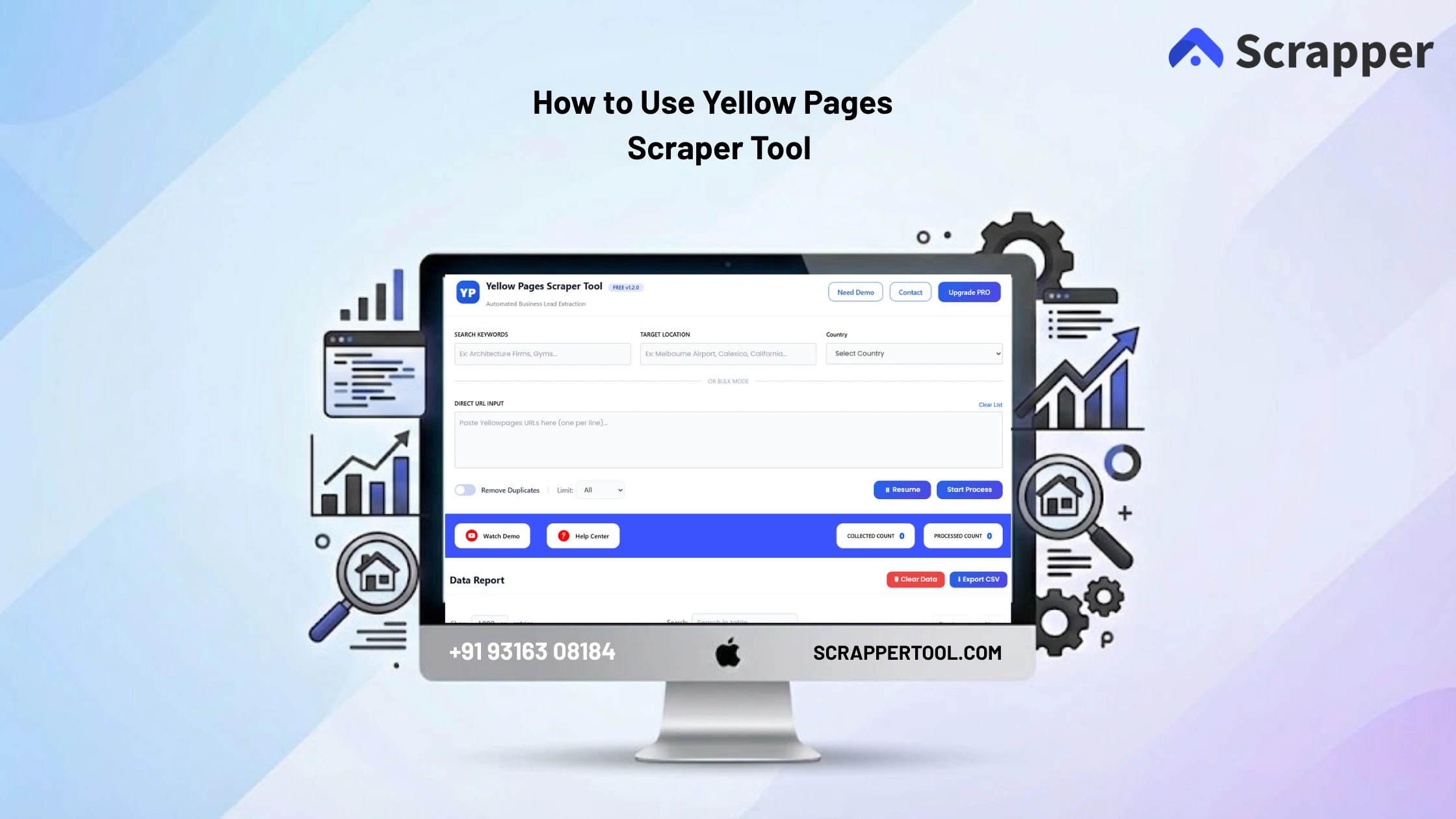

If you want to extract bulk business data like names, phone numbers, emails, addresses, and company details from Yellow Pages, doing it manually can take hours. That’s where the Yellow Pages Scraper Tool comes in it automates the work and lets you collect targeted business leads in just a few clicks.
What Is a Yellow Pages Scraper Tool?
A Yellow Pages Scraper is a web scraping tool that pulls publicly available business information from Yellow Pages directories and exports it in structured formats such as CSV, Excel, JSON. This allows you to quickly build lead lists for marketing, sales outreach, market research, and more without manually visiting each profile.
Step-by-Step: How to Use the Scrapper Tool Yellow Pages Scraper
1. Install the Chrome Extension
-
Visit the Yellow Pages Data Scraper page.
-
Click “Install from Chrome Web Store” to add the extension.
- Or You can directly click on this link and you will go to “Yellow Pages Scraper Chrome Extension” this link.
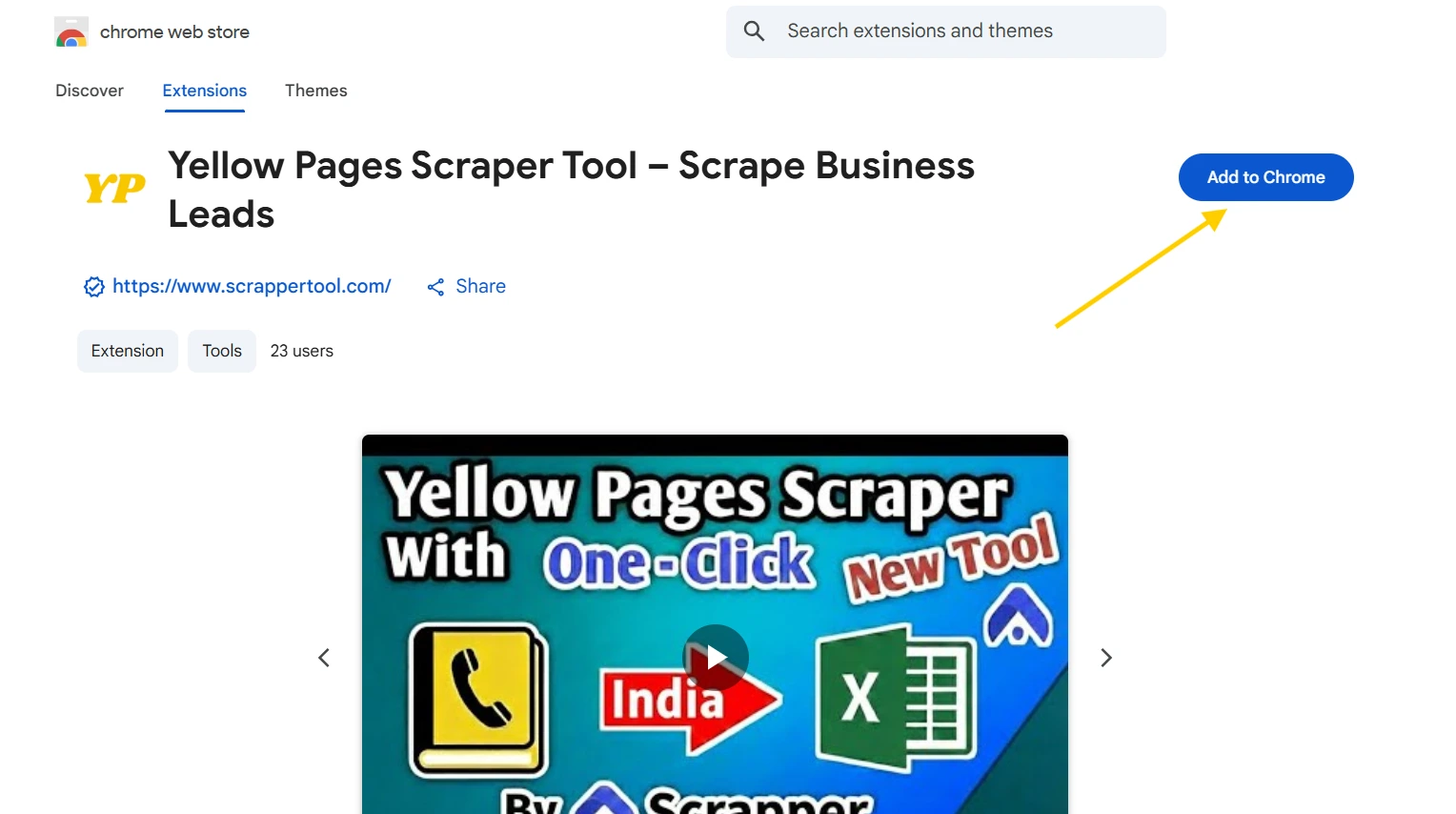
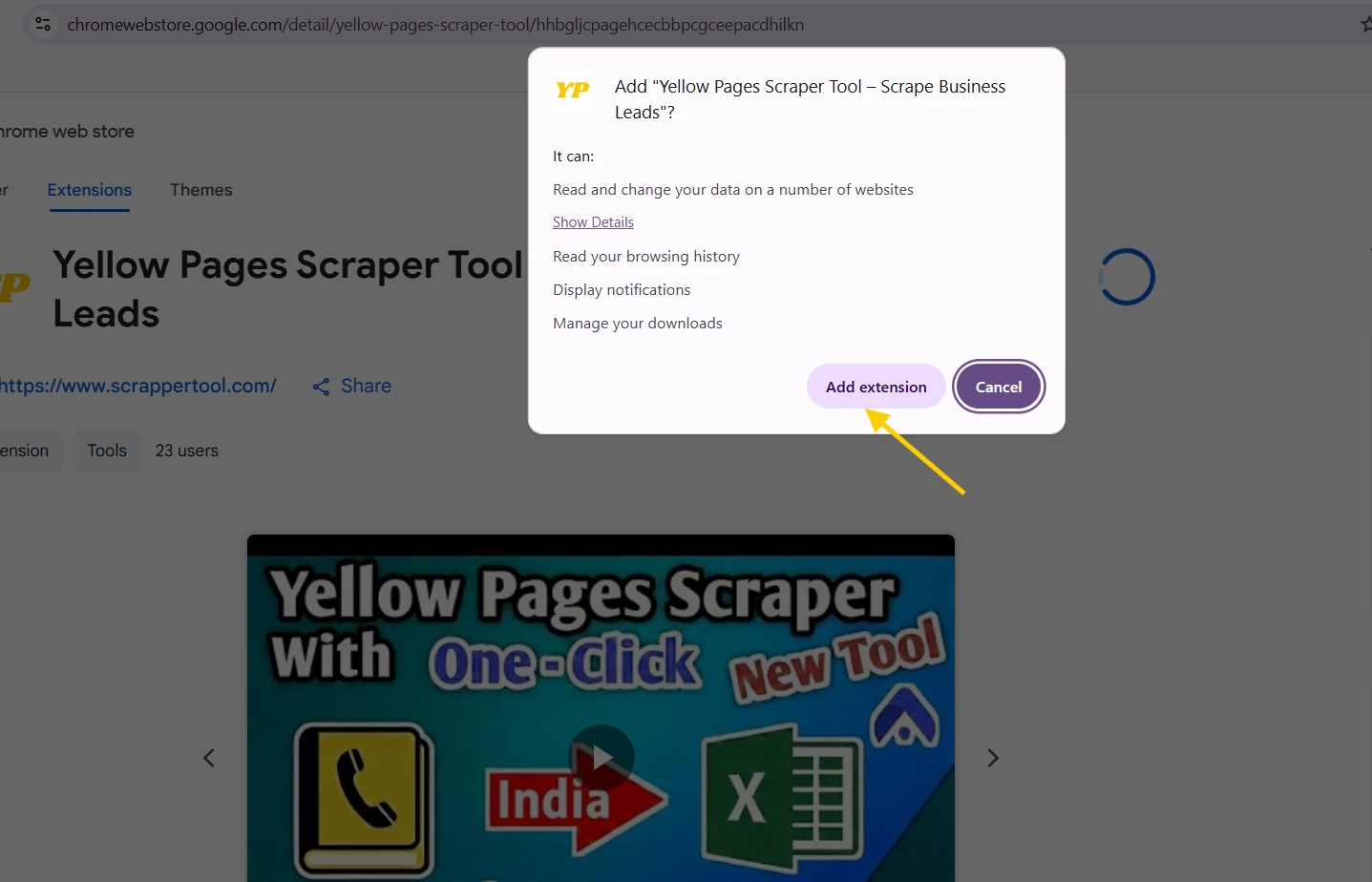
- After clicking on the button you can see the below popup on your screen. Click on the “Add extension” Button.
- And then you have to pin from chrome bar. like in below
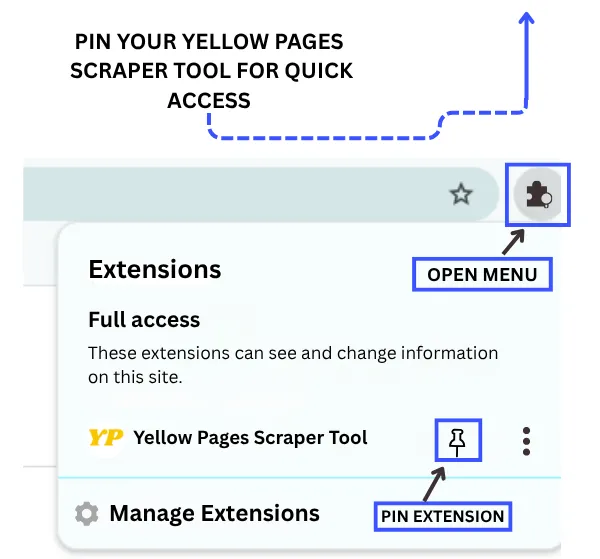
Click the pinned Yellow Pages Scraper Tool icon to open the popup. Fill in the short form shown there to activate the tool and prepare it for use.
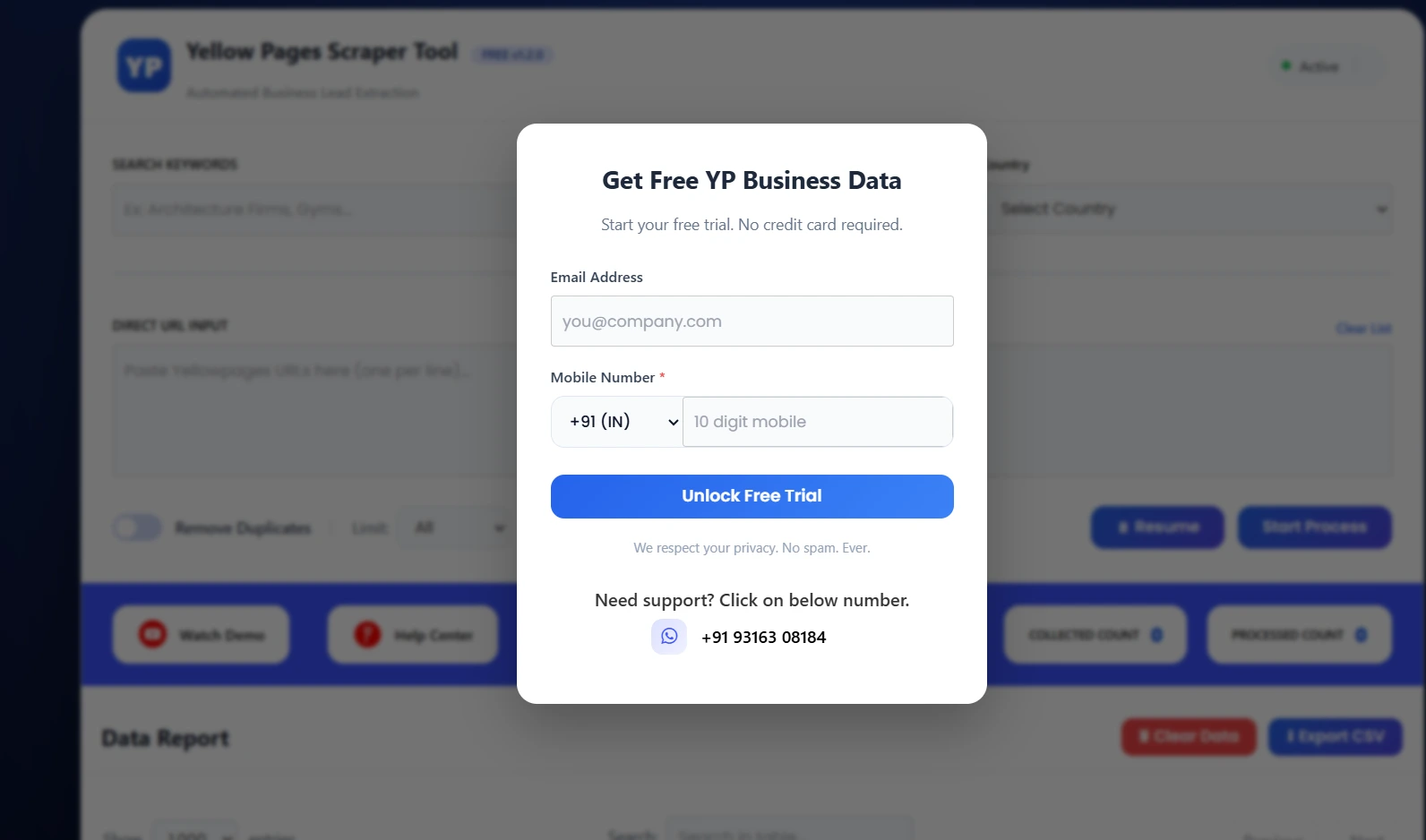
2. Open Yellow Pages and Define Your Search
Go to the Yellow Pages (yellowpage.com) website and search for the business category or location that matters to you (for example, “restaurants in Los Angeles”).
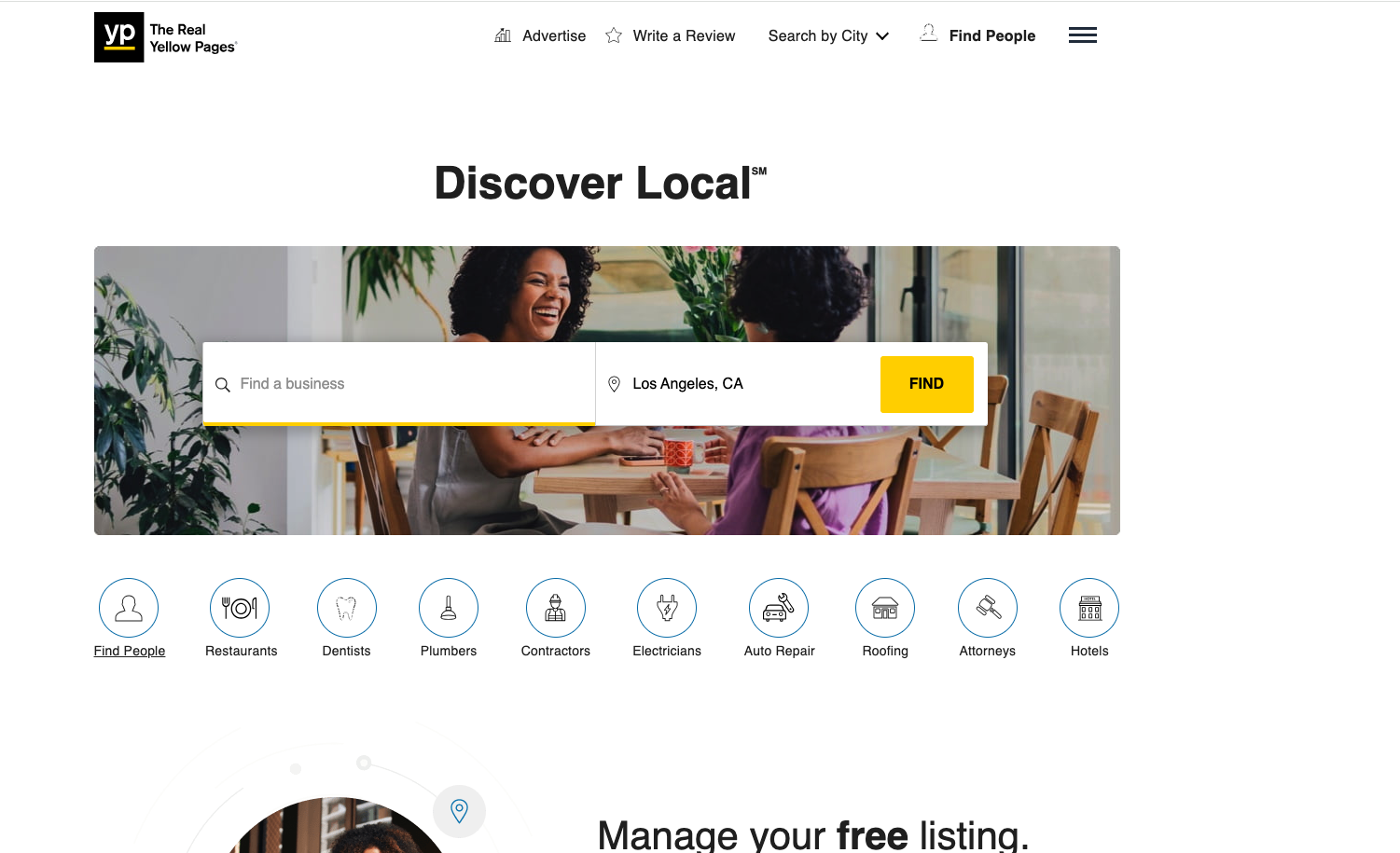
👉 This determines what kind of business data will be extracted.
3. Configure Scraping Parameters
When you open the scraper:
-
Search by category, location, or business type
-
Add multiple URLs if needed
-
Set limits (e.g., number of items to scrape)
-
Use smart filters to refine results
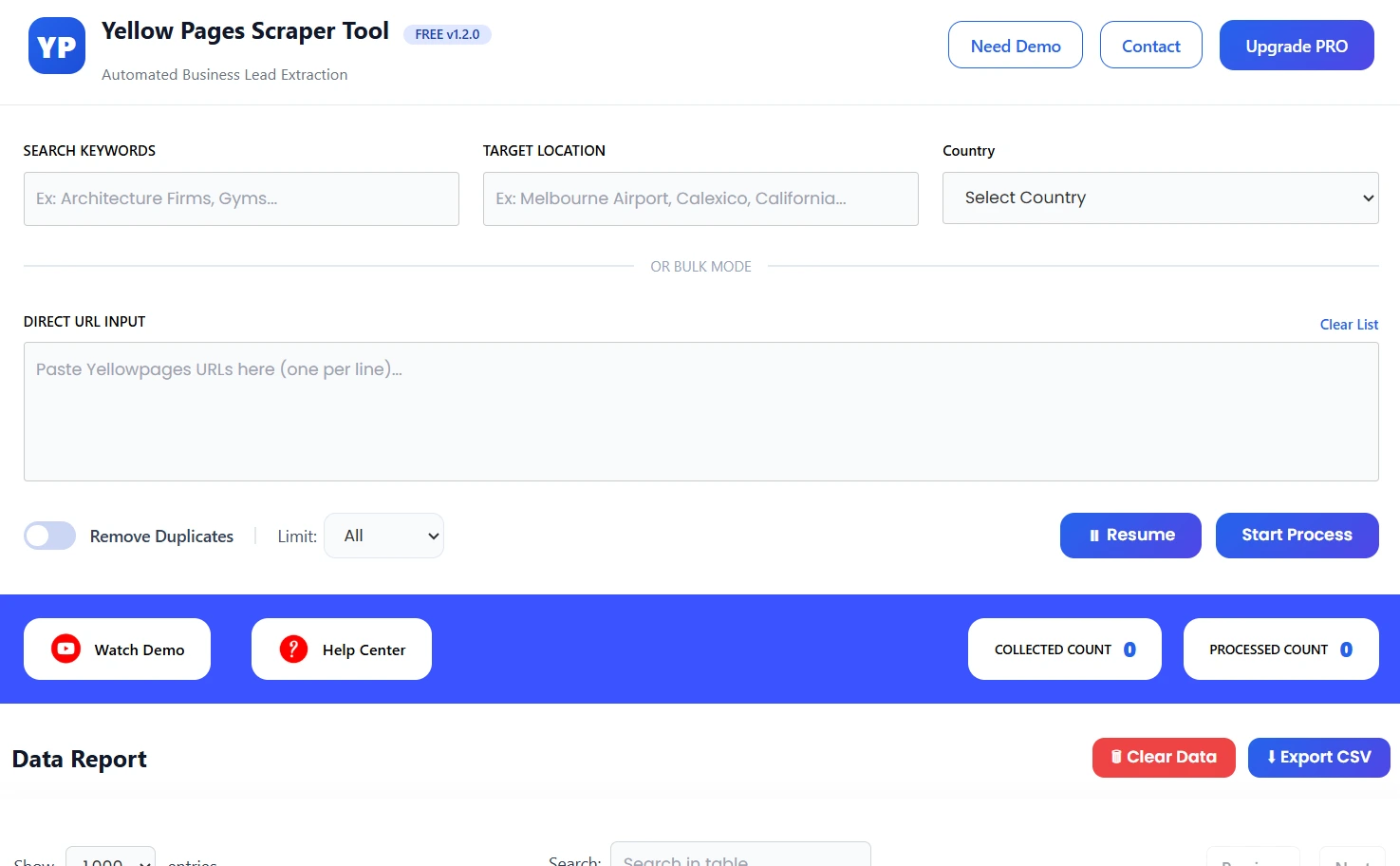
You can batch-upload URLs to scrape multiple pages in a single run.
4. Start Scraping
Click the “Start Process” to run the extraction.
The tool will:
-
Visit each Yellow Pages listing
-
Collect details like business name, address, phone number, email, website, and more
-
Remove duplicates
-
Show progress and live report counts
This automation saves you countless hours of manual work.
5. Export Your Results
After scraping finishes, you can export the data in different formats:
✔ CSV
✔ XLSX (Excel)
✔ JSON
These files can be easily imported into tools like CRM systems, spreadsheets, or analytics dashboards.
Upgrade to the Pro Version of the Yellow Pages Scraper Tool
- If you want to purchase our Chrome extension you can go to Contact us Page.
- You can contact us directly via our phone number, WhatsApp, or Email.
Contact Scrapper Tool
- Email us:- info.scrappertool@gmail.com
- Call us:- +91 93163 08184
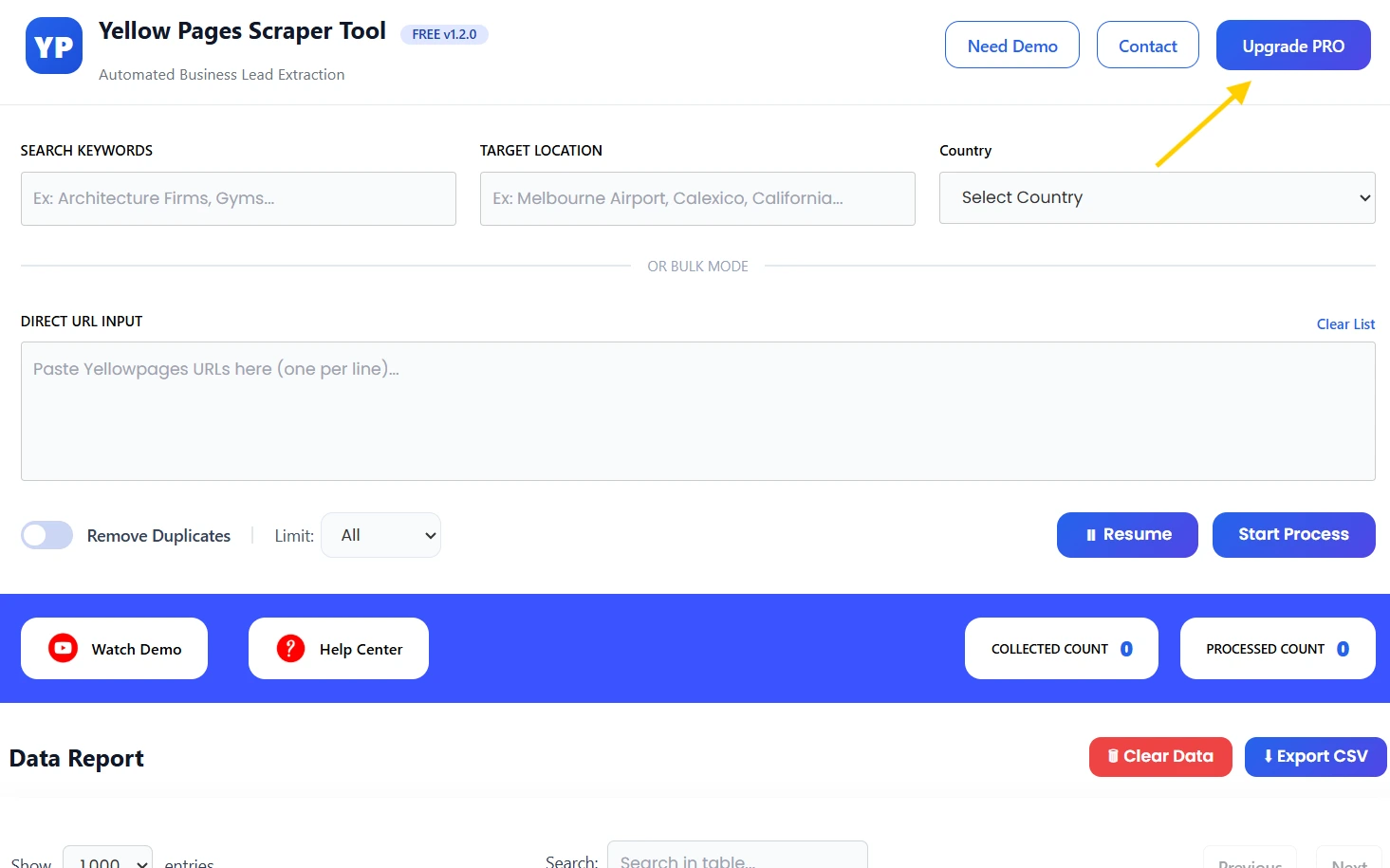
- After successfully purchasing our Yellow Pages Scraper tool. click on Upgrade Pro Button then you can see the below screen. fill in the details enter the registered email address & enter the subscription key you are getting from us via email. After that, your subscription will start.
Top Ways You Can Use Scraped Yellow Pages Data
Here are common use cases once you have your export:
1. Lead Generation
Build targeted lists of local businesses for sales or outreach.
2. Market Research
Analyze business distribution and contact patterns in a specific region.
3. Competitor Analysis
See what services competitors list and how frequently they update their info.
4. CRM Enrichment
Update your CRM with verified contact data to improve outreach accuracy.
Scraped directories like Yellow Pages contain valuable public business information that can fuel many business growth strategies.
Tips for Better Scraping Results
✨ Use meaningful search terms — narrow your niche to reduce noise.
✨ Export regularly — business details change over time.
✨ Clean your data — remove duplicates and check formatting after export.
Conclusion
The Yellow Pages Scraper Tool from Scrapper Tool lets you automate a once-tedious task and unlock valuable business data in minutes — no coding required. Whether you’re a marketer, salesperson, or analyst, you’ll save time and gather insights that help drive smarter decisions.
Watch the Complete Video Guide
https://youtu.be/cQAP0m-mPRk?si=eHOxiQ_BOayn7OkB
