

Collecting business data from search results is still a manual task for many people. Users search on Google, open each result, copy names, phone numbers, emails, and websites one by one. This process wastes time, causes errors, and becomes impossible when you need data at scale.
Manual copy paste also leads to missed leads, inconsistent data, and slow workflows. For agencies, marketers, and sales teams, this makes lead generation inefficient.
The SERP Scraper Tool by Scrapper Tool solves this problem. It automatically extracts business data directly from search results and gives you clean, structured data without manual effort.
What Is SERP Scraper Tool?
The SERP Scraper Tool is a Chrome based scraping tool that helps you extract business information from search engine results pages.
It automatically scans search results based on your keyword and location, then collects structured data in a ready-to-use format.
This tool is ideal for:
-
Marketers
-
Sales teams
-
Lead generation agencies
-
Local businesses
-
Researchers
-
Consultants
If you want to collect business leads directly from search results without copy-paste, this tool is built for you.
Supported Platforms
The SERP Scraper Tool supports multiple sources:
-
Google Search
-
Other websites (custom domain based scraping)
You can choose the source depending on where you want to extract your data from.
Step-by-Step Guide: How to Use the Tool
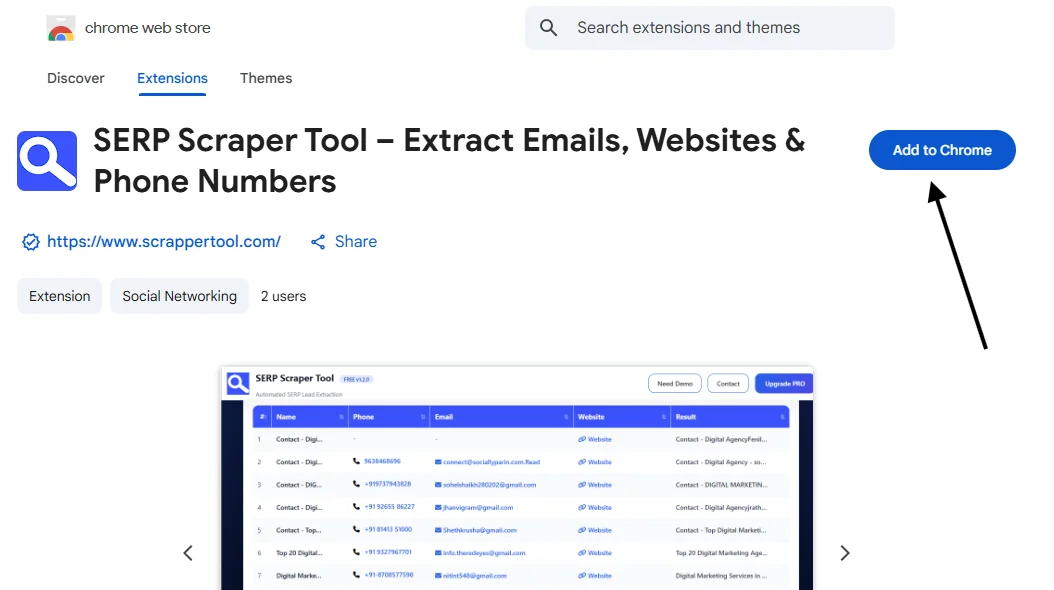
Step 1: Install the Scrapper Tool Chrome Extension
Install the Scrapper Tool Chrome Extension from the Chrome Web Store and add it to your Chrome browser.
Step 2: Pin the SERP Scraper Tool Extension
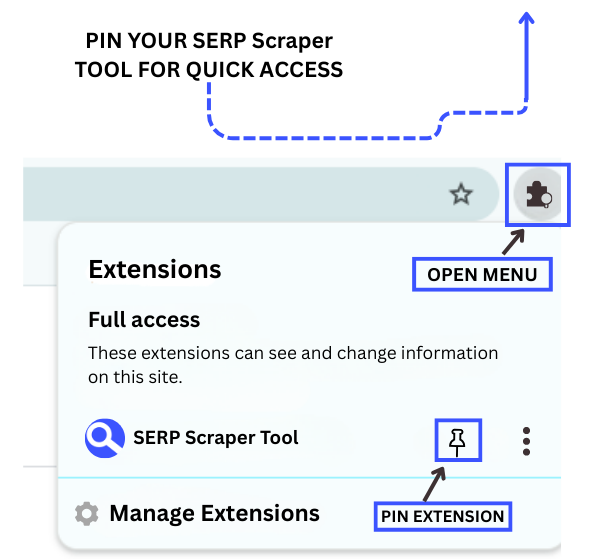
After installation, look at the right side of the Chrome URL bar.
You will see the Extensions icon.
Click on it and pin the SERP Scraper Tool by Scrapper Tool so it stays visible in your browser toolbar.
This makes it easy to access the tool anytime.
Step 3: Launch the SERP Scraper Tool
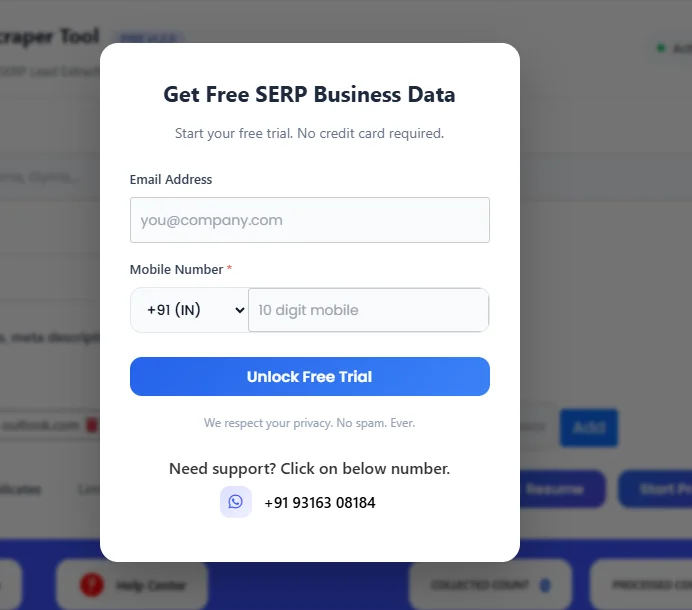
Once the extension is pinned, click on the SERP Scraper Tool icon from the Chrome toolbar.
A popup window will open.
To start the free trial, simply fill in the required details in the form provided.
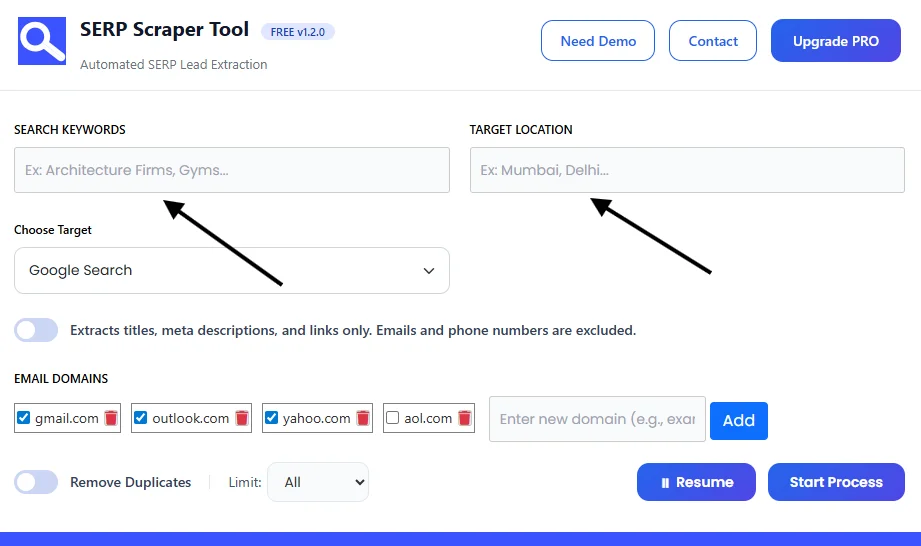
Step 4: Enter Search Details
Now enter your search inputs:
-
Search Keyword
Example: Gyms -
Target Location
Example: Mumbai
These details help the tool find relevant search results.
Step 5: Choose Target
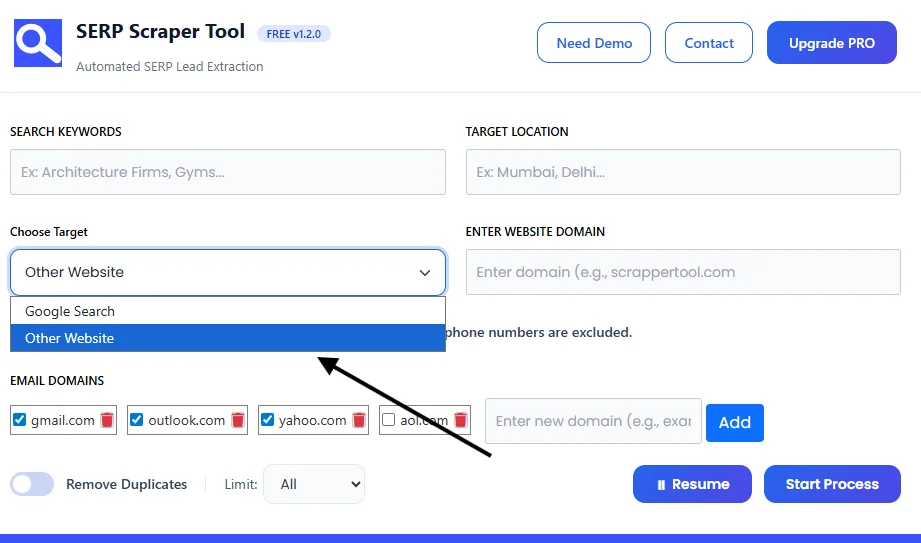
From the dropdown, select your target source:
-
Google Search
-
Other Website
If you select Other Website, an additional field will appear.
Enter the website domain from which you want to extract search results.
Step 6: View Extracted Data
Click on Start Process to begin scraping.
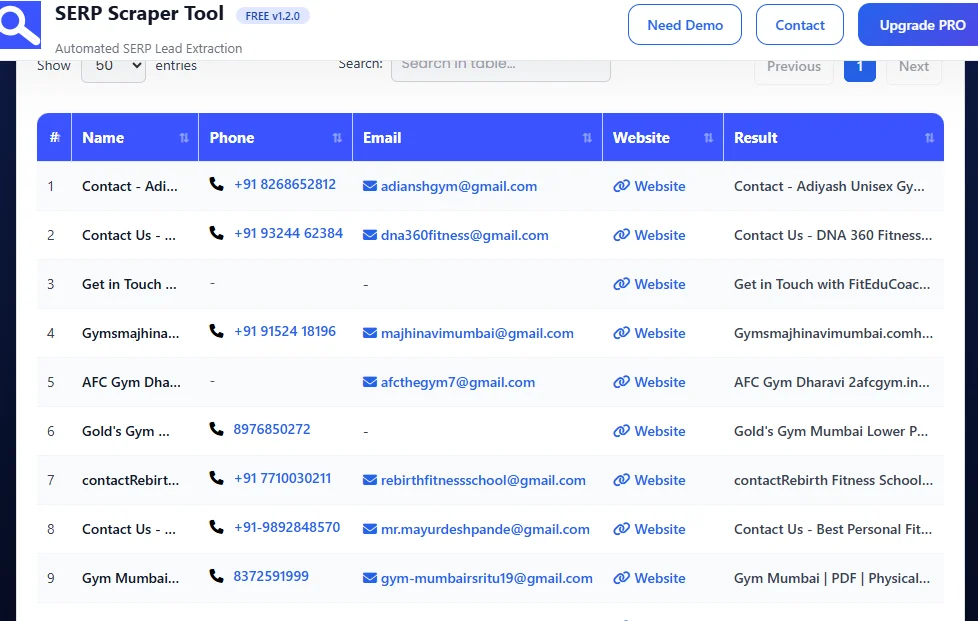
The SERP Scraper Tool will automatically scan the search results and extract data in real time.
Once the process is complete, all extracted information will be displayed in a structured table inside the dashboard, as shown in the image below.
You can easily review the data before downloading it.
Step 7: Download the Data
Stop the scraper and download the extracted data instantly as a CSV file.
You can now use this data for lead generation, sales, marketing, research, or CRM upload.
What Data Can You Extract?
The SERP Scraper Tool can extract the following data fields:
-
Business name
-
Phone number
-
Email address
-
Website URL
-
Search result source
All data is clean, organized, and ready to use.
Use Cases
Lead Generation
Generate local and niche-based business leads directly from search results.
Sales Outreach
Use extracted phone numbers and emails for cold calling and email campaigns.
Market Research
Analyze competitors and business presence in specific locations or industries.
Business Analysis
Understand market coverage and business density by keyword and area.
CRM Upload
Upload CSV files directly into your CRM or lead management system.
Benefits of Using Scrapper Tool
-
No manual copy-paste work
-
Faster data extraction
-
Clean and structured output
-
Easy to use for beginners
-
Scalable process for large data needs
-
Reliable and repeatable results
Upgrade to SERP Scraper Tool Pro
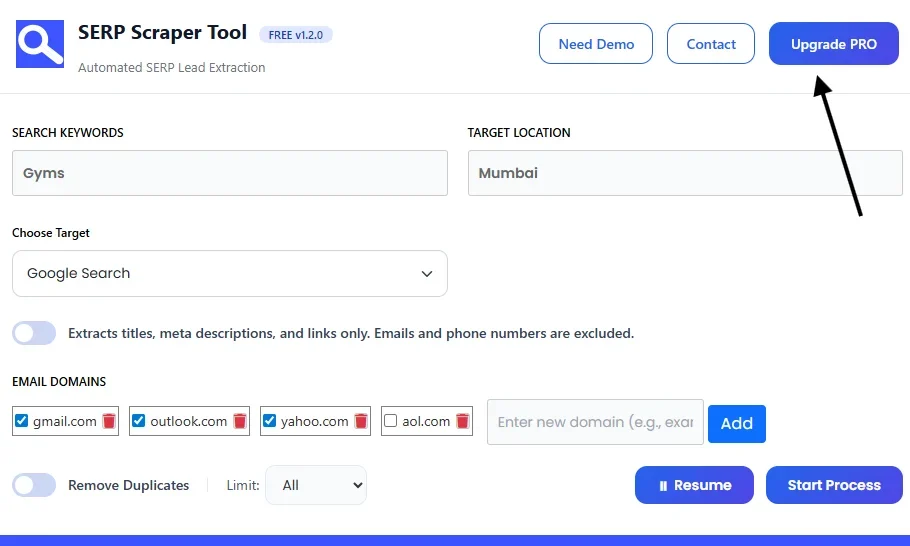
If you want more power and flexibility, you can upgrade to the Pro version of the SERP Scraper Tool.
The Pro plan is designed for users who regularly extract data and need better performance for professional work.
Pro version is best for:
-
Extracting large volumes of SERP data
-
Faster and more stable scraping
-
Higher daily and monthly usage limits
-
Lead generation, sales, research, and agency workflows
To upgrade, contact us:
📧 Email: info.scrappertool@gmail.com
📞 Phone / WhatsApp: +91 93163 08184SERP Scraper Tool – Pro Version
-
Watch the Complete Video Guide
We have also created a detailed video tutorial that explains how to use the SERP Scraper Tool step by step.
In this video, you will see:
-
How to enter keywords and locations
-
How to select Google Search or other websites
-
How the tool extracts data automatically
-
How to download the CSV file
▶ Watch the full video tutorial here:
https://youtu.be/ACsTRdnchaU
