
Collecting product and price data from Google Shopping manually can be extremely time-consuming. Most users open product cards one by one, copy product titles, prices, seller names, and delivery details, then paste everything into spreadsheets. This manual process is slow, repetitive, and often leads to missing or inaccurate data.
For ecommerce sellers, price comparison websites, market researchers, and digital marketers, manual data collection makes it difficult to monitor competitors and analyze pricing trends at scale.
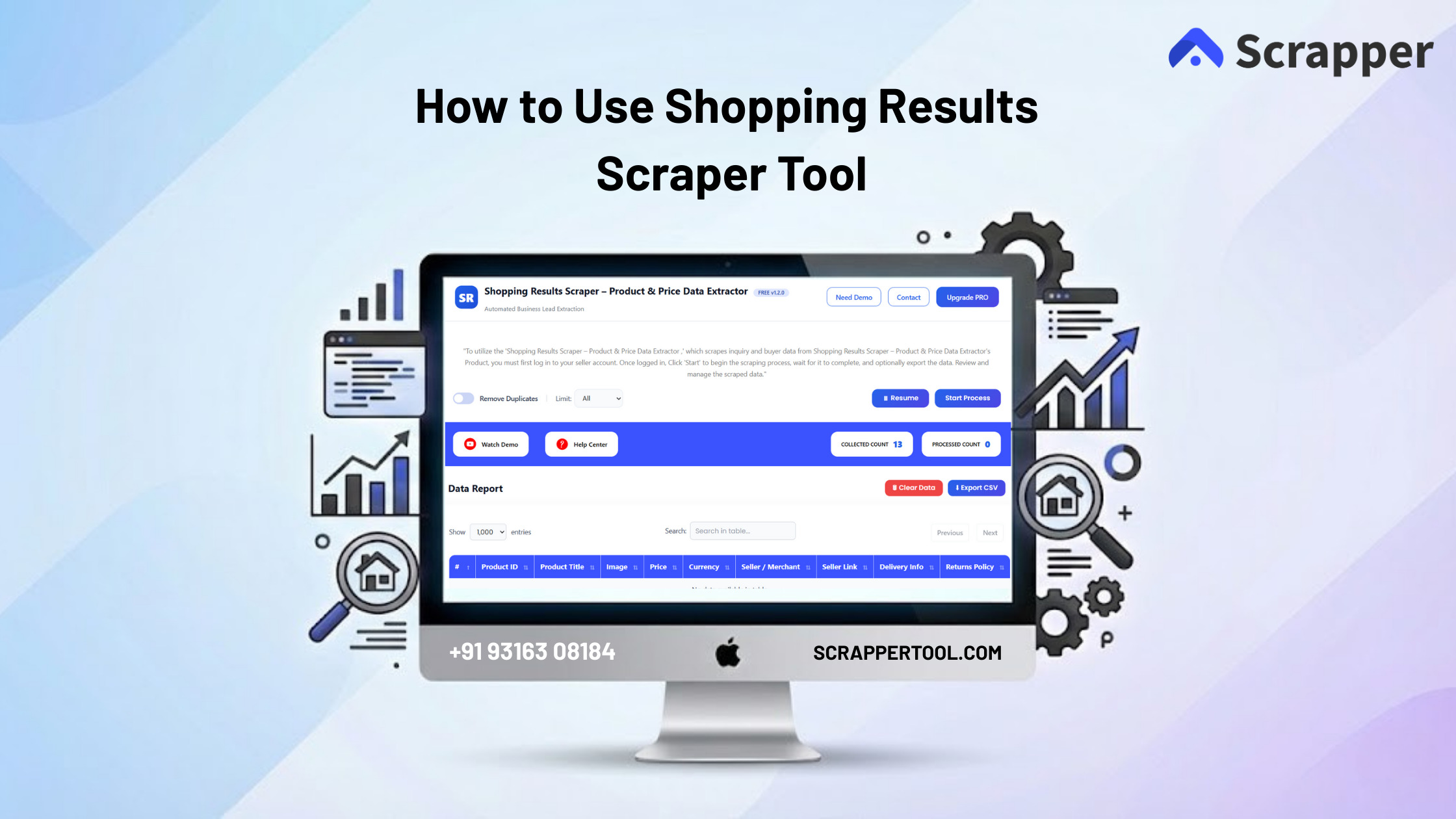
The Shopping Results Scraper by ScrapperTool solves this problem by automatically extracting clean and structured product data from Google Shopping results pages, helping you save time and focus on insights instead of manual work.
Step-by-Step Guide: How to Use the Shopping Results Scraper
Step 1: Add the Shopping Results Scraper to Chrome
Start by opening Google Chrome.
Visit the official Shopping Results Scraper page on the ScrapperTool website.
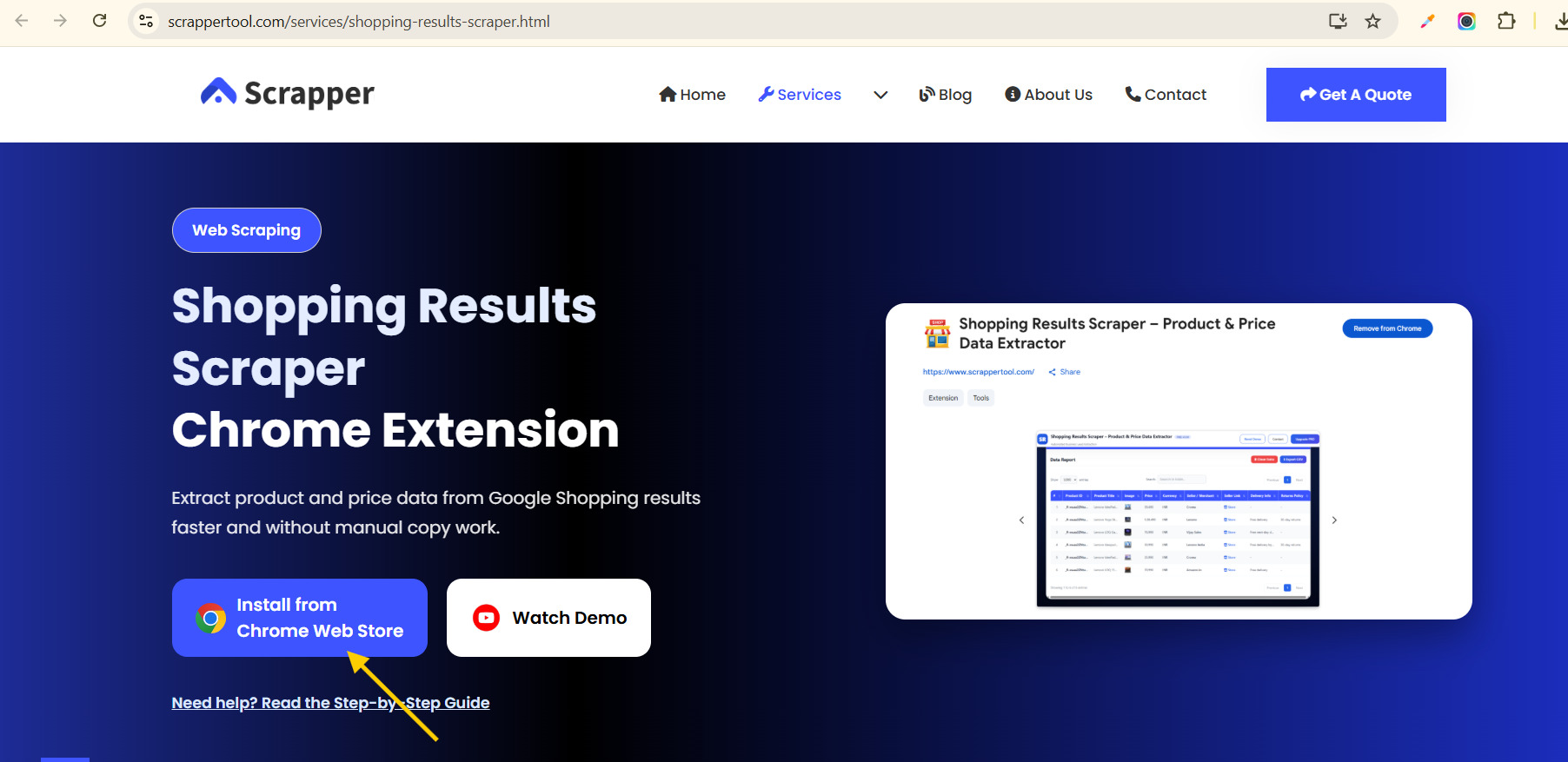
You will see an option to install the tool from the Chrome Web Store.
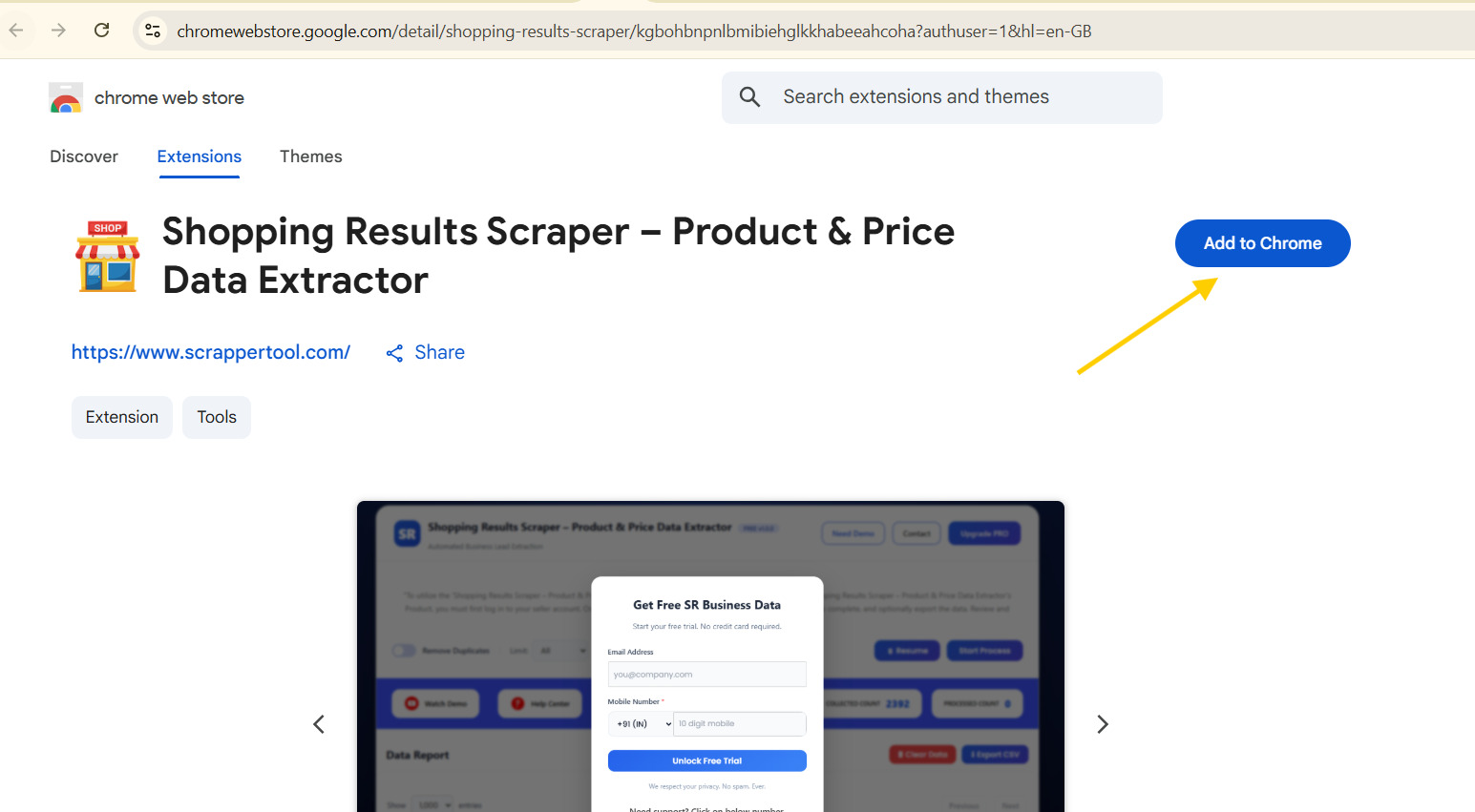
Click Add to Chrome and confirm the installation.
Within a few seconds, the extension will be added to your browser.
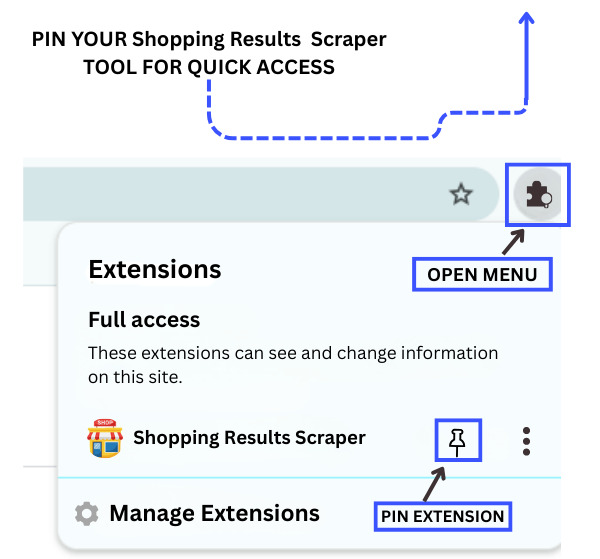
Step 2: Pin the Tool for Easy Access
After installation:
-
Look at the top-right corner of your Chrome browser
-
Click the Extensions (puzzle) icon
-
Find Shopping Results Scraper by ScrapperTool
-
Click the pin icon so it stays visible in the toolbar
This allows quick access whenever you want to scrape product data.
Step 3: Start the Shopping Results Scraper
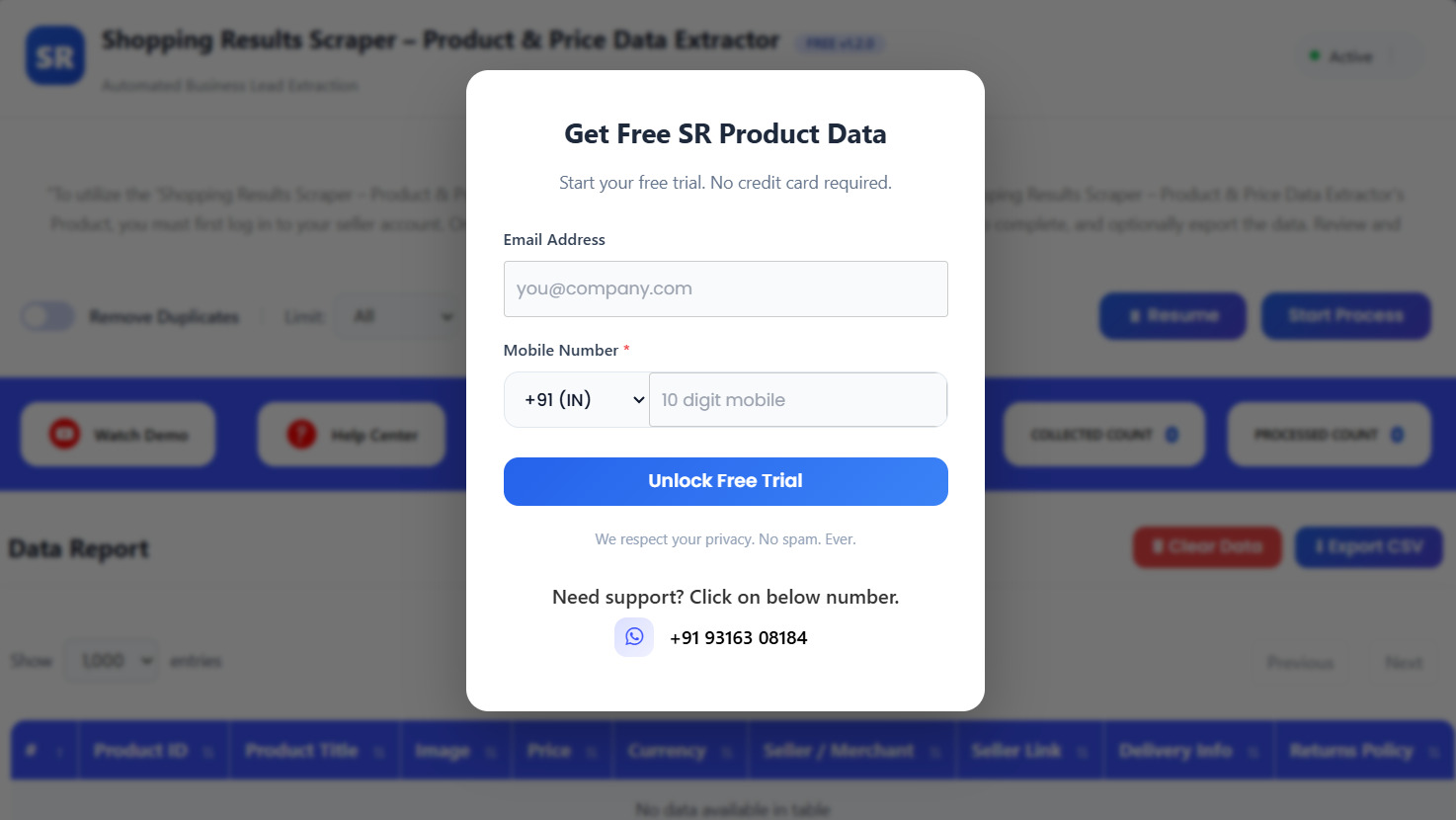
Click on the pinned Shopping Results Scraper icon.
A small popup window will open.
Fill in the required details shown in the popup and activate the tool.
Once activated, the scraper is ready to use.
Step 4: Open Google Shopping and Search Products
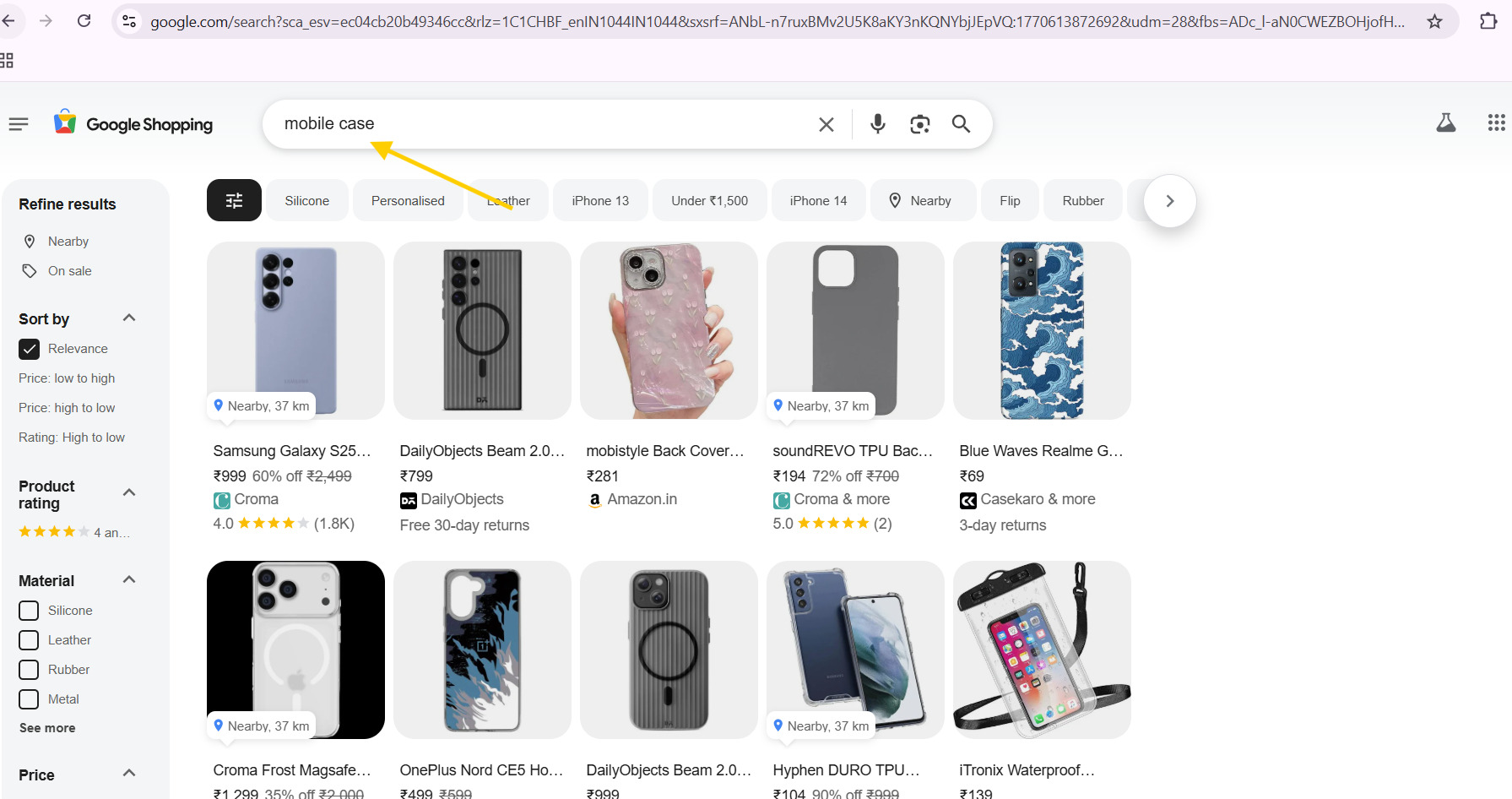
Open a new browser tab and go to Google Shopping.
Search for products using keywords such as:
-
Mobile phones
-
Shoes
-
Electronics
-
Home appliances
-
Fashion items
Apply filters like price range, brand, or seller if needed.
Once you reach the desired shopping results page
Step 5: Run the Scraping Process
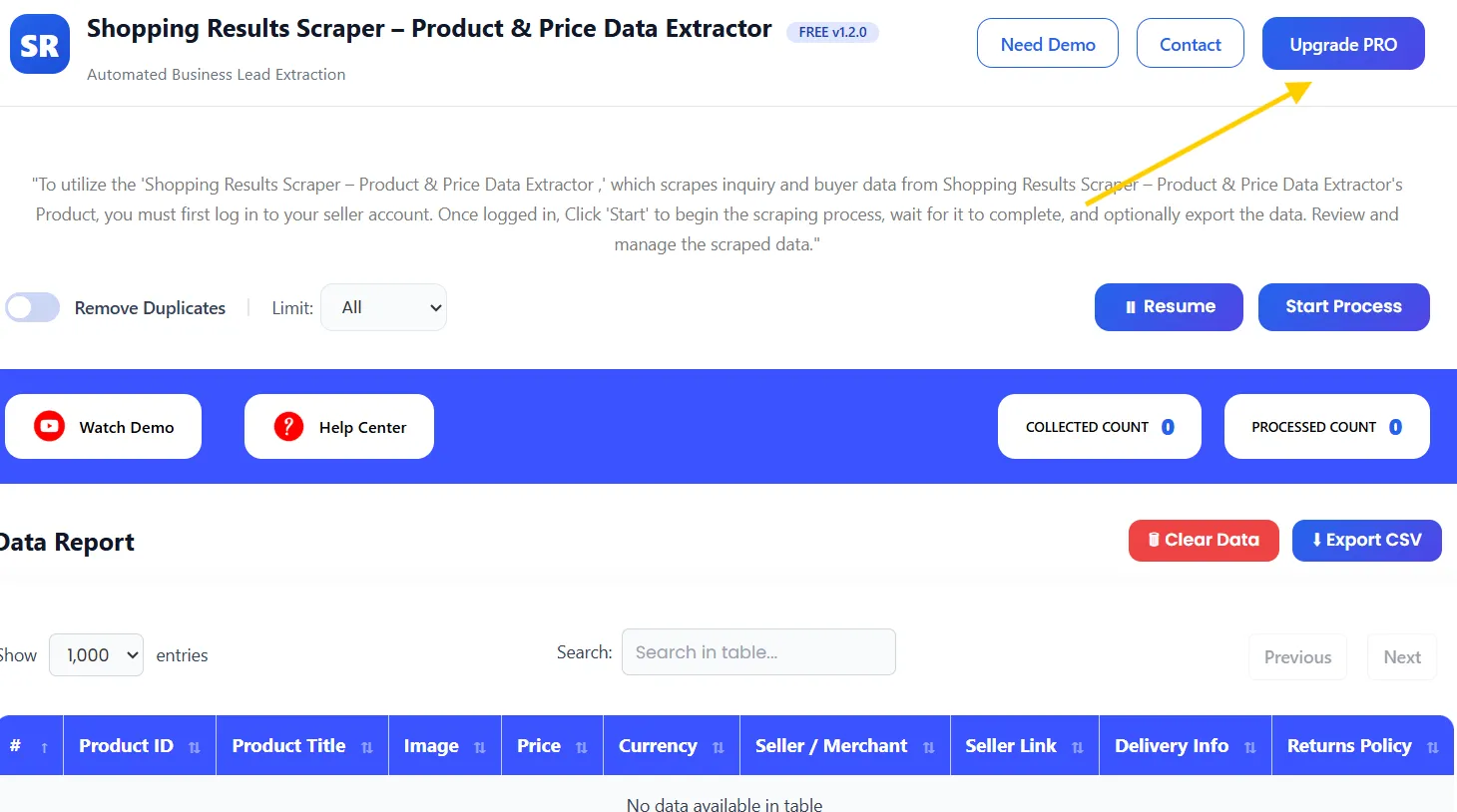
Open the ScrapperTool dashboard.
Click on the Start Process button.
The tool will automatically:
-
Read Google Shopping product listings
-
Extract product and pricing details
-
Capture seller and delivery information
-
Organize everything into structured data
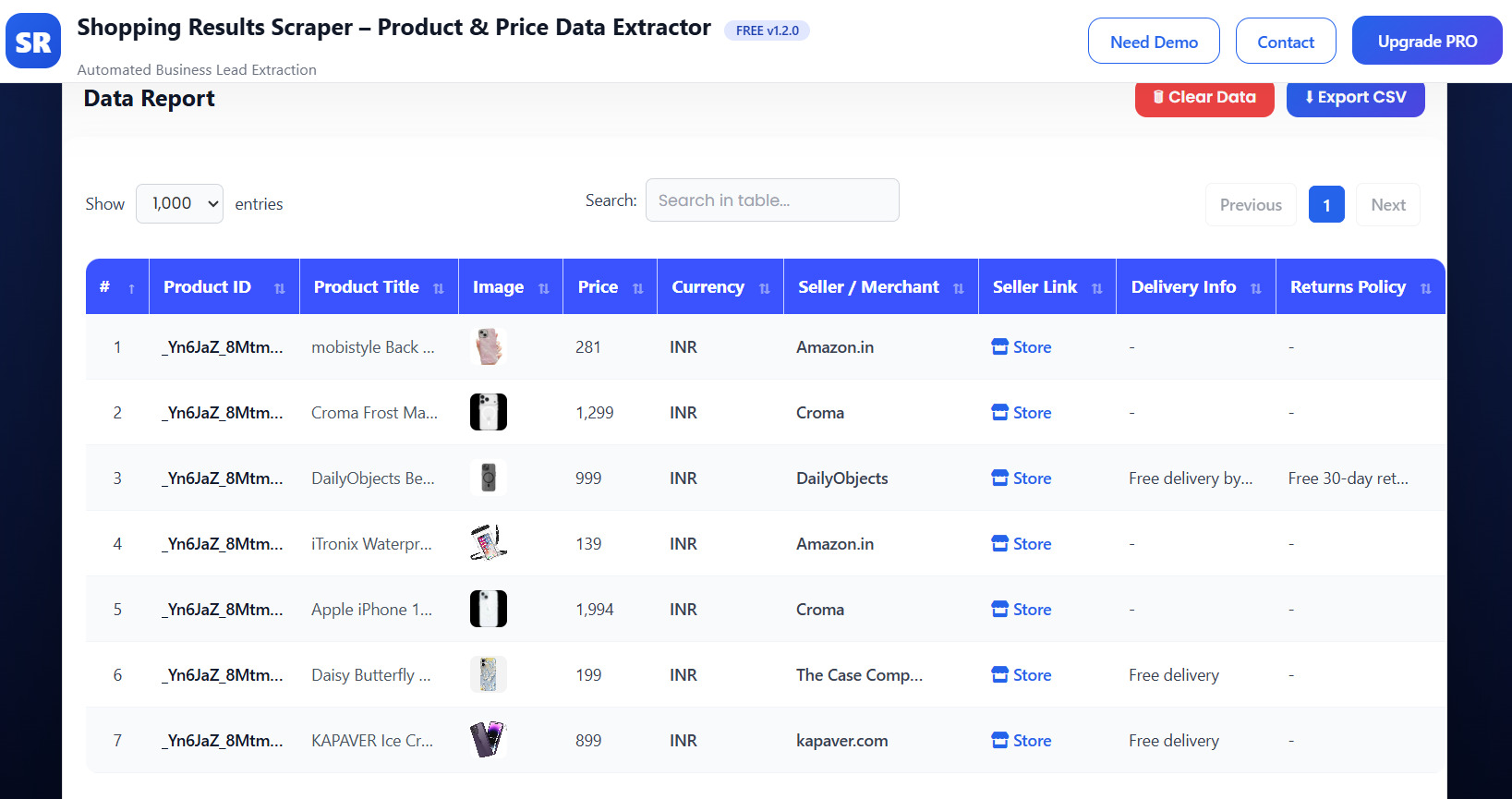
Once the process is complete, the extracted data will appear in a clean table inside the dashboard.
Step 6: Export the Data
After reviewing the extracted results:
-
Stop the scraper
-
Download the data as a CSV file with one click
You can now use this data for research, analysis, or business operations.
What Is Shopping Results Scraper?
The Shopping Results Scraper is an ecommerce data extraction tool available inside ScrapperTool. It allows users to collect product and price data directly from Google Shopping search results pages.
Instead of manually copying product details, the tool extracts data automatically in a structured and reusable format.
Who Should Use This Tool?
This tool is ideal for:
-
Ecommerce sellers
-
Dropshippers
-
Price comparison websites
-
Product researchers
-
Digital marketers
-
Market analysts
-
Affiliate marketers
What Data Can You Extract from Google Shopping?
The Shopping Results Scraper can extract:
-
Product ID
-
Product Title
-
Product Image URL
-
Price
-
Currency
-
Seller / Merchant Name
-
Seller Website Link
-
Delivery Information
-
Returns Policy
All data is clean, organized, and ready for export.
Use Cases
Product Research
Analyze products before adding them to your store.
Competitor Price Tracking
Monitor competitor pricing and seller offers easily.
Price Comparison
Build or update price comparison systems with real data.
Market Trend Analysis
Identify pricing trends and popular products.
Catalog & Feed Creation
Use extracted data for internal tools or marketing feeds.
Benefits of Using Shopping Results Scraper
-
No manual copy-paste
-
Saves time and effort
-
Beginner-friendly interface
-
Accurate and structured data
-
Works with large product lists
- Fast CSV export
Upgrade to Shopping Results Scraper Pro
For advanced scraping needs and higher usage limits, you can upgrade to the Pro version.
The Pro plan is ideal for professional users and growing businesses.
Pro version is best for:
-
Large-scale product scraping
-
Faster extraction speed
-
Higher daily limits
-
Advanced ecommerce research
Contact us to upgrade:
📧 Email: info.scrappertool@gmail.com
📞 Phone / WhatsApp: +91 93163 08184
Watch the Complete Video Guide
We also provide a detailed video tutorial explaining how to use the Shopping Results Scraper step by step.
The video covers:
-
Searching products on Google Shopping
-
Running the scraping process
-
Reviewing extracted data
-
Downloading CSV files
▶ Watch the full video tutorial on YouTube
