
Collecting job data manually from job portals can be slow, repetitive, and error-prone. Opening listings one by one, copying details, and managing spreadsheets wastes valuable time especially when you need data at scale.
That’s where the Jobs Scraper Tool by Scraper Tool helps.
In this guide, you’ll learn how to automatically collect job listings, job leads, and hiring data from popular job platforms without manual copy-paste.
What Is the Jobs Scraper Tool?
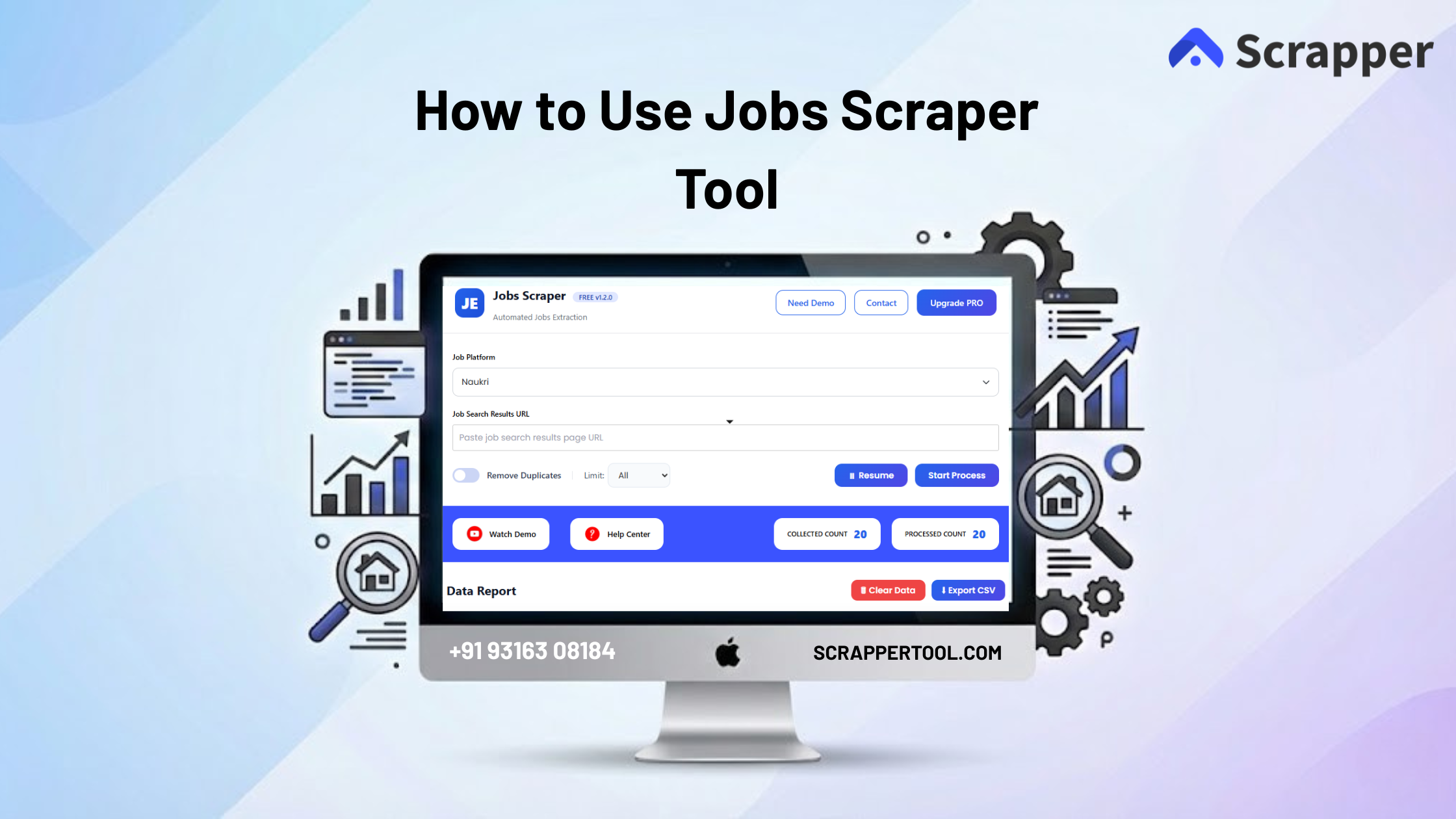
The Jobs Scraper Tool is a browser-based automation tool that extracts job data directly from supported job websites.
Instead of manually collecting information, the tool scrapes structured job details and exports them in a ready-to-use format.
You can use it for:
-
Recruitment and HR outreach
-
Job market research
-
Lead generation
-
CRM uploads
-
Data analysis
Step-by-Step Guide to Using the Jobs Scraper Tool
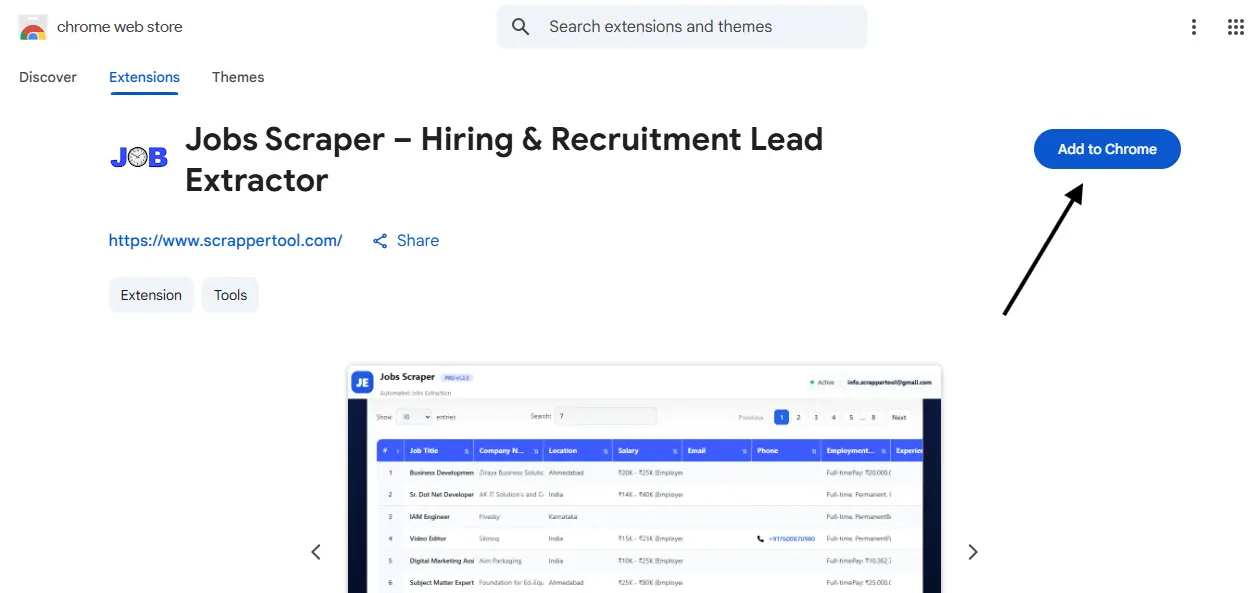
Step 1: Install the Jobs Scraper Tool Extension
Start by installing the Scraper Tool Chrome Extension from the Chrome Web Store.
Once installed, the extension integrates directly with your browser and is ready to use.
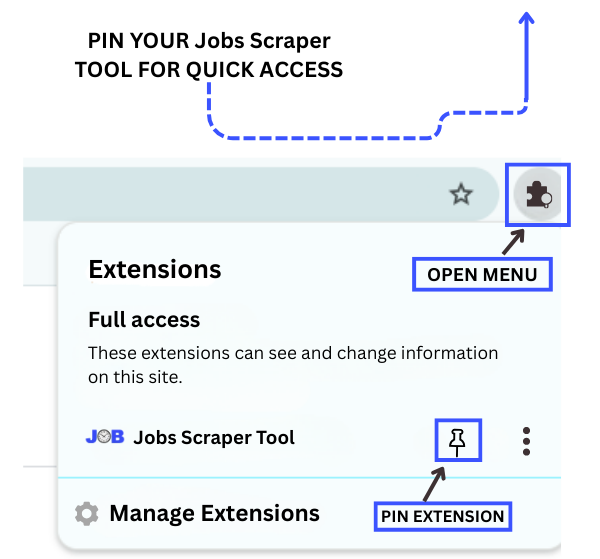
Step 2 – Pin the Extension
After installation, open the Chrome Extensions menu and pin the Jobs Scraper Tool so it remains easily accessible in your browser.
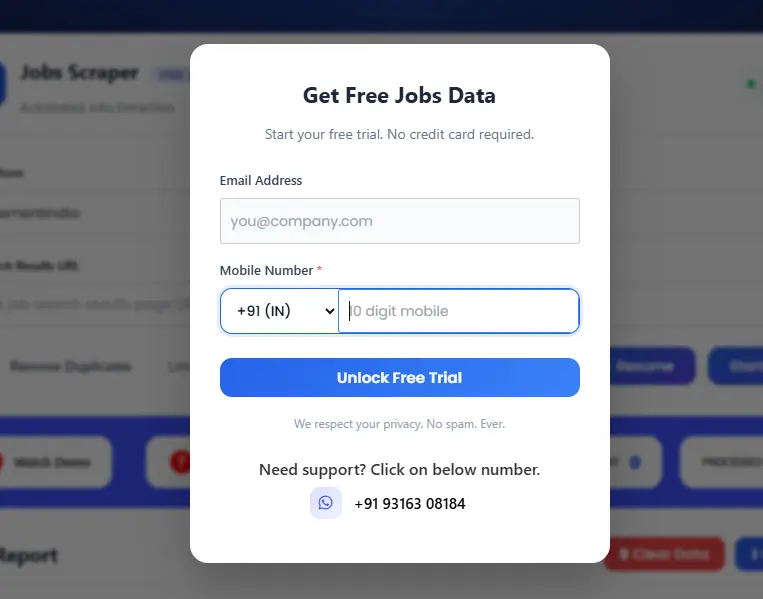
Step 3 – Start the Free Version
Once the extension is pinned, click on the Jobs Scraper Tool in your Chrome browser. This will open a popup where you can complete the form to access the free trial.
Step 4: Open a Supported Job Platform
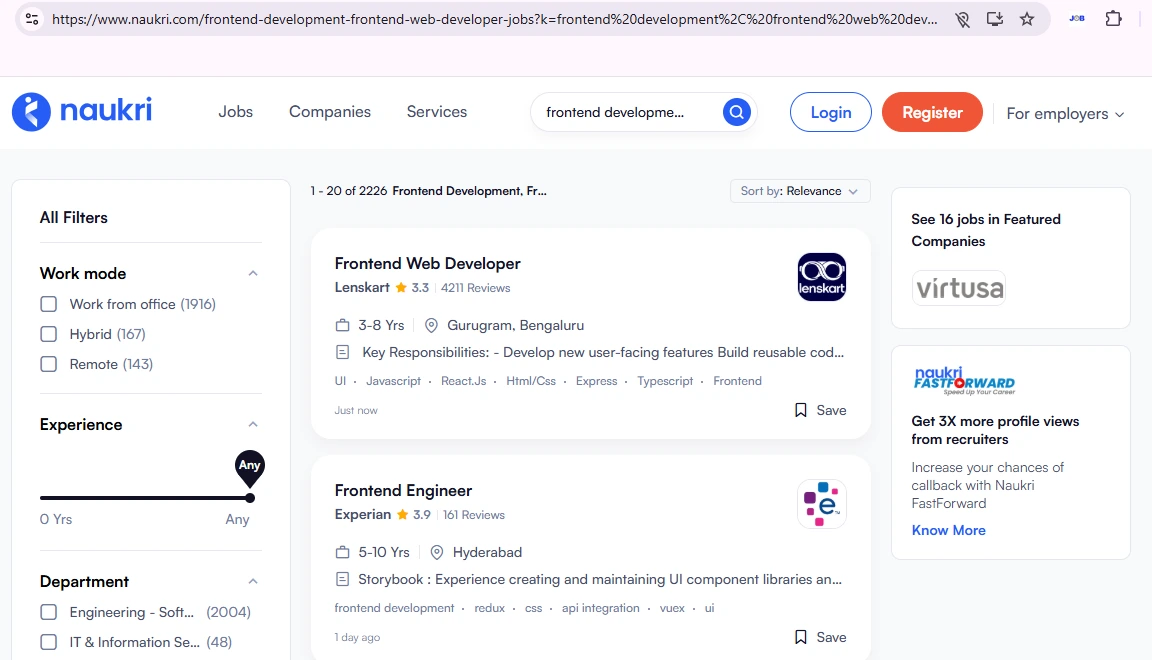
Next, visit any supported job website where you want to collect job listings.
Examples include:
-
Indeed
-
Naukri
-
Shine
-
Other supported job portals
Search for the job role or keyword you’re targeting.
Step 5: Copy the Job Results Page URL
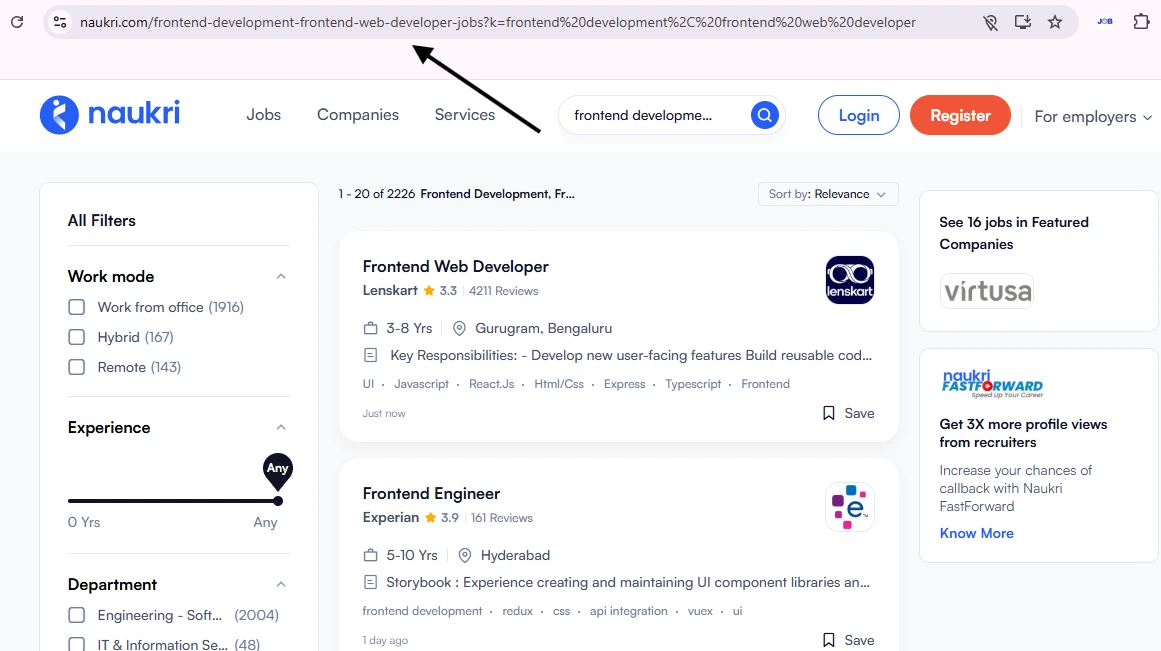
When the job results page is fully loaded, copy the complete URL from your browser’s address bar.
This URL is important because:
-
The scraper reads job data directly from this page
-
All listings on the page will be extracted automatically
Step 6: Open the Jobs Scraper Tool
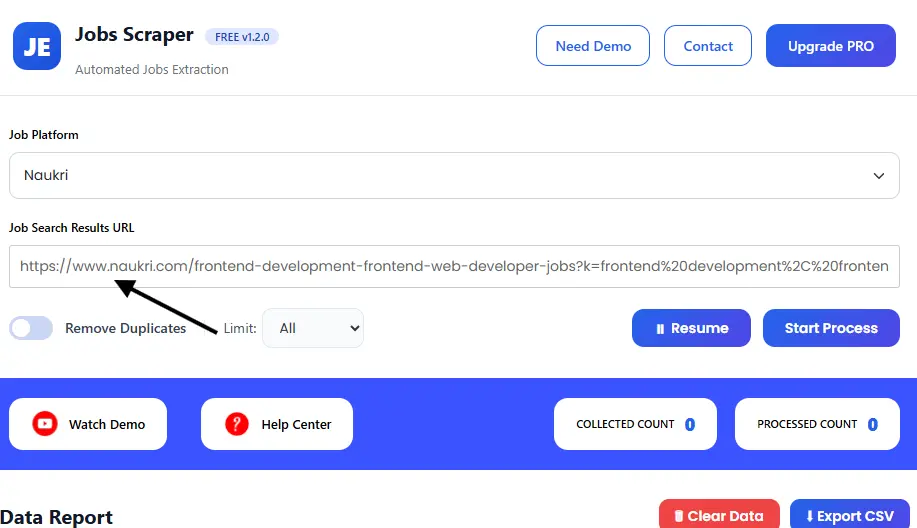
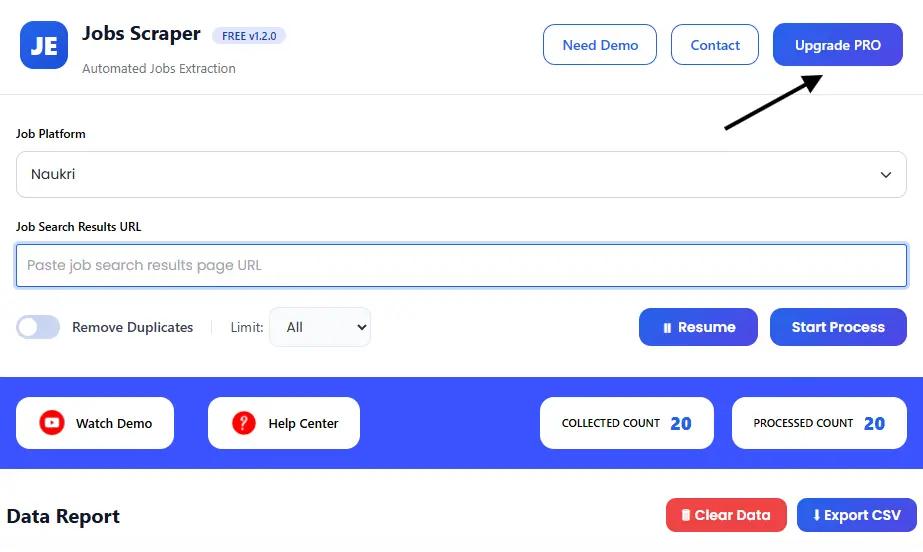
Now, open the Jobs Scraper Tool interface.
-
Select the same platform you copied the URL from (Indeed, Naukri, Shine, etc.)
-
Paste the job results URL into the input field
Start Scraping & View Extracted Job Data.
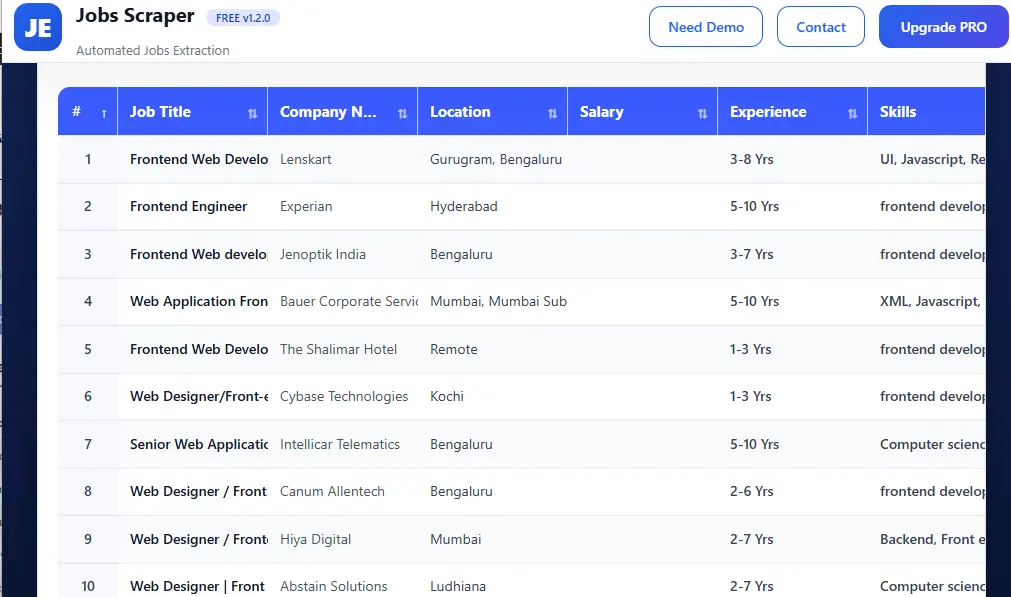
Click on Start Process to begin scraping. The tool will immediately start extracting job data from the page, and you can see the live progress on your screen in real time.
No background scripts and no manual intervention are required.
As the scraping runs, all extracted job details are automatically displayed in a clean, structured table, including:
-
Job title
-
Company name
-
Location
-
Experience
-
Required skills
-
Job description
-
Apply link
Everything is well-organized and easy to review in one place.
Step 8: Download the Job Data
After the scraping process is complete:
-
Stop the scraper
-
The data is instantly downloaded as a CSV file
You can use this file for:
-
-
Recruitment campaigns
-
HR outreach
-
Job trend analysis
-
Lead generation
-
CRM or ATS uploads
Why Use the Jobs Scraper Tool?
Key Benefits
-
No manual copy-paste
-
No human errors
-
Faster data collection
-
Clean, structured output
-
Ready-to-use CSV files
Whether you’re collecting 50 jobs or 5,000, the process remains simple and scalable.
-
-
Upgrade to the Pro Version
To unlock advanced features, higher scraping limits, and faster data extraction, upgrade to the Pro Version of the Jobs Scraper Tool.
The Pro version is ideal for users who need:
-
Large-scale data extraction
-
Faster scraping speed
-
Higher daily usage limits
-
Professional use for leads, research, or business workflows
Contact us to upgrade:
📧 Email: info.scrappertool@gmail.com
📞 Phone / WhatsApp: +91 93163 08184
Watch the Full Video Tutorial
We also provide a complete video walkthrough that explains the entire Yelp scraping process step by step.
Watch the full tutorial on YouTube to see the tool in action and understand every step clearly.
▶ Full Video Tutorial:
https://youtu.be/6T2RuMa_bLg
