
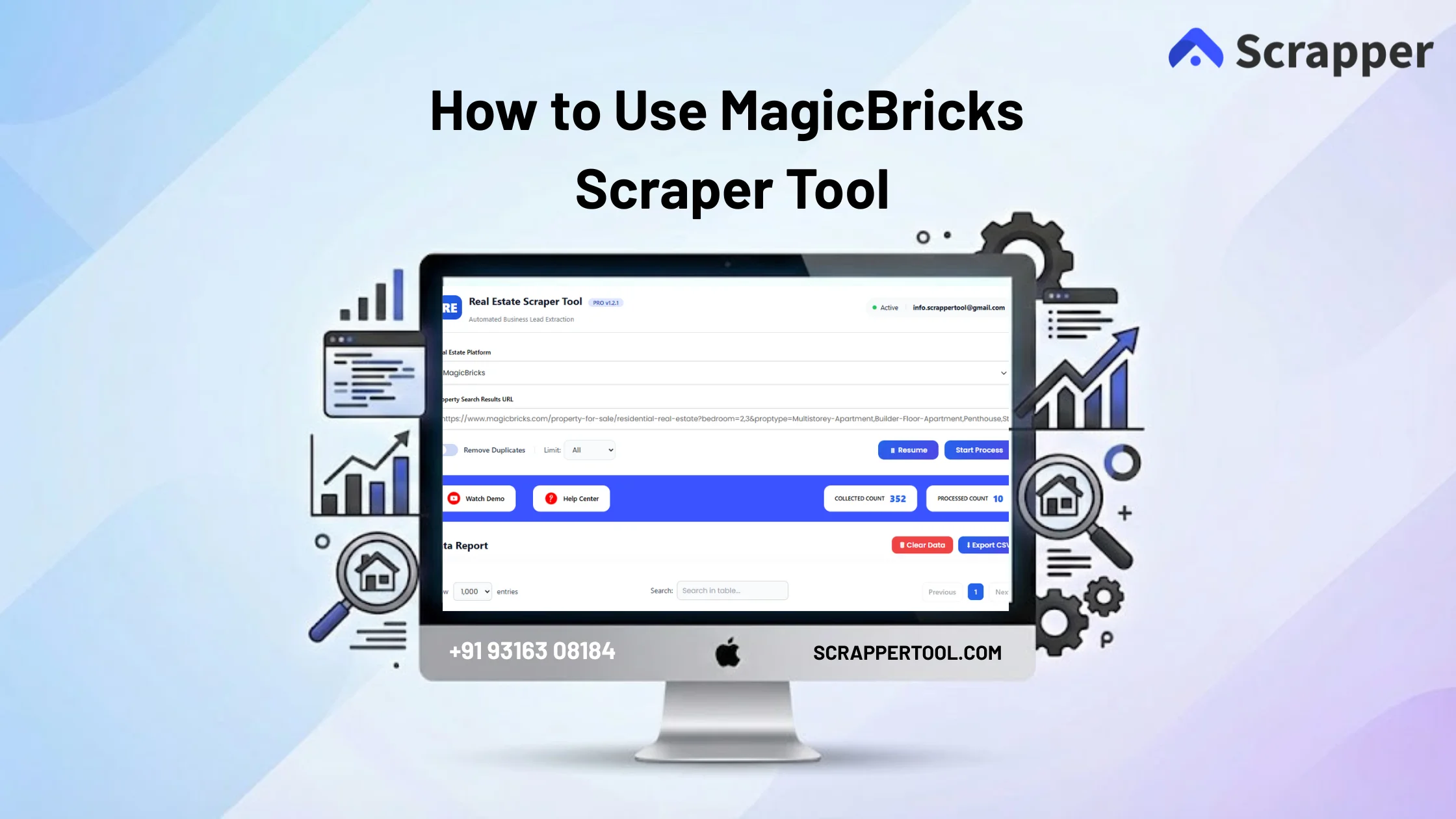

Collecting property listings from MagicBricks manually can be time-consuming. Users often open multiple listings, copy prices, property details, location, and contact information, then paste everything into spreadsheets. This process is repetitive, error-prone, and not suitable when you need data at scale.
For real estate professionals, analysts, and agencies, manual data collection slows down research and decision making.
The MagicBricks Scraper Tool by ScrapperTool helps you extract structured property listings data automatically, saving time and reducing manual effort.
Step-by-Step Guide: How to Use the MagicBricks Scraper Tool
Step 1: Install the Scrapper Tool Chrome Extension
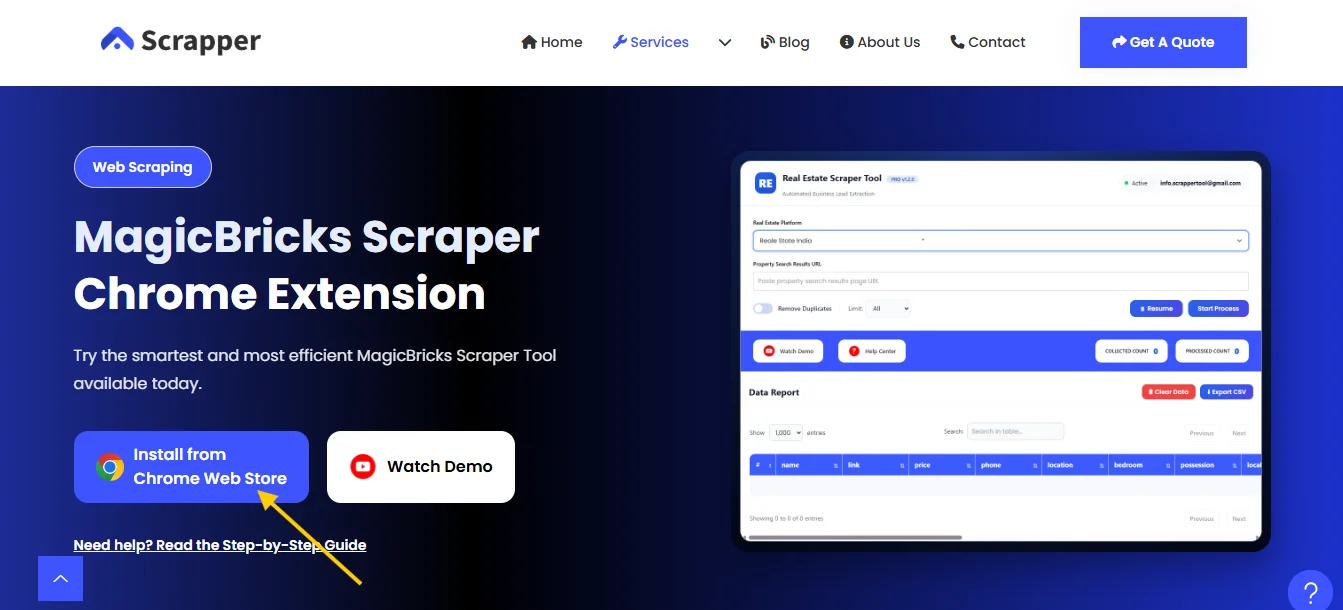
Open your browser and go to the MagicBaricks Scraper Tool page.
Look for the option that says “Install from Chrome Web Store” and click on it.
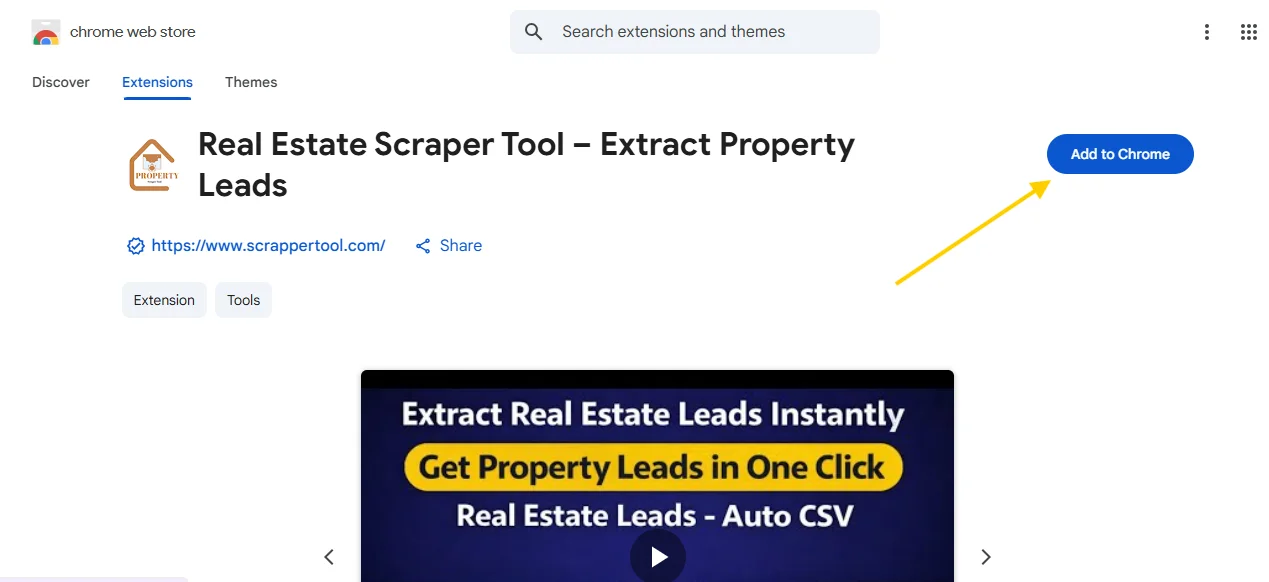
When the Chrome Web Store opens, you’ll see an “Add to Chrome” button click it to add the extension to your browser.
Step 2: Pin the MagicBricks Scraper Tool Extension
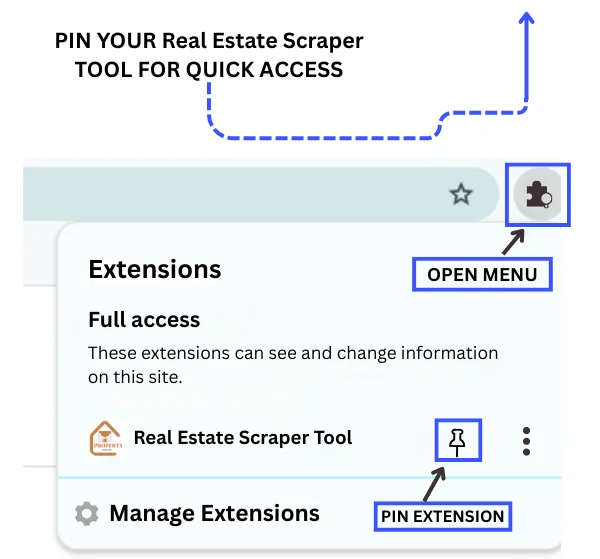
Click on the Extensions icon near the Chrome address bar and pin the MagicBricks Scraper Tool for quick access.
Step 3: Launch the MagicBricks Scraper Tool
Click on the pinned extension icon.
A popup will appear. Fill in the form to start your free trial.
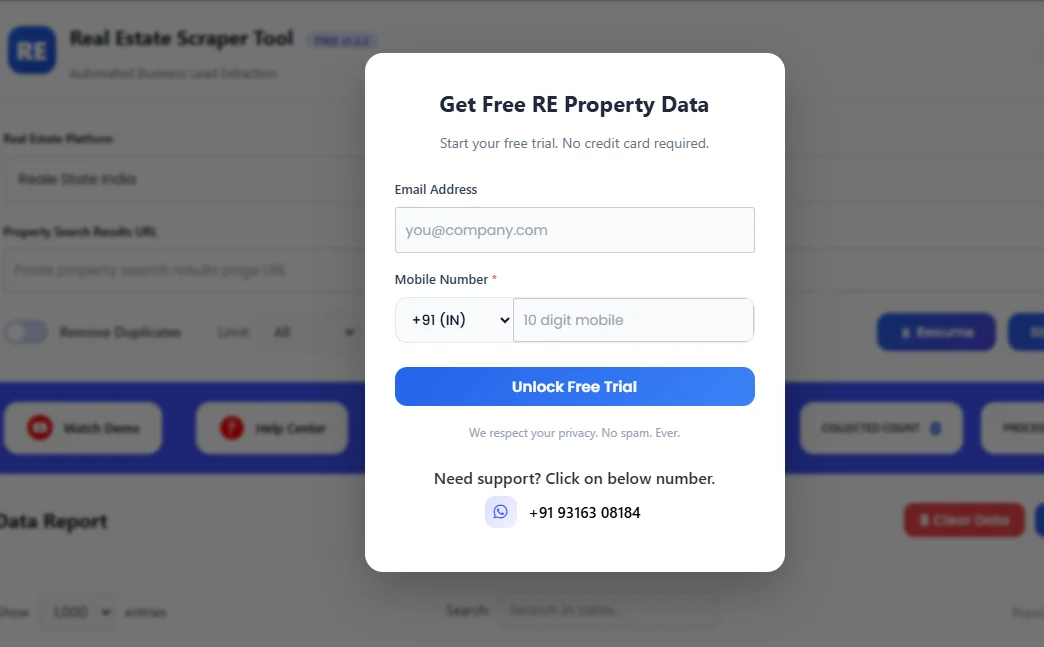
Step 4: Open MagicBricks and Search for Properties
Visit MagicBricks and search for properties by selecting your preferred city. Once you find the listings you want, copy the URL from the address bar ,you’ll need it for the MagicBricks Scraper Tool.
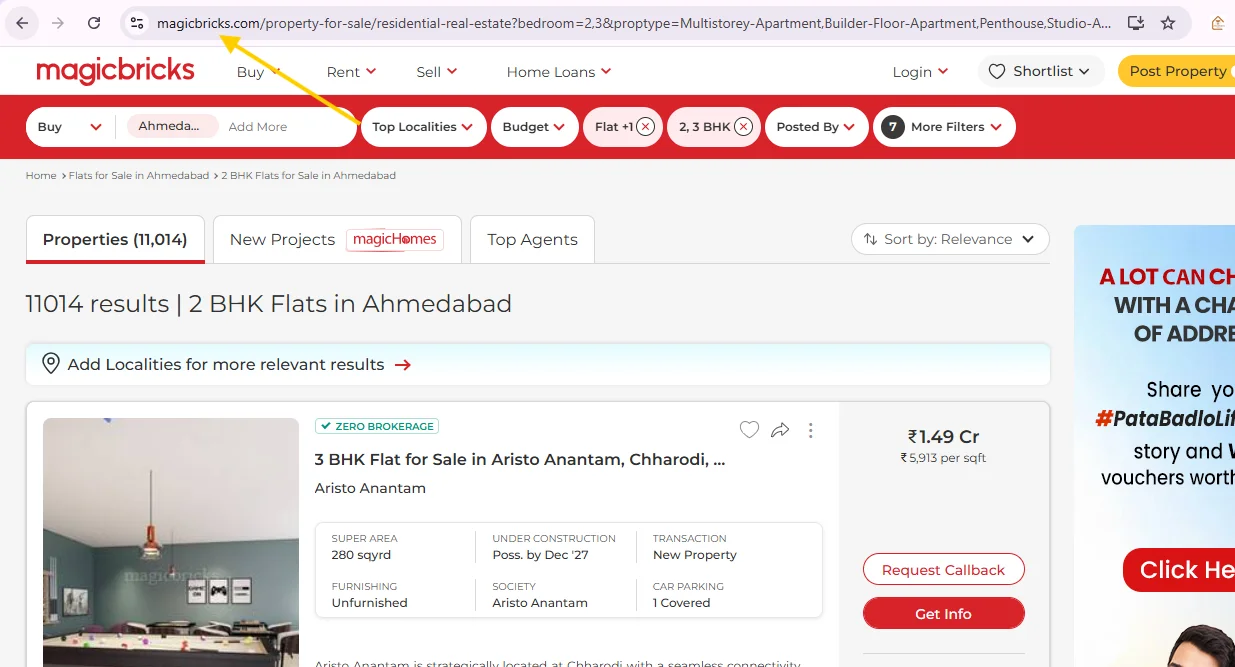
Step 5: Select MagicBricks Scraper Tool in Dashboard
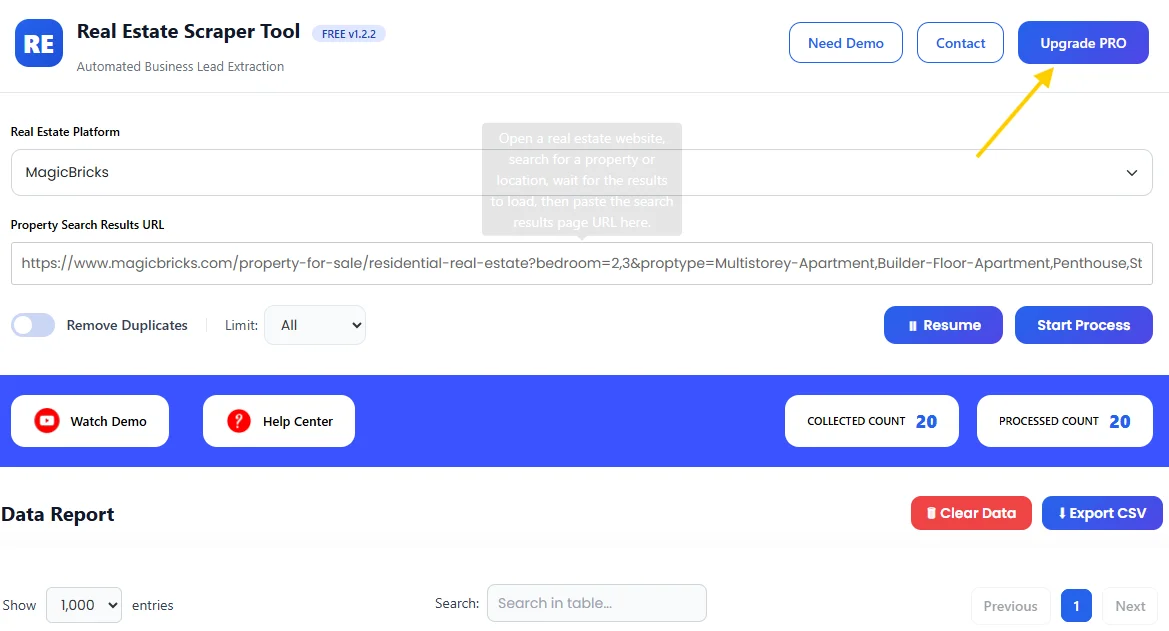
From the Real Estate Platform dropdown, pick MagicBricks, then paste the URL of your property search results into the input field.
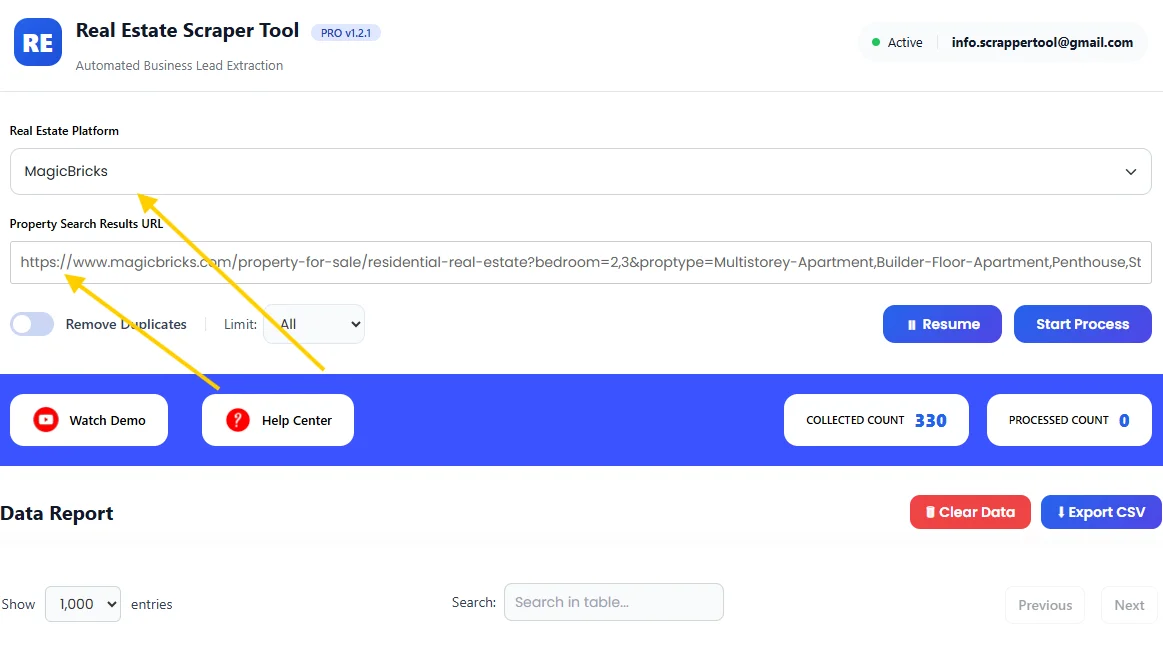
Step 6: View Extracted Property Data
Click on Start Process.
The tool automatically scans property listings and extracts data in real time.
Once completed, all extracted information is displayed in a structured table inside the dashboard, ready for review.
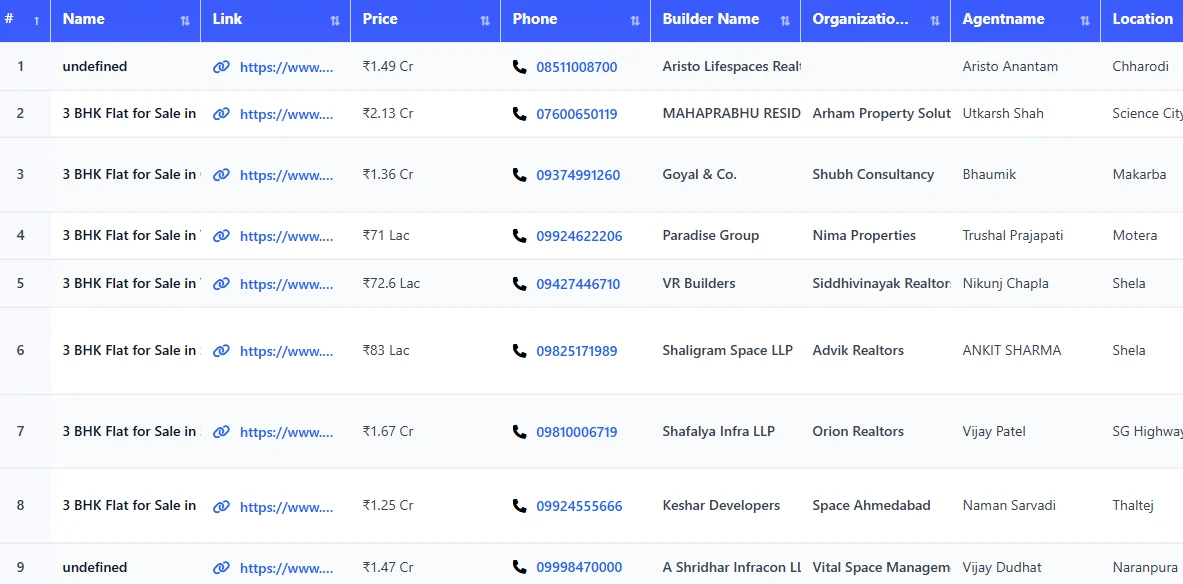
Step 7: Download the Data
Stop the scraper and download the extracted data instantly as a CSV file.
What Is MagicBricks Scraper Tool?
The MagicBricks Scraper Tool is a real estate data extraction tool available inside Scrapper Tool. It allows you to collect detailed property information directly from MagicBricks listings in a clean and organized format.
The tool scans listings automatically and converts the data into structured output that you can easily download and use.
This tool is useful for:
-
Real estate agents and brokers
-
Property consultants
-
Market researchers
-
Digital marketers
-
Businesses working with property data
If you regularly analyze MagicBricks listings, this tool simplifies your workflow.
Supported Real Estate Platforms
We have tools for all these platforms, allowing you to manage and analyze property data in one place.
This makes it easier to compare and analyze property data across platforms.
What Data Can You Extract?
The MagicBricks Scraper Tool can extract the following data fields:
-
Property name
-
Listing link
-
Price
-
Phone number (if available)
-
Number of bedrooms
-
Locality / area
-
Property type
-
Rating
-
Reviews
-
Google Maps link
-
Organization
-
Top facilities
-
About Description
The data is clean, well-organized, and ready to use.
Use Cases
Lead Generation
Identify property owners and potential clients for real estate services.
Property Research
Analyze prices, locations, and property types across different areas.
Market Analysis
Study trends, demand, and competition in specific cities or localities.
Marketing & Outreach
Use extracted data for targeted campaigns and follow-ups.
CRM & Database Management
Upload property listings data directly into your CRM or internal systems.
Benefits of Using MagicBricks Scrapper Tool
-
No manual copy-paste work
-
Faster property data extraction
-
Structured and readable output
-
Easy to use, even for beginners
-
Scalable for large datasets
-
Quick CSV export
Upgrade to MagicBricks Scraper Tool Pro
If you need higher limits and better performance, you can upgrade to the Pro version of the MagicBricks Scraper Tool.
The Pro plan is designed for professional and large-scale usage.
Pro version is ideal for:
-
High-volume property data extraction
- Higher daily usage limits
-
Real estate, research, and agency workflows
Contact us to upgrade:
📧 Email: info.scrappertool@gmail.com
📞 Phone / WhatsApp: +91 93163 08184
Watch the Complete Video Guide
We also provide a detailed video walkthrough that explains how to use the MagicBricks Scraper Tool step by step.
The video covers:
-
Searching properties on MagicBricks
-
Starting the scraping process
-
Viewing extracted data
-
Downloading the CSV file
▶ Watch the full video tutorial on YouTube
https://www.youtube.com/watch?v=rB0fczdY7CY
