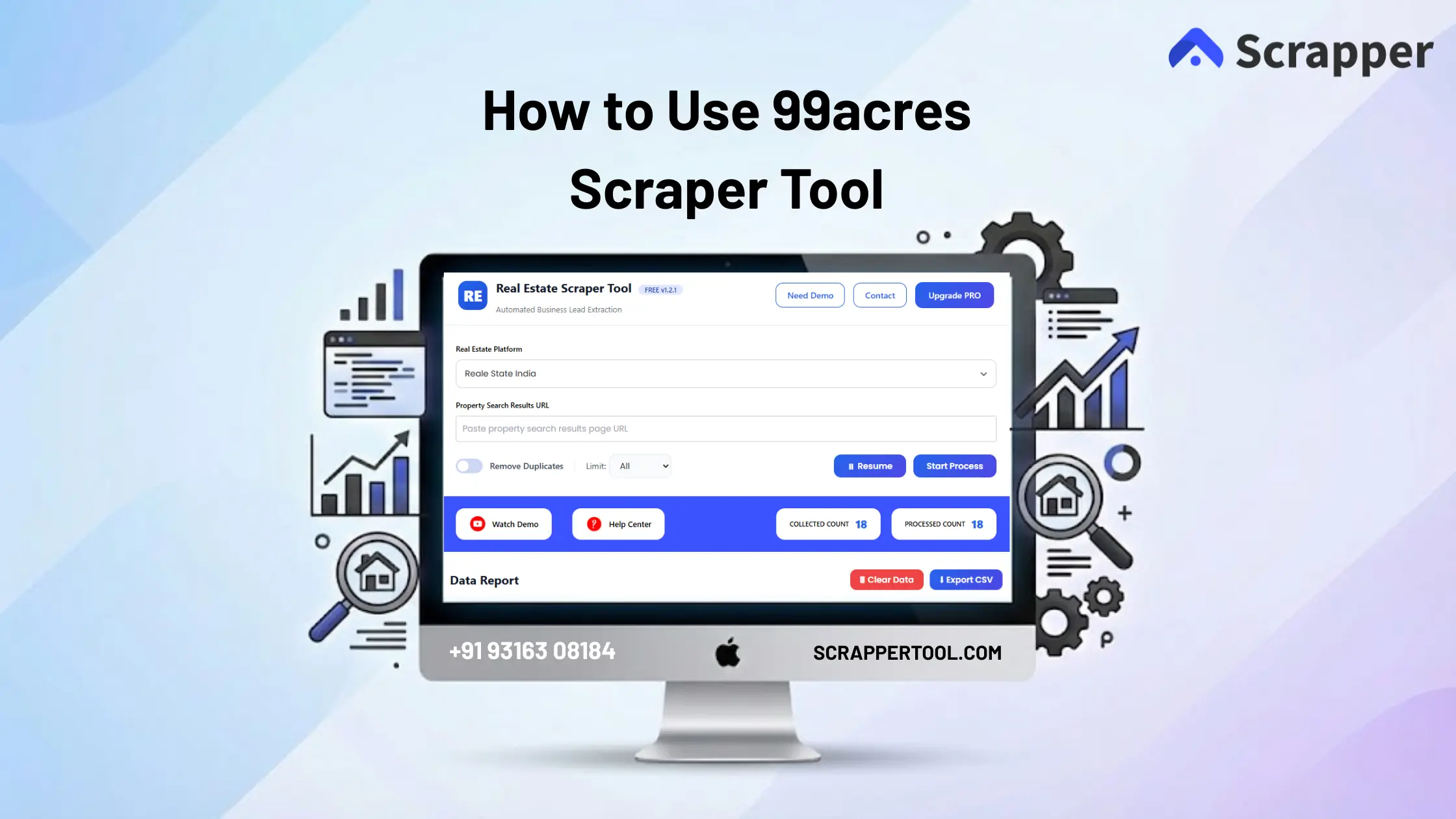

99acres Scraper Tool is a powerful Chrome extension designed to automatically extract real estate listings and property leads from 99acres.com with accuracy and speed.
This tool helps real estate professionals, brokers, investors, and researchers collect structured property data without manual browsing or copy-paste work.
With just a few clicks, you can scrape hundreds or thousands of property listings—including prices, locations, and contact details—and export them into a clean CSV file.
Step-by-Step Guide: How to Use 99acres Scraper Tool
Step 1: Install the Real Estate Scraper Tool
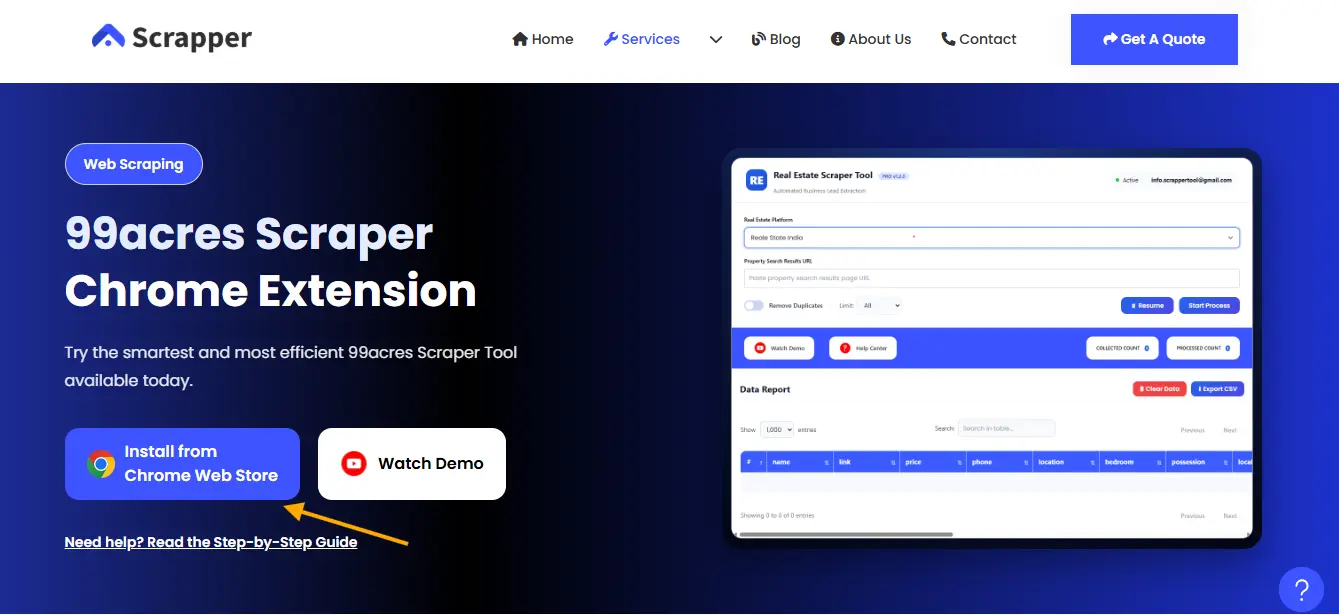
- Visit the 99acres Scraper Tool page on Scrapper Tool
- Click on “Install from Chrome Web Store”
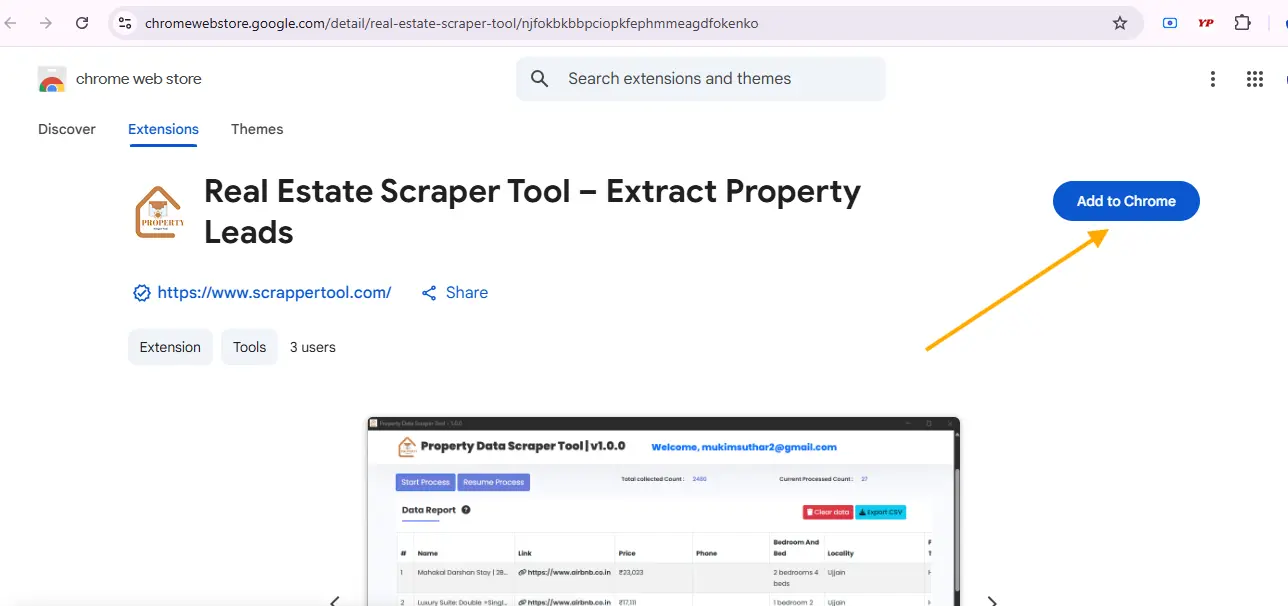
- Press “Add to Chrome” to install the extension
- After clicking the button, a small popup window will open on your screen.
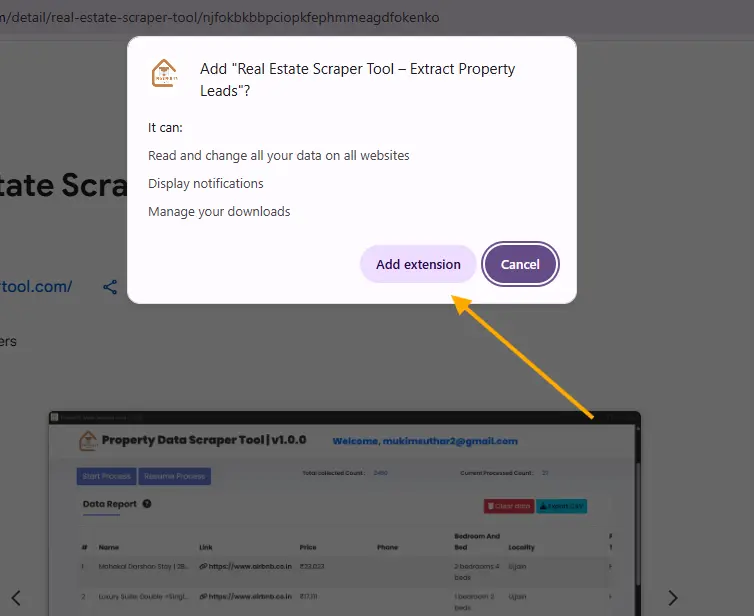
Step 2: Add Real Estate Scraper Tool into Chrome
- On the right side of the URL bar, you will notice the action icon. Click on this browser action icon.
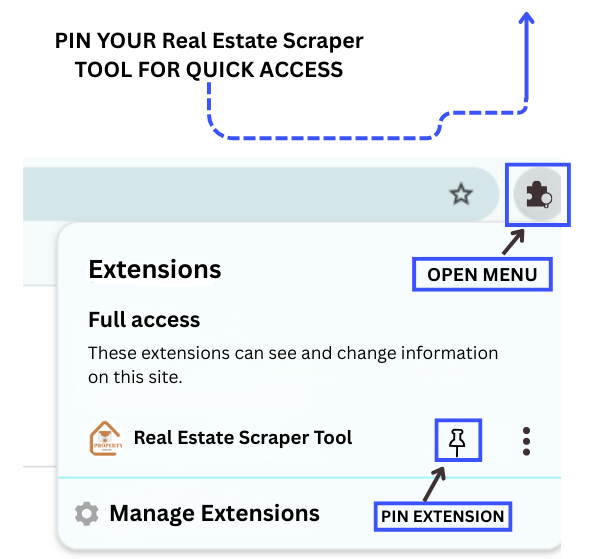
Step 3: Start the 99acres Scraper Tool
-
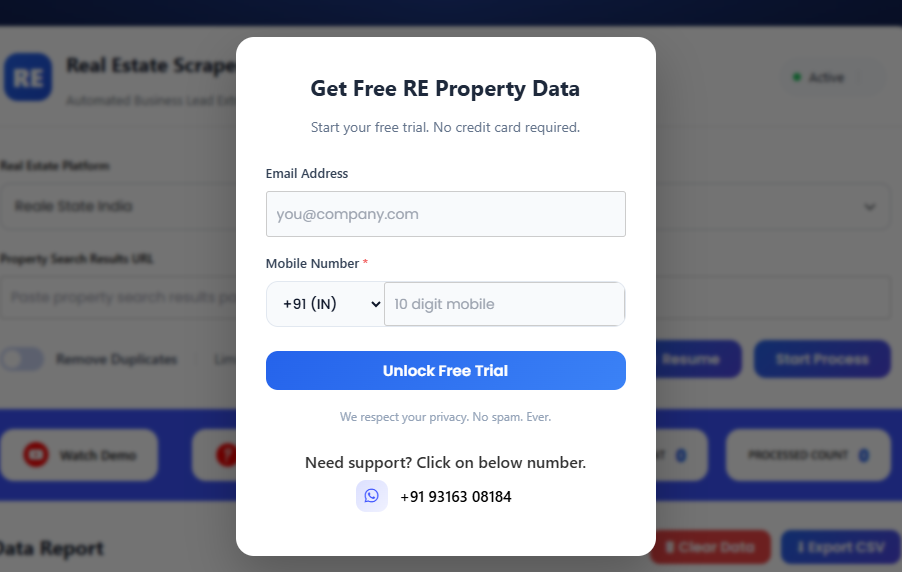
Once the extension is pinned, click on our Real Estate Scraper Chrome Extension. A popup like the one shown below will appear
- To start the free trial, simply fill out the form provided.
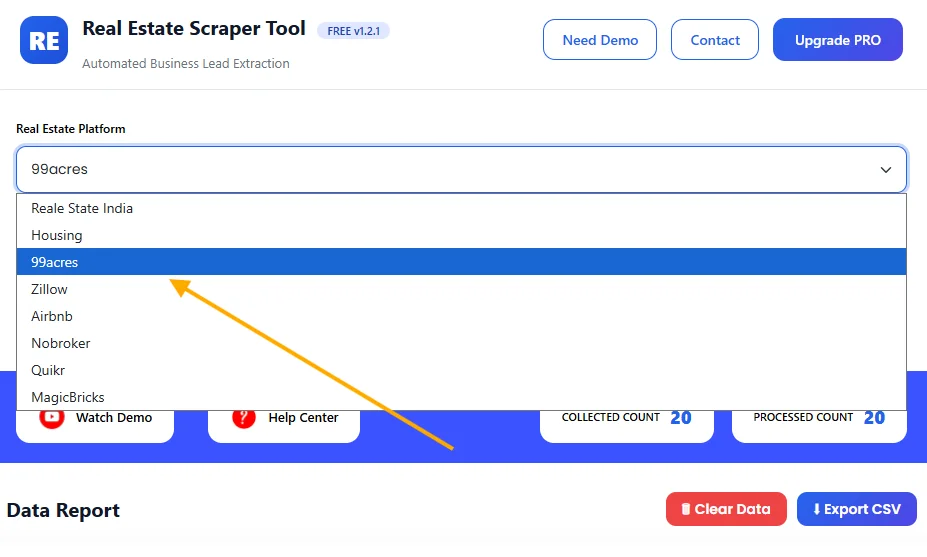
Step 4: Select 99acres Platform
-
From the dropdown, select 99acres
Step 5: Search on 99acres
-
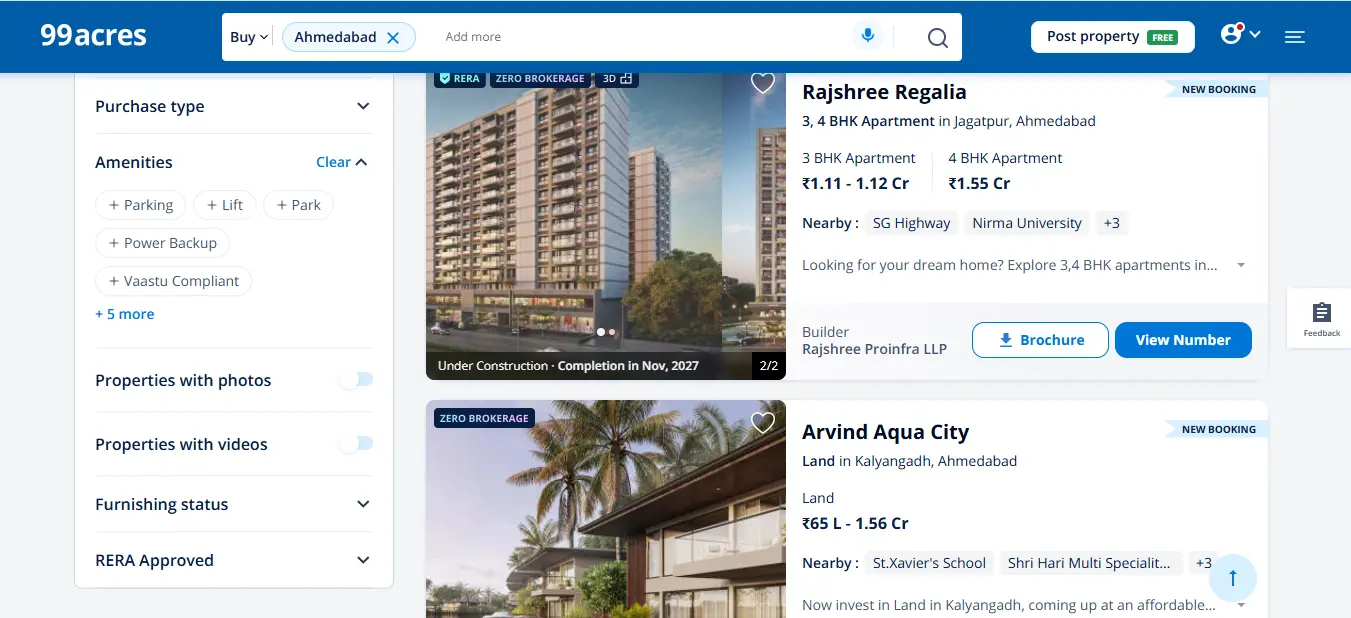
Go to 99acres.
-
Search for the property, project, or location you want to collect data from.
-
Make sure the desired listings are visible on the screen.
Step 6: Start Scraping
-
Return to the scraper tool
-
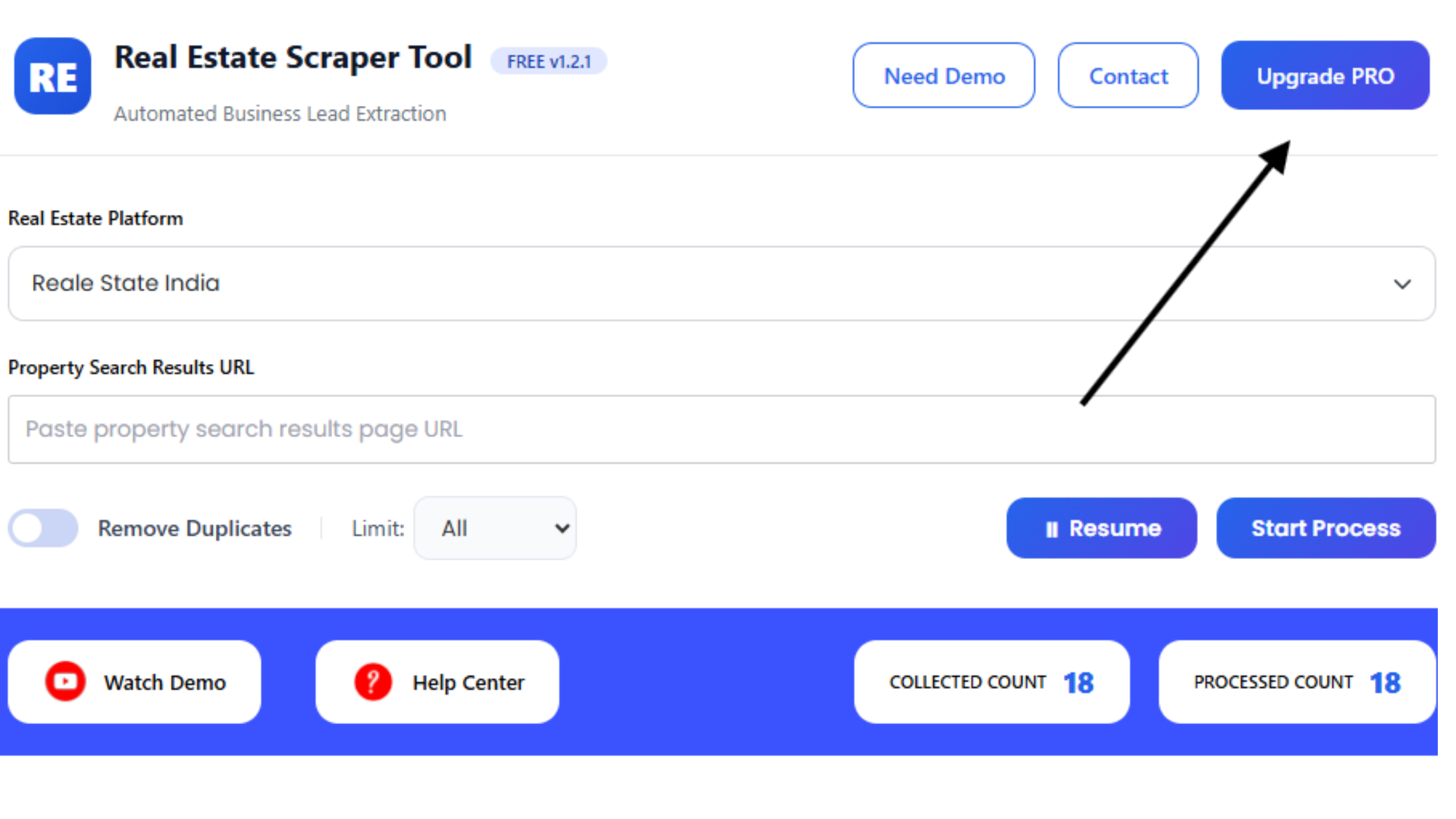
Click on Start Process
-
The tool will automatically begin extracting property listings from the active 99acres page
-
Live scraping progress will be shown inside the tool
Step 7: Download Data
-
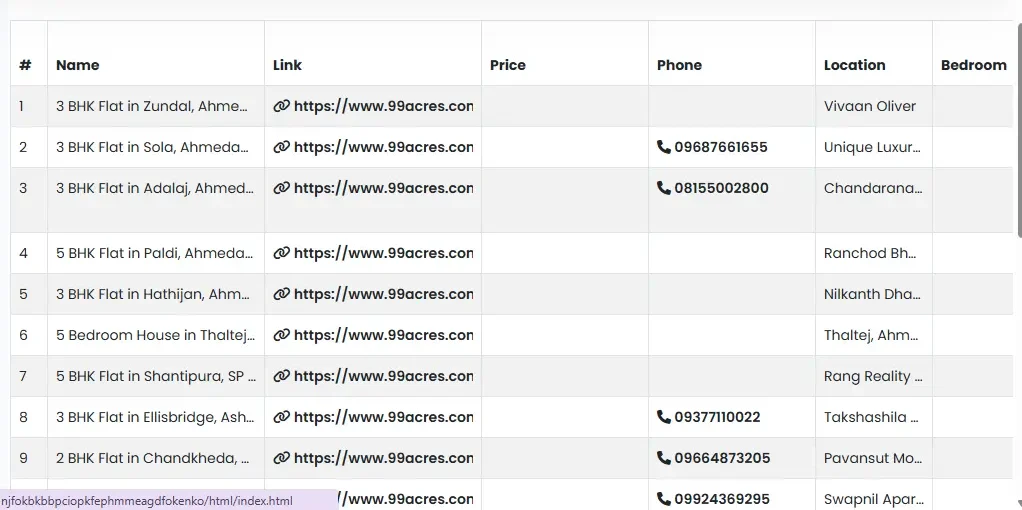
Once scraping is complete, download the data as a CSV file
-
Open it directly in Excel, Google Sheets, or CRM software
Why Use a 99acres Scraper Tool?
99acres is one of the largest real estate platforms, hosting of active property listings across residential, commercial, and rental categories.
Manually collecting this data is time-consuming and inefficient.
The 99acres Scraper Tool solves this problem by:
-
Eliminating manual data collection
-
Saving hours of repetitive work
-
Providing structured, ready-to-use data
-
Helping you find genuine property leads faster
What Data Can You Extract from 99acres?
Using the 99acres Scraper Tool, you can collect:
-
Property Title / Project Name
-
Property Listing URL
-
Price (Buy / Rent)
-
Location (City, Area, Society)
-
Phone Number (when available)
-
Type
-
Possession
All extracted data is neatly organized and exportable.
Who Can Use 99acres Scraper Tool?
This tool is ideal for:
-
🏠 Real Estate Brokers & Agents
-
🏢 Property Consultants
-
📊 Market Researchers
-
💼 Real Estate Investors
-
📣 Marketing & Lead Generation Teams
-
🧑💻 Data Analysts
Key Benefits of 99acres Scraper Tool
-
✅ No coding required
-
✅ Works directly in your browser
-
✅ Fast and scalable scraping
-
✅ Clean and structured output
-
✅ Saves time and manpower
-
✅ Ideal for lead generation
Supported Real Estate Platforms
Our tools cover a wide range of real estate platforms, allowing you to manage and analyze property data all in one place.
With all these platforms supported, you can easily compare and evaluate property data across multiple sources, saving time and effort.
Upgrade to Pro Version
The free version allows limited scraping.
To unlock full features such as higher limits and advanced extraction, you can upgrade to the Pro Version.
Contact Details
📧 Email: info.scrappertool@gmail.com
📞 Call / WhatsApp: +91 93163 08184
Our team will guide you through pricing and setup.
Video Tutorial Available
We also provide a step-by-step YouTube video demonstrating how to use the 99acres Scraper Tool effectively.
Watch the video to understand real-world usage and best practices.
Supported Real Estate Platforms
Our scraper works with various real estate websites:
-
Zillow
-
Airbnb
-
Magicbricks
-
NoBroker
-
Quikr
-
RealEstateIndia
