
Collecting email addresses and phone numbers manually from websites takes a lot of time. Most users search businesses on Google, open websites one by one, find contact pages, and then copy email IDs or phone numbers into spreadsheets. This process is slow, repetitive, and often results in missed or incomplete data.
For marketers, sales teams, lead generation agencies, and business owners, manual contact data collection makes it difficult to scale outreach and build accurate lead databases.
The Website Email & Phone Extractor Chrome Extension by ScrapperTool solves this problem by automatically extracting email IDs and phone numbers using search keywords, so you can generate leads faster without manual copy-paste or technical skills.
Step-by-Step Guide: How to Use Website Email & Phone Extractor
Step 1: Install the Website Email & Phone Extractor Chrome Extension
Start by opening Google Chrome.
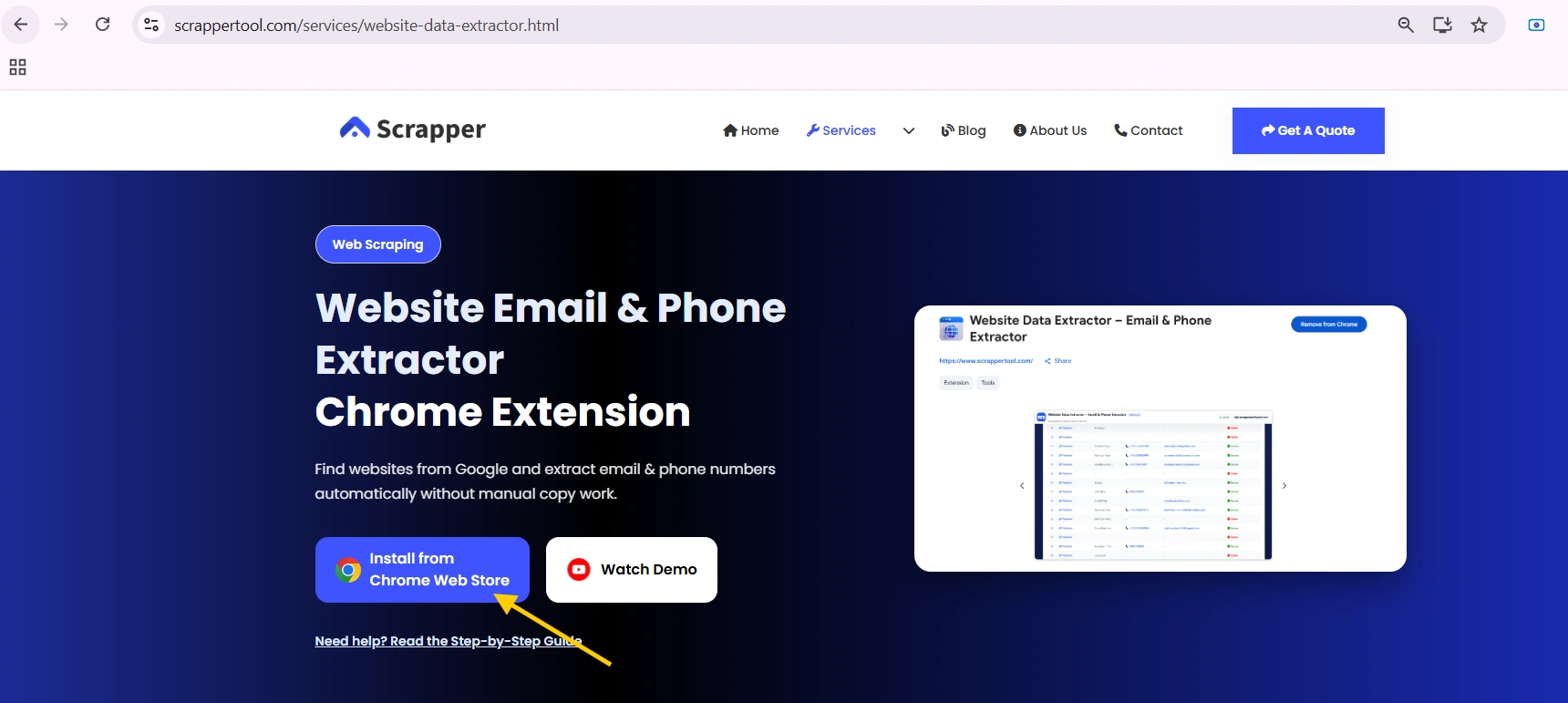
Visit the official Website Email & Phone Extractor page on the ScrapperTool website.
You will see an option to install the Chrome extension from the Chrome Web Store.
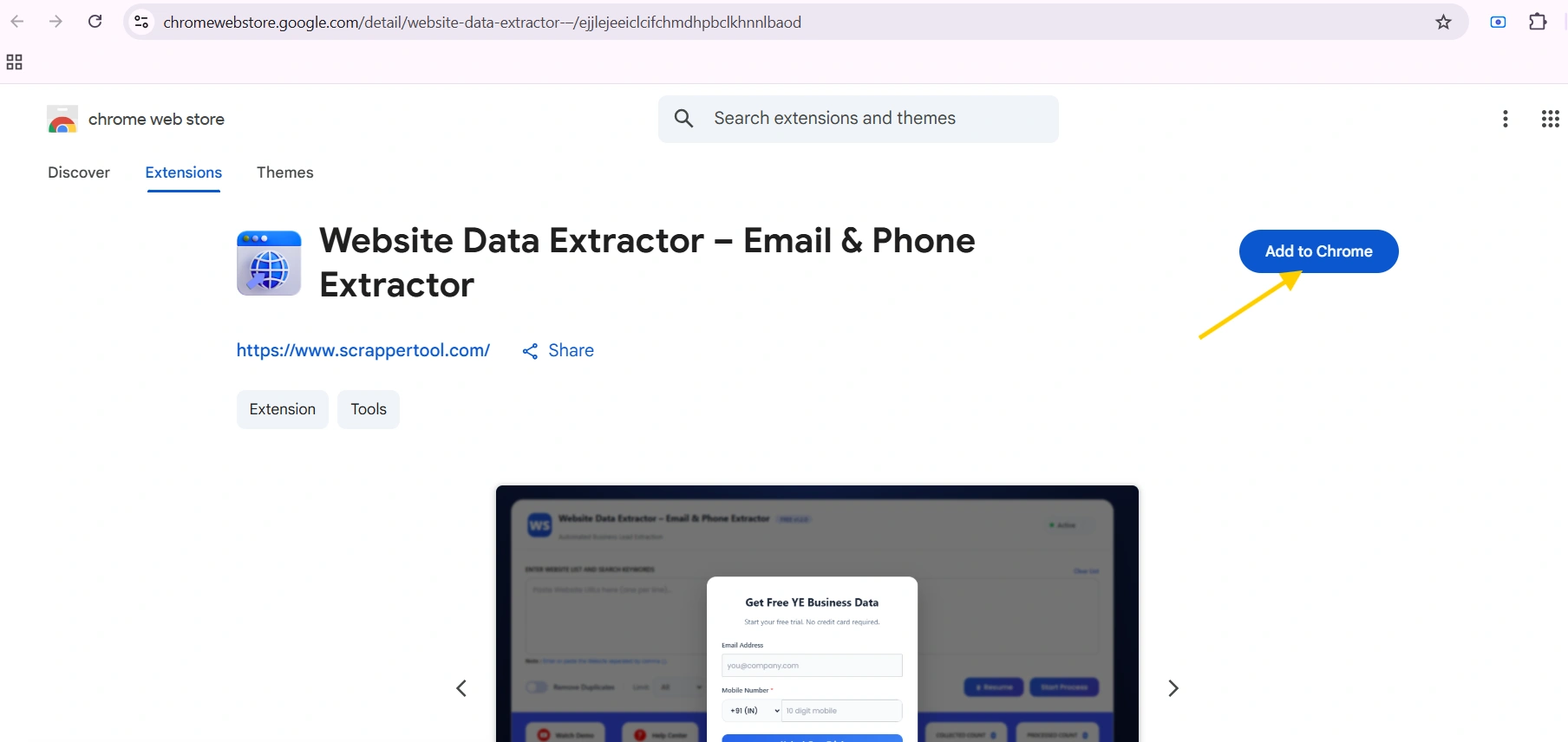
Click Add to Chrome and confirm the installation.
The extension will be added to your browser in a few seconds.
Step 2: Pin the Tool for Easy Access
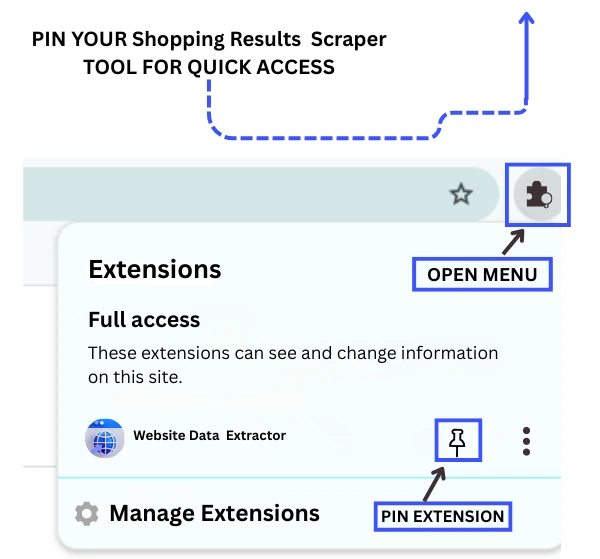
After installation:
-
Look at the top-right corner of your Chrome browser
-
Click the Extensions (puzzle) icon
-
Find Website Extractor by ScrapperTool
-
Click the pin icon so the tool stays visible in the toolbar
This allows quick access whenever you want to scrape product data.
Shopping Results Scraper – Pin Extension
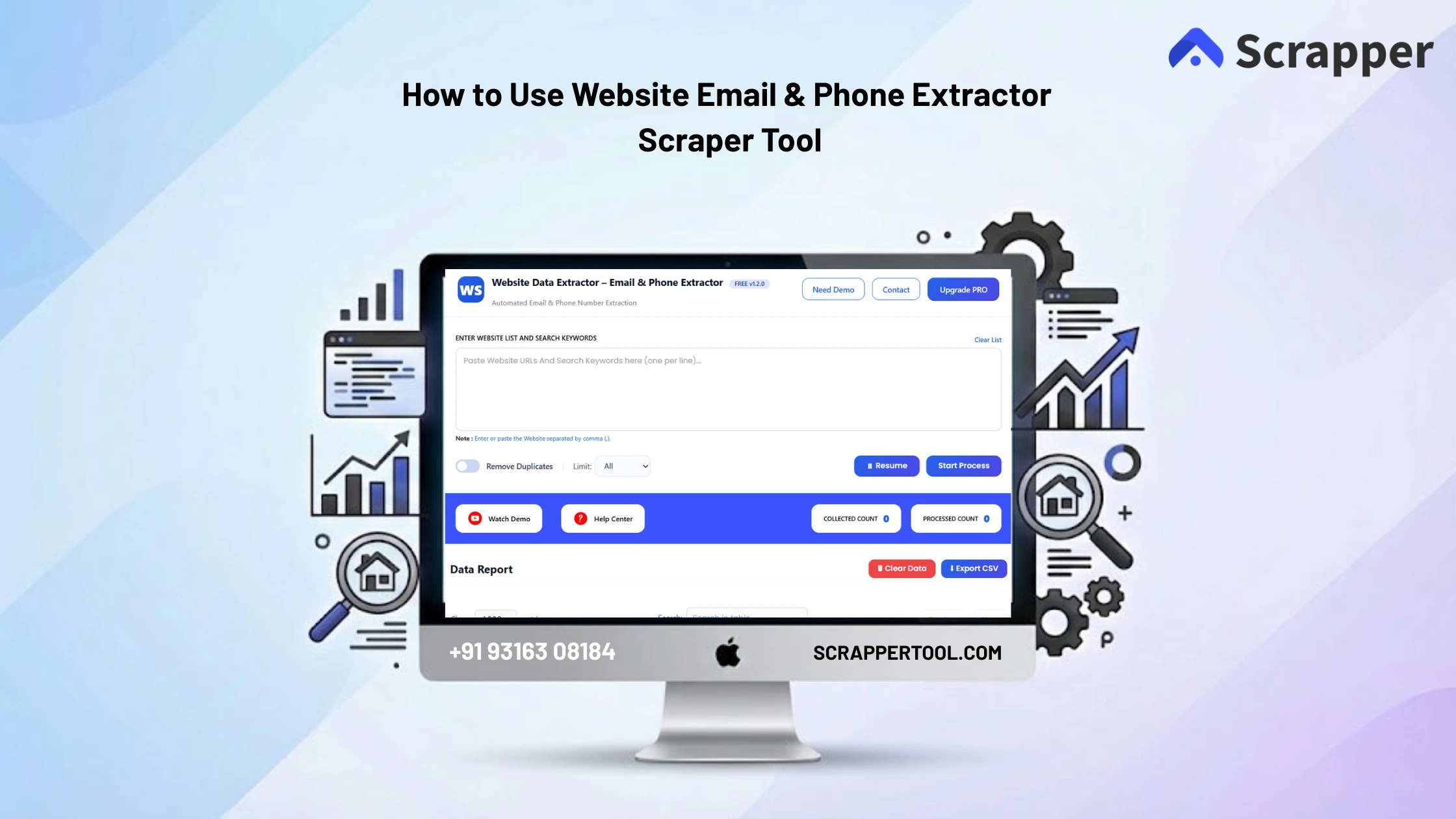
Step 3: Start the Website Data Extractor Scraper
Click on the pinned Website Data Extractor Scraper icon in the toolbar.
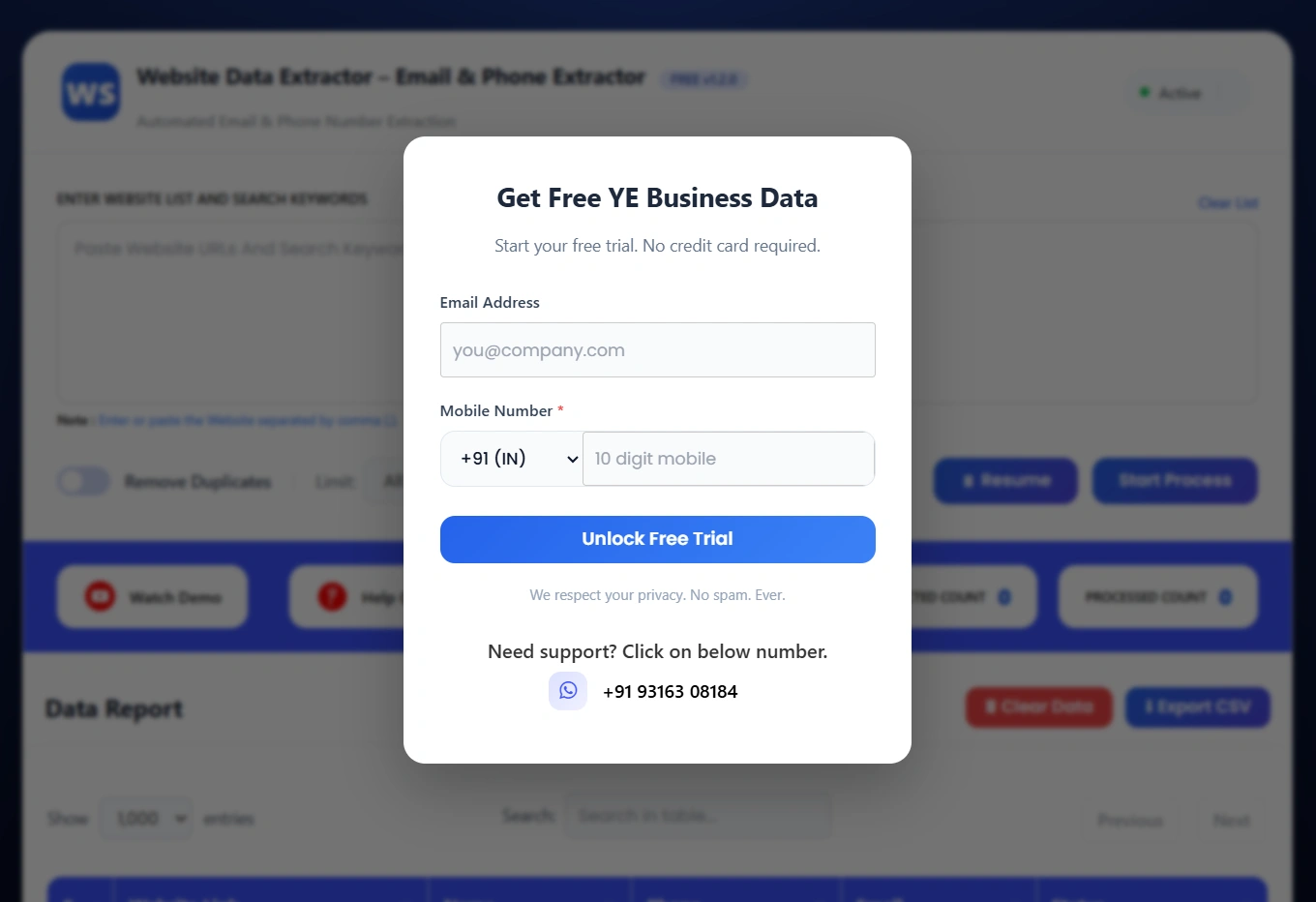
A small popup window will open.
Fill in the required details shown in the popup and activate the tool.
Once activated, the scraper is ready to use.
Step 4: Start the Extraction Process
After entering the keyword, click on Start Process.
The tool will automatically:
-
Search relevant pages related to your keyword
-
Scan websites in the background
-
Extract available contact details
Everything runs automatically without manual effort.
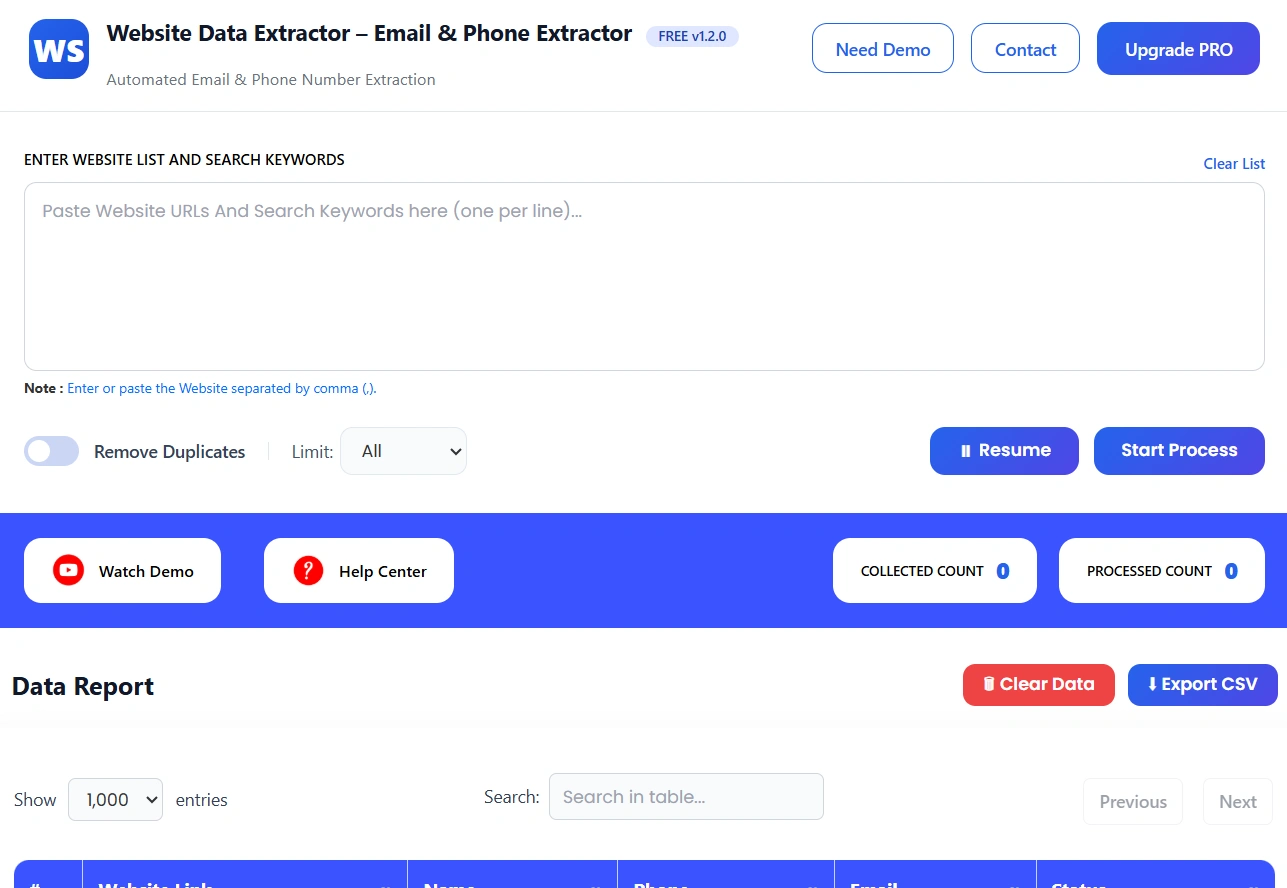
Step 5: View Extracted Contact Data
Once the process starts, you can see live progress on your screen.
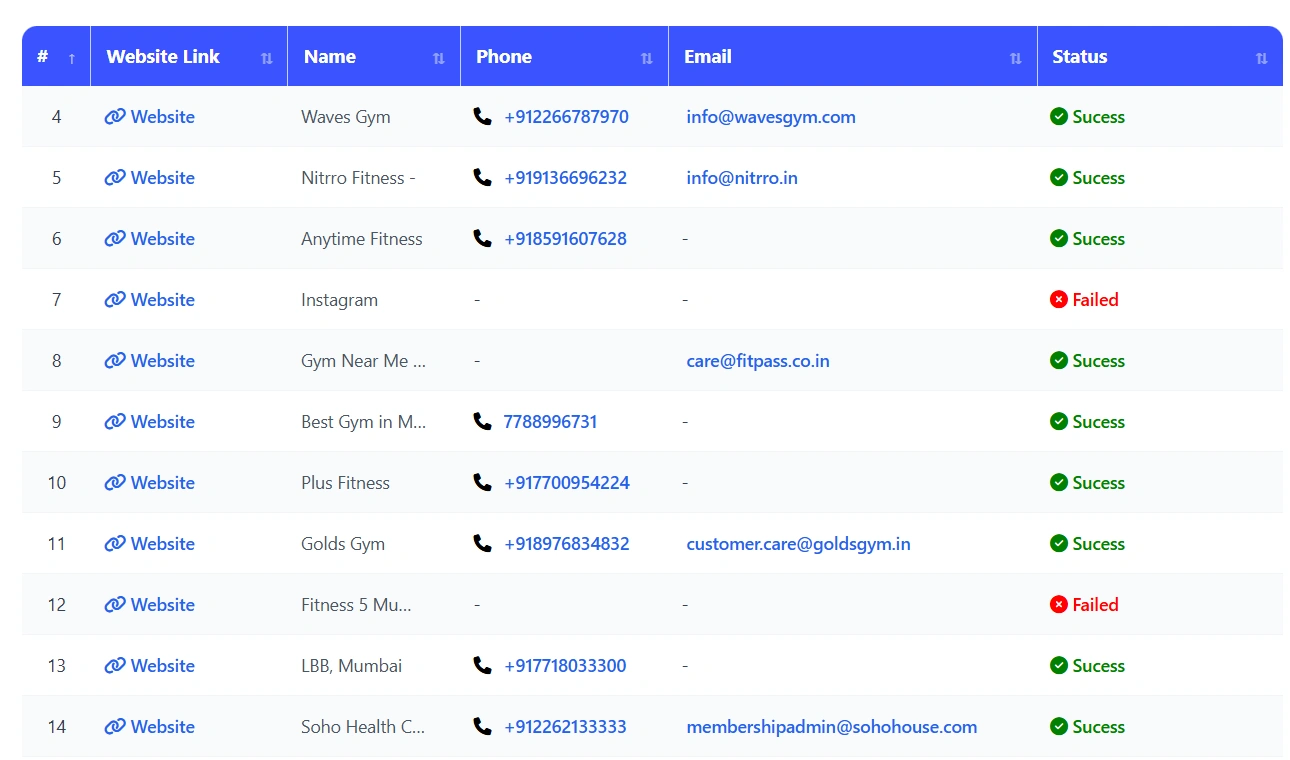
After completion, all extracted data appears in a clean, structured table.
The extracted data includes:
-
Email IDs
-
Phone numbers
-
Website URLs
-
Name
- Status
The data is organized and ready to use.
Step 6: Download the Data
After stopping the process, the data is instantly downloaded as a CSV file.
You can open the file in:
-
Excel
-
Google Sheets
-
CRM systems
-
Lead management tools
What Is Website Email & Phone Extractor?
The Website Email & Phone Extractor is a lead generation tool inside ScrapperTool that allows users to collect email IDs and phone numbers from websites using keywords.
Instead of visiting websites one by one, the tool automates the entire process and delivers structured contact data in minutes.
Who Should Use This Tool?
This tool is ideal for:
-
Sales teams
-
Lead generation agencies
-
Digital marketers
-
Business development professionals
-
Recruiters
-
CRM & outreach teams
Anyone who needs verified contact data at scale can benefit from this tool.
What Data Can You Extract?
Using the Website Email & Phone Extractor, you can extract:
-
Email addresses
-
Phone numbers
-
Website URLs
-
Business-related contact information
All extracted data is clean, organized, and export-ready.
Use Cases
Lead Generation
Build targeted lead lists using industry-specific keywords.
Sales Outreach
Reach potential customers faster with ready contact data.
Marketing Campaigns
Use extracted emails and phone numbers for outreach campaigns.
CRM Data Collection
Import contact data directly into CRM systems.
Recruitment & Networking
Find contact details for companies and professionals.
Benefits of Using Website Email & Phone Extractor
-
No manual copy-paste
-
Keyword-based data extraction
-
Beginner-friendly interface
-
Saves time and effort
-
Clean and structured output
-
Fast CSV downloads
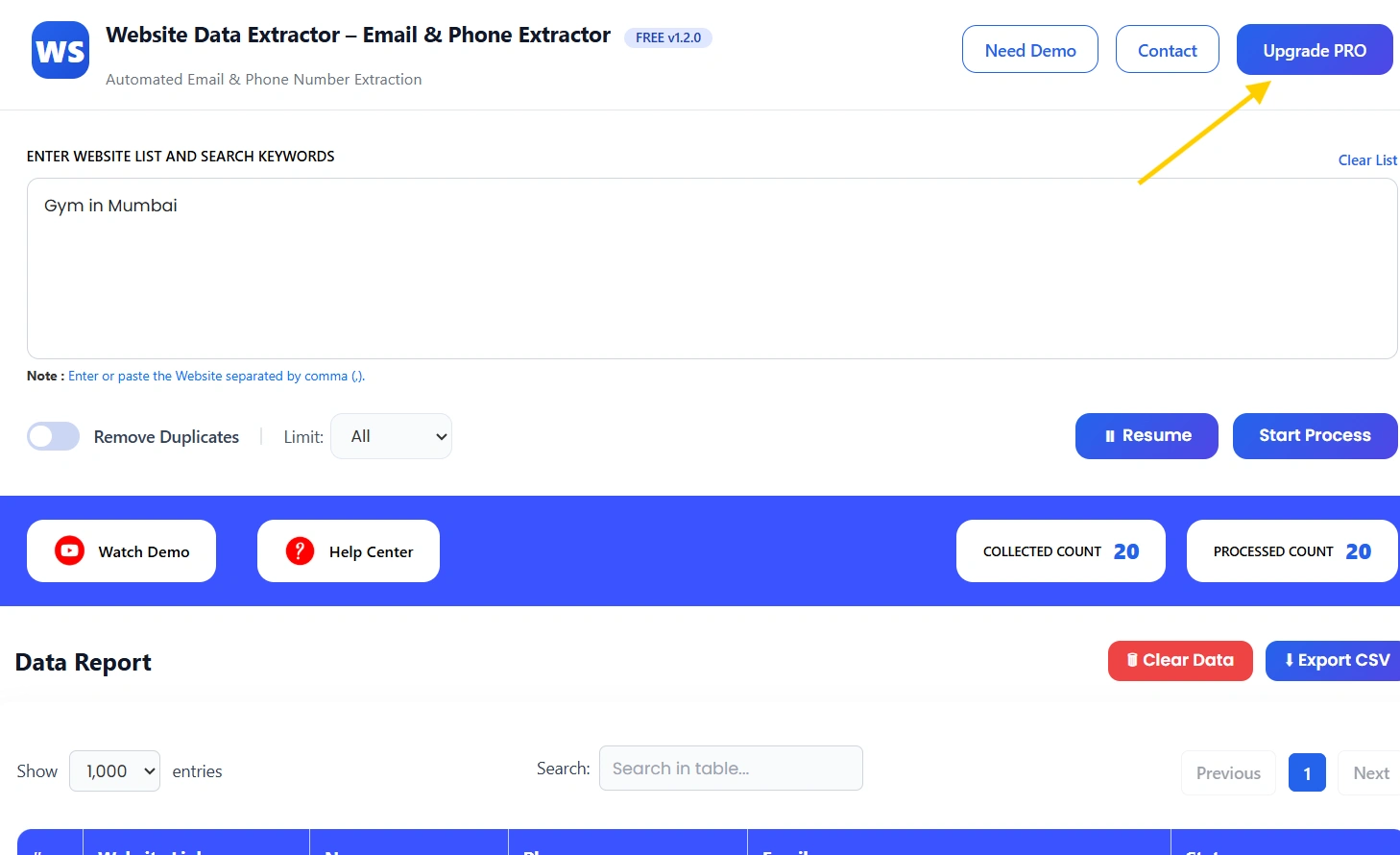
Upgrade to Website Email & Phone Extractor Pro
For higher limits and advanced extraction needs, you can upgrade to the Pro version.
The Pro plan is best for professionals and growing teams.
Pro version is ideal for:
-
Bulk keyword-based extraction
-
Faster processing speed
-
Higher daily limits
-
Large-scale lead generation
Watch the Complete Video Guide
We also provide a step-by-step video tutorial explaining how to use the Website Email & Phone Extractor.
The video covers:
-
Entering keywords
-
Starting the extraction process
-
Reviewing extracted contact data
-
Downloading CSV files
▶ Watch the full video tutorial on YouTube
https://www.youtube.com/watch?v=bsTyvHejayo&feature=youtu.be