
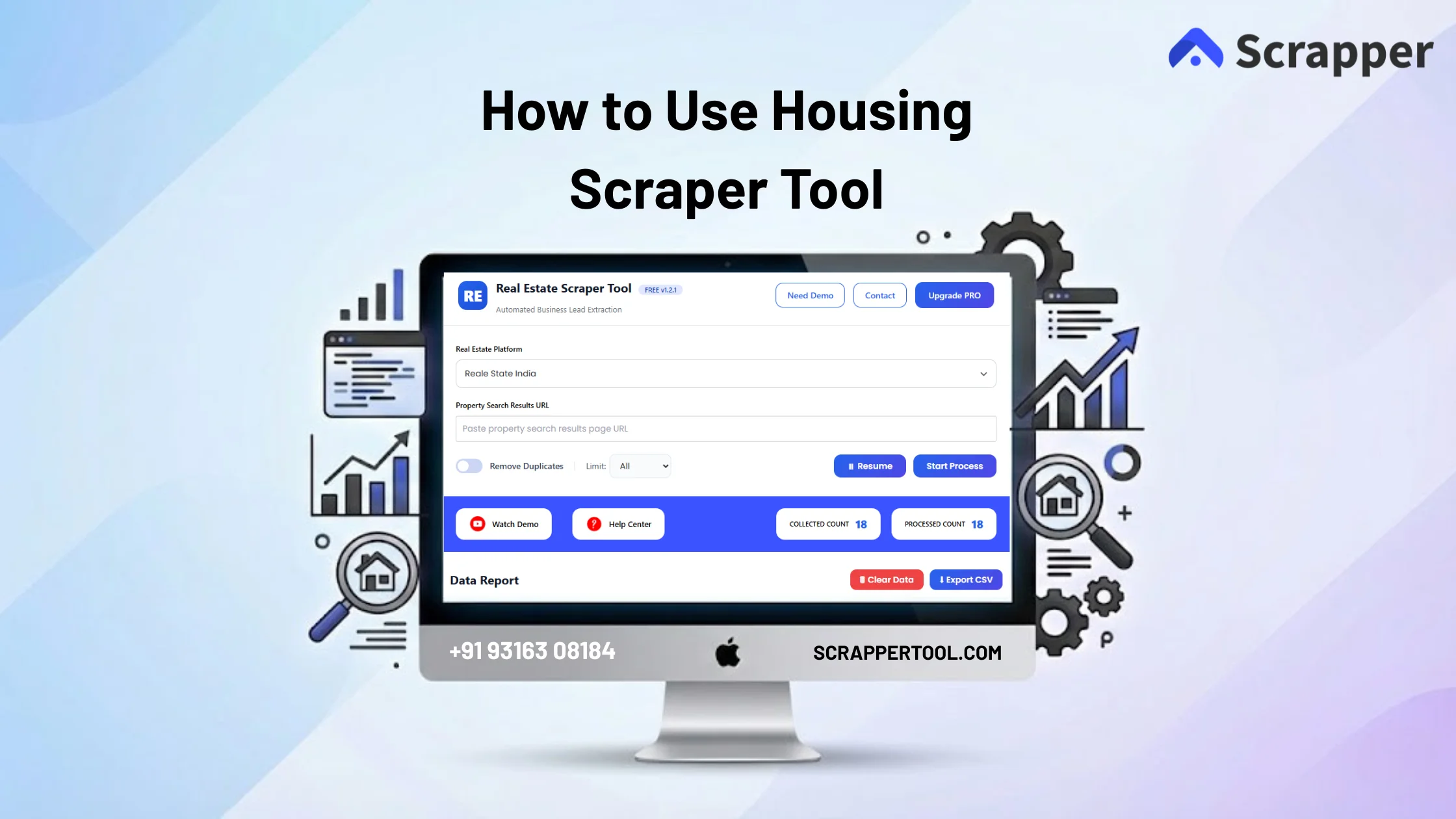

Housing Scraper Tool is a specialized real estate data extraction tool built to scrape property listings from Housing.com efficiently and accurately.
It allows users to collect large volumes of property data without manually browsing each listing or copying details one by one.
This tool is ideal for professionals who want fast access to real estate data for lead generation, market research, pricing analysis, and business growth.
Step-by-Step Guide: How to Use Housing Scraper Tool
Step 1: Install the Real Estate Scraper Tool
To begin, open your Chrome browser and visit the official Scrapper Tool website.
Locate the page for the Housing Scraper Tool and click on the Install button, which will redirect you to the Chrome Web Store.
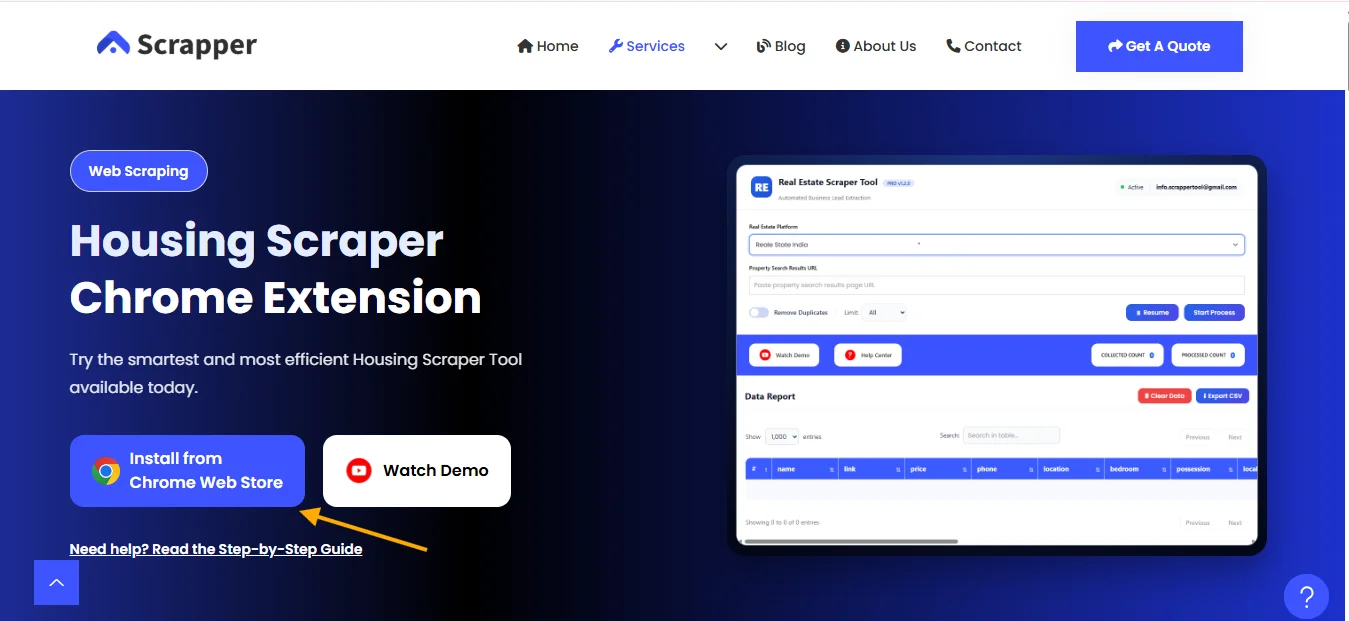
From there, select Add to Chrome and confirm the installation.
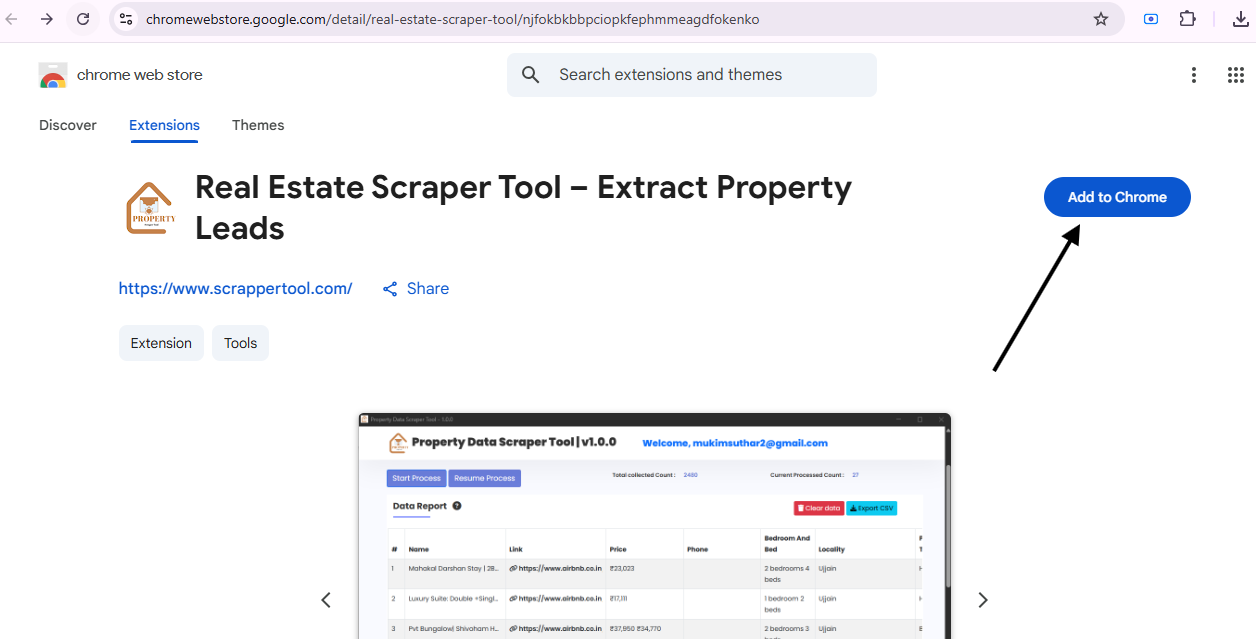
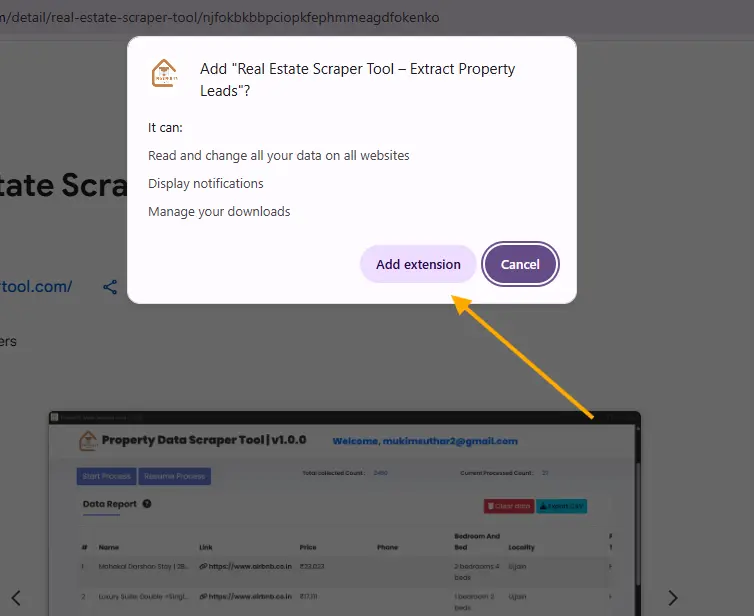
Once installed successfully, the extension will be added to your browser and ready for use.
When you click the button, a small popup will appear on your screen.
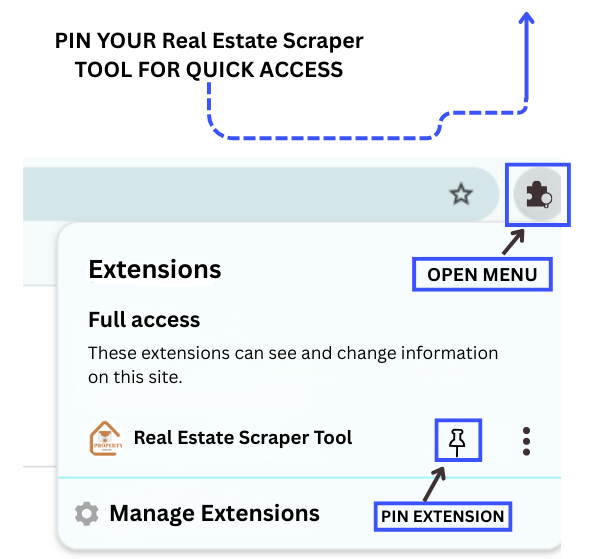
Step 2: Pin the Extension for Easy Access
On the right side of the URL bar, Find the Real Estate Scraper Tool and pin it to your browser toolbar so you can access it quickly anytime without searching for it.
Step 3: Start the Housing Scraper Tool
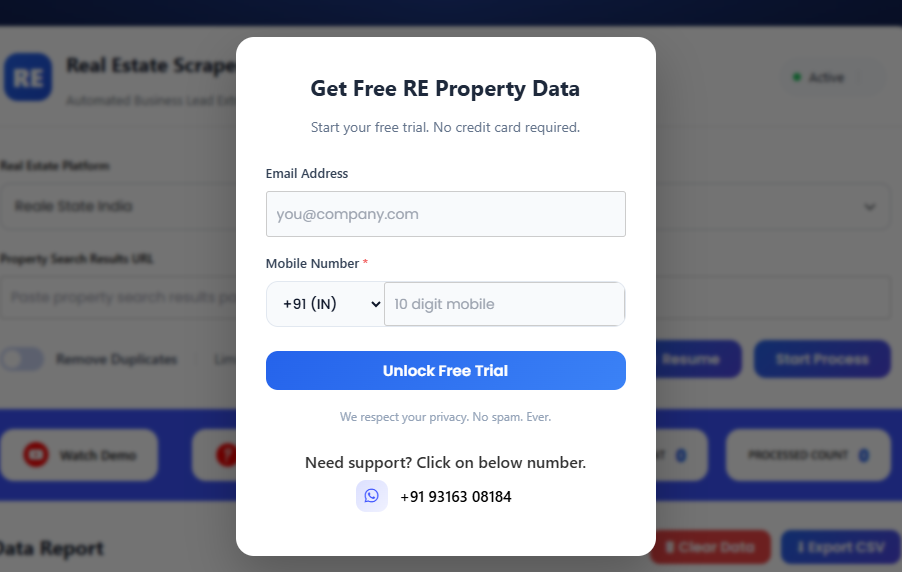
After pinning the extension, click on the Real Estate Scraper Chrome Extension. A popup, like the one shown below, will appear.
To start your free trial, just complete the form provided in the popup.
Step 4: Select the Housing Platform
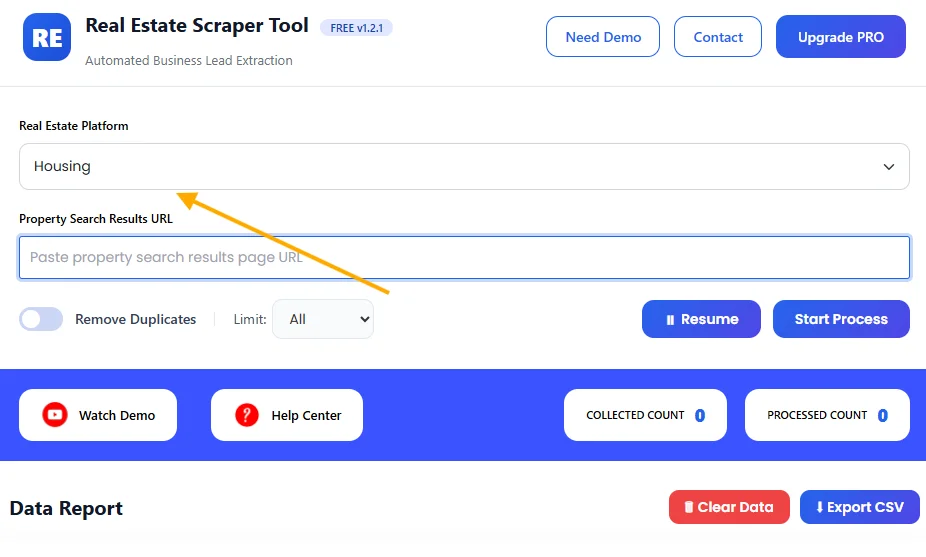
First, go to the Real Estate Platform dropdown inside the dashboard and select Housing.
Step 5: Enter Housing Search URL
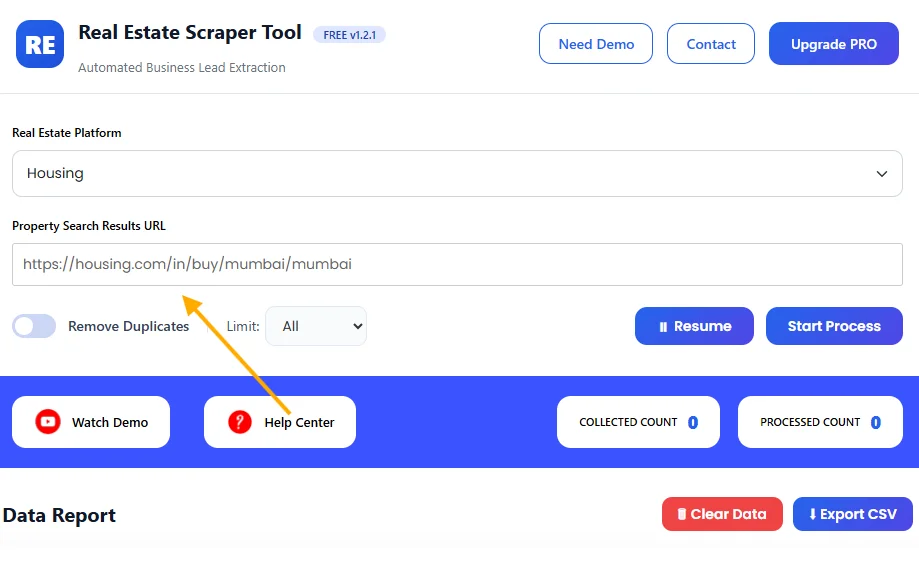
Open Housing.com in a new browser tab. Copy the filtered search URL.
Paste this URL into the input box provided in the Property Search Results URL.
Step 6: Start the Scraping Process
After pasting the URL, click on the Start Process button.
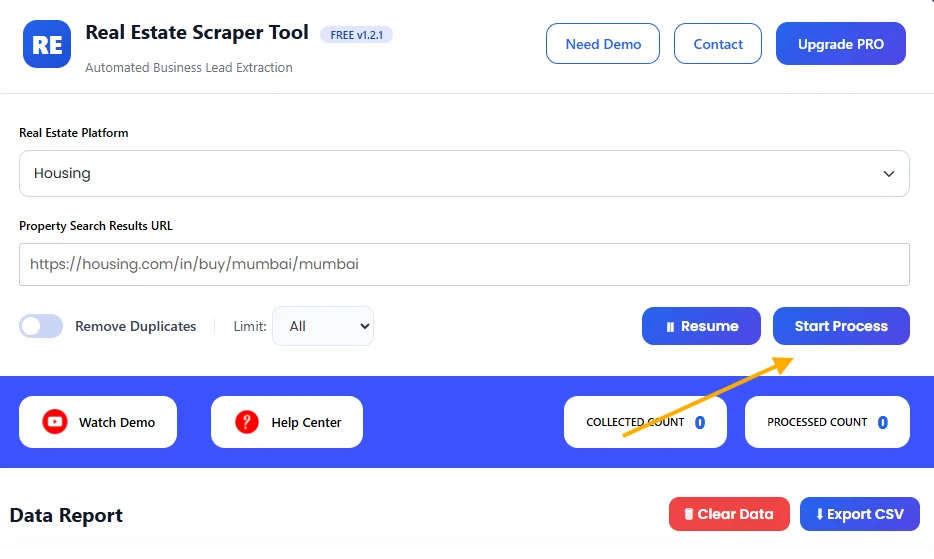
The scraper will automatically begin scanning property listings from the provided link.
You can track the live extraction progress in real time and see how many listings are being collected.
Step 7: Export and Use the Extracted Data
When the scraping process is finished, the tool will give you an option to download the data.
Export the collected information in CSV format.
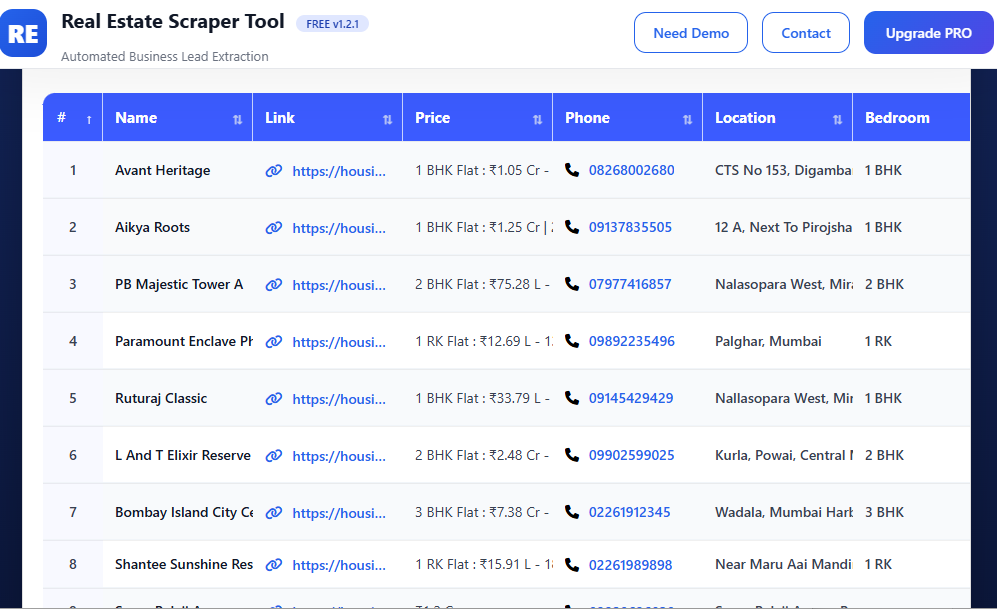
This file can be easily used in Microsoft Excel, Google Sheets, or imported into any CRM system for further analysis or business use.
What Makes Housing Scraper Tool Different?
Housing.com focuses heavily on verified listings, project-based properties, and location-driven searches.
Manually collecting this data can take hours or even days.
The Housing Scraper Tool simplifies this entire process by automatically scanning listing pages and extracting useful information in a structured format.
You only need to provide a search results URL, everything else is handled by the tool.
Data You Can Extract from Housing.com
With Housing Scraper Tool, you can collect detailed and structured property information such as:
- Property Name
- Listing URL
- Price Range
- Property Type (Apartment, House, Villa, Plot, Commercial)
- Location (City, Locality, Area)
- Contact Phone Number (if visible)
All extracted data is compiled into an easy-to-use file.
Supported Real Estate Platforms
Use Cases for Housing Scraper Tool
Housing Scraper Tool is widely used for:
- 🏘️ Real estate lead generation
- 📈 Price comparison & market trends
- 🏢 Project-based property analysis
- 🧑💼 Broker and agent outreach planning
- 📊 Data-driven investment research
Key Advantages of Housing Scraper Tool
- No technical knowledge required
- Browser-based and easy to use
- Scalable data extraction
- Clean and organized output
- Saves time and operational cost
- Ideal for Indian real estate research
Free vs Pro Version
The Free Version allows you to test the tool with limited extraction.
The Pro Version provides:
- Higher scraping limits
- Faster extraction speed
- Suitable for large projects
How to Upgrade to Pro Version
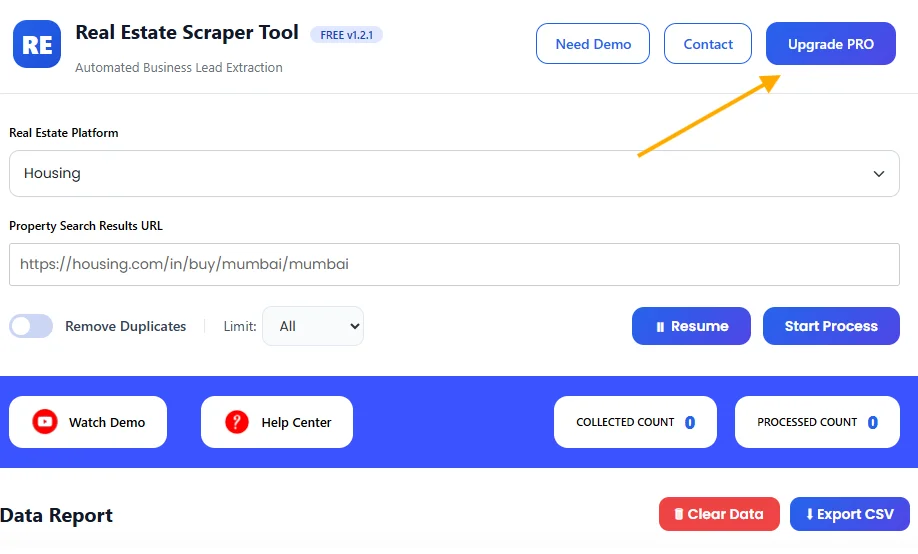
To upgrade to the PRO version, simply click on the “Upgrade PRO”
Contact Information
📧 Email: info.scrappertool@gmail.com
📞 Call / WhatsApp: +91 93163 08184
Our support team is always available to help.
Video Tutorial
We also provide a step-by-step video tutorial explaining how to use the Housing Scraper Tool effectively.
This video helps you understand real-life use cases and best practices.
