
You can find an MSME companies list in India through the official Udyam search by choosing a state, district, and product or business activity. This is useful when you want to identify registered MSMEs instead of relying on an old PDF or a random company list.
Need a ready MSME business list in Excel?
Scrapper Tool provides structured business databases for sales research, market research, vendor discovery, and business development. You can check the MSME and corporate business data collection if you need records in a format that is easier to filter and work with.
Available fields and record coverage depend on the dataset. Check important data before outreach.
The official MSME search and a business contact database serve different purposes. Udyam helps you find and check registered enterprises. A commercial database may add fields such as phone, email, website, or contact person where that data is available.
This guide explains both options so you can choose the right source, find businesses by location or activity, and check the data before using it.
This guide was checked against the official Udyam Registration Portal and Ministry of MSME data. Government interfaces and registration totals can change over time.
What Is an MSME in India?
MSME stands for Micro, Small and Medium Enterprise. In India, an enterprise is classified based on its investment in plant, machinery or equipment and its annual turnover.
The current limits took effect from 1 April 2025.
| Category | Investment Limit | Turnover Limit |
|---|---|---|
| Micro Enterprise | Up to ₹2.5 crore | Up to ₹10 crore |
| Small Enterprise | Up to ₹25 crore | Up to ₹100 crore |
| Medium Enterprise | Up to ₹125 crore | Up to ₹500 crore |
These are the revised limits shown on the official Udyam Registration Portal. Older websites may still show the previous MSME limits, so check the publication date before using them.
How Many MSMEs Are Registered in India?
The number keeps changing as new enterprises register.
According to the Udyam portal facts dated 3 September 2026, Udyam and the Udyam Assist Platform together showed more than 9.45 crore total registrations. Most of these were micro enterprises.
This is why a fixed PDF called a complete MSME list can become outdated quickly. Use live government records when current registration status matters.
Is There an Official List of MSME Companies in India?
Yes, the Government of India provides an official way to search registered MSME units. However, it is better to think of it as a search and verification system rather than one simple downloadable sales spreadsheet.
The official Search MSME Units page allows you to search using:
- Udyam Registration or Udyog Aadhaar
- State
- District
- Product or business activity
The portal also states that its database shows businesses that have registered as MSMEs.
This distinction matters. A business appearing on Google, Justdial, or another directory does not by itself prove that it has an MSME registration.
How to Find Udyam Registered Companies
The official search is useful when you want to find registered enterprises in a specific location or business category.
Step 1: Open the MSME Unit Search
Open the Government of India Search MSME Units page.
Use the official government portal when MSME registration is an important part of your research.
Step 2: Choose the Registration Type
The page lets you choose between Udyam Registration and Udyog Aadhaar.
Udyam is the current registration system. Udyog Aadhaar can be useful when you are checking older records.
Step 3: Select a State
Choose the state where you want to find businesses.
For example, select Gujarat if your target market is in Gujarat.
Step 4: Select a District
Use the district filter when you need a smaller local market.
For example:
Gujarat → Ahmedabad
This can help a local supplier, software company, agency, or sales team focus on businesses in one area instead of searching the whole state.
Step 5: Enter a Product or Business Activity
The search page also provides a product or activity field.
Depending on your requirement, you may search for terms such as:
- Textile
- Food processing
- Packaging
- Software
- Engineering
- Furniture
- Logistics
Use the term that matches the type of business you need. One broad word may not find every relevant company because businesses can describe similar activities in different ways.
Step 6: Review the Matching Businesses
Do not add every search result to your sales list.
First check:
- Does the business match your target activity?
- Is it in the correct state and district?
- Is the record useful for your business goal?
- Do you need to verify any other company details?
Step 7: Organize the Useful Records
If you only need a few businesses, checking them one by one may be enough.
If you need hundreds or thousands of records, an Excel or CSV list can make filtering, sorting, duplicate removal, and CRM work easier.
Read Also: How to Find Company Director Contact Details in India
How to Find MSME Companies by State and District
There are two useful government methods for location-based MSME research.
Find Individual Registered MSMEs
Use the Udyam unit search when you need actual business records.
A focused search may look like this:
State: Gujarat → District: Ahmedabad → Activity: Textile
You can change the state, district, and activity based on your market.
Check State-Wise MSME Registration Numbers
If you need market size instead of individual businesses, use the official MSME State-Wise Performance Smartboard.
The dashboard provides state and Union Territory data and separates Micro, Small, and Medium registrations.
These numbers change as new registrations are added. If you quote them in a report, presentation, or blog, always mention the date when you checked the dashboard.
How to Find MSME Companies by Industry or Business Activity
For B2B research, location alone is often not enough.
A packaging supplier may want manufacturers. A software company may want service businesses. A logistics company may want industrial firms in selected districts.
Combine location and business activity to create a more useful search.
| Example Search | Possible Research Goal |
|---|---|
| Ahmedabad + Textile | Find textile-related registered businesses |
| Surat + Packaging | Research packaging businesses |
| Pune + Engineering | Find engineering enterprises |
| Bengaluru + Software | Research software-related businesses |
| Rajkot + Manufacturing | Find manufacturing businesses |
These are sample search ideas, not fixed government categories. Actual results depend on how each business activity is recorded.
Official MSME List vs MSME Contact Database
This is one of the most important differences to understand.
| Official MSME Search | Business Contact Database |
|---|---|
| Used to find registered MSMEs | Used for business research and prospecting |
| Government source | Commercial or private source |
| Focuses on registration data | May include extra business fields |
| State, district and activity filters | May support additional filters |
| Useful for registration checks | Useful for Excel, CRM and sales research |
| Not a full contact database | Phone or email may be available depending on the dataset |
An Udyam registration does not mean that the government record will automatically give you a business owner’s phone number, WhatsApp number, email address, or contact person.
If you need structured business records in Excel, you can review the Scrapper Tool Corporate & MSME business data collection.
Check the product details before buying. Record counts, fields, contact types, and data availability can be different for each dataset.
What Information Can an MSME Database Include?
The exact fields depend on the source. A business database may include some of the following:
| Field | Availability |
|---|---|
| Business name | Common |
| MSME or Udyam detail | If available |
| Business activity | If available |
| Address | If available |
| City | If available |
| State | Common in location-based data |
| Pincode | If available |
| Website | If available |
| Business phone | If available |
| If available | |
| Contact person | If available |
| Source or check date | Useful for verification |
Do not assume that every record will contain every field. Contact information can also change over time.
Can You Find MSME Businesses From Public Directories?
Yes, but use public directories for business discovery, not as proof of MSME registration.
For example, a directory can help you find:
- Textile businesses in Ahmedabad
- Packaging companies in Surat
- Engineering businesses in Pune
- Furniture manufacturers in Delhi
You can then check MSME registration separately when it matters.
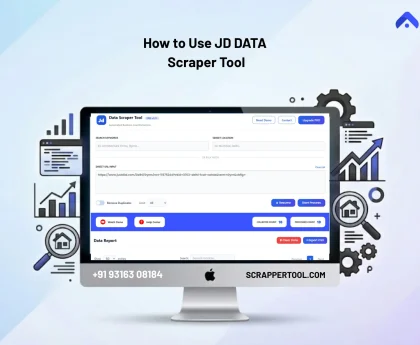
If you need to collect public Justdial business listings by keyword and location, the Scrapper Tool Justdial Data Scraper can export available public listing data to CSV or Excel.
This is useful for broader business discovery, but a Justdial listing should not be presented as proof that a company is Udyam registered.
Can You Download an MSME Companies List in Excel or PDF?
Both formats can be useful, but they serve different needs.
MSME List in PDF
A PDF is useful when you only need to read, print, or share a fixed document.
It is less useful when you need to filter thousands of businesses or work with the data in a sales system.
MSME List in Excel or CSV
Excel and CSV are better for data work because you can:
- Filter records by state or city
- Sort companies by industry
- Remove duplicate businesses
- Check missing fields
- Add your own verification notes
- Create smaller target segments
- Import useful records into a CRM
A downloadable database should still be checked before important outreach or business decisions.
Need fresh business data every day?
Scrapper Tool also provides supported daily datasets such as newly registered company data and GST business data. Where the relevant dataset is available, previous-day records can be provided in the next daily file.
This is separate from the official Udyam MSME search. Available fields depend on the dataset and should be checked before outreach.
Read Also: How to Find Clients for Website Development
How to Check Whether an MSME Record Is Reliable
A large list is only useful when the records match your requirement.
Before using a business record, check:
- Business name: Is this the correct legal or trade name?
- Registration: Is the business registered as an MSME when that matters?
- Location: Does the state, district, city, or address match?
- Business activity: Does the enterprise work in the sector you need?
- Source: Where did the information come from?
- Check date: When was the record last reviewed?
- Phone and email: Are important contact fields still valid?
- Current status: Could the company information be old or inactive?
How we checked this guide
We reviewed the official Udyam Registration Portal, the Search MSME Units interface, and the Ministry of MSME state-wise dashboard. Government sources are used for registration, classification, and current official data. Commercial business databases are treated separately.
Who Can Use MSME Business Data?
| User | Possible Use |
|---|---|
| B2B sales teams | Find businesses that match a target market |
| Suppliers | Research possible buyers or partners |
| Manufacturers | Find vendors, dealers, or distributors |
| SaaS companies | Research businesses by industry and location |
| Marketing agencies | Create focused business research lists |
| Finance and accounting firms | Research relevant business segments |
| Market researchers | Study industries, locations, and business clusters |
How to Use MSME Business Data Responsibly
Having a business list does not mean that every company should receive the same sales message.
A better process is:
- Define the type of business you actually need.
- Filter the list by location or industry.
- Remove irrelevant and duplicate records.
- Check important business and contact details.
- Add only useful records to your CRM or research sheet.
- Contact businesses only for a relevant professional purpose.
Verify data before outreach and follow applicable privacy, data-protection, telecalling, email, platform, communication, and marketing rules. Respect opt-out requests and avoid repeated unwanted contact.
Frequently Asked Questions
Where can I find an MSME companies list in India?
You can use the official Udyam Search MSME Units page to find registered enterprises by state, district, and business activity. If you need Excel data or available business contact fields, you may need a separate business database.
Is there an official list of MSME registered companies?
Yes. The Government of India provides official Udyam tools for searching registered MSMEs and checking registration statistics. The search system is different from a downloadable commercial contact database.
How can I find MSME companies by state?
Select the required state on the official MSME unit search page. You can also select a district and business activity to narrow the results.
How can I find MSME companies by industry?
Use the product or activity field in the official MSME unit search. Combine the business activity with a state and district when you need a more focused result.
Can I download an MSME companies list in Excel?
The official MSME tools are mainly designed for search, registration information, and statistics. Excel or CSV business databases are generally separate products used for filtering, segmentation, CRM work, and business research.
What details can an MSME database contain?
Depending on the source, it may include business name, activity, address, city, state, website, phone, email, contact person, and registration information where available.
Is an Udyam registered companies list the same as an MSME contact database?
No. Udyam is an official registration system. A business contact database is a separate dataset that may contain extra fields such as phone, email, website, or contact person where available.
Final Takeaway
Use the official Udyam search when your main goal is to find or check registered MSMEs. Filter by state, district, and business activity to make the search more useful.
If you need many records for Excel analysis, CRM work, sales research, vendor research, or market analysis, a structured business database can save manual work. Keep official registration data and commercial contact data separate, and check important records before use.
If you need structured MSME and corporate business records, review the Scrapper Tool Corporate & MSME business data collection.