
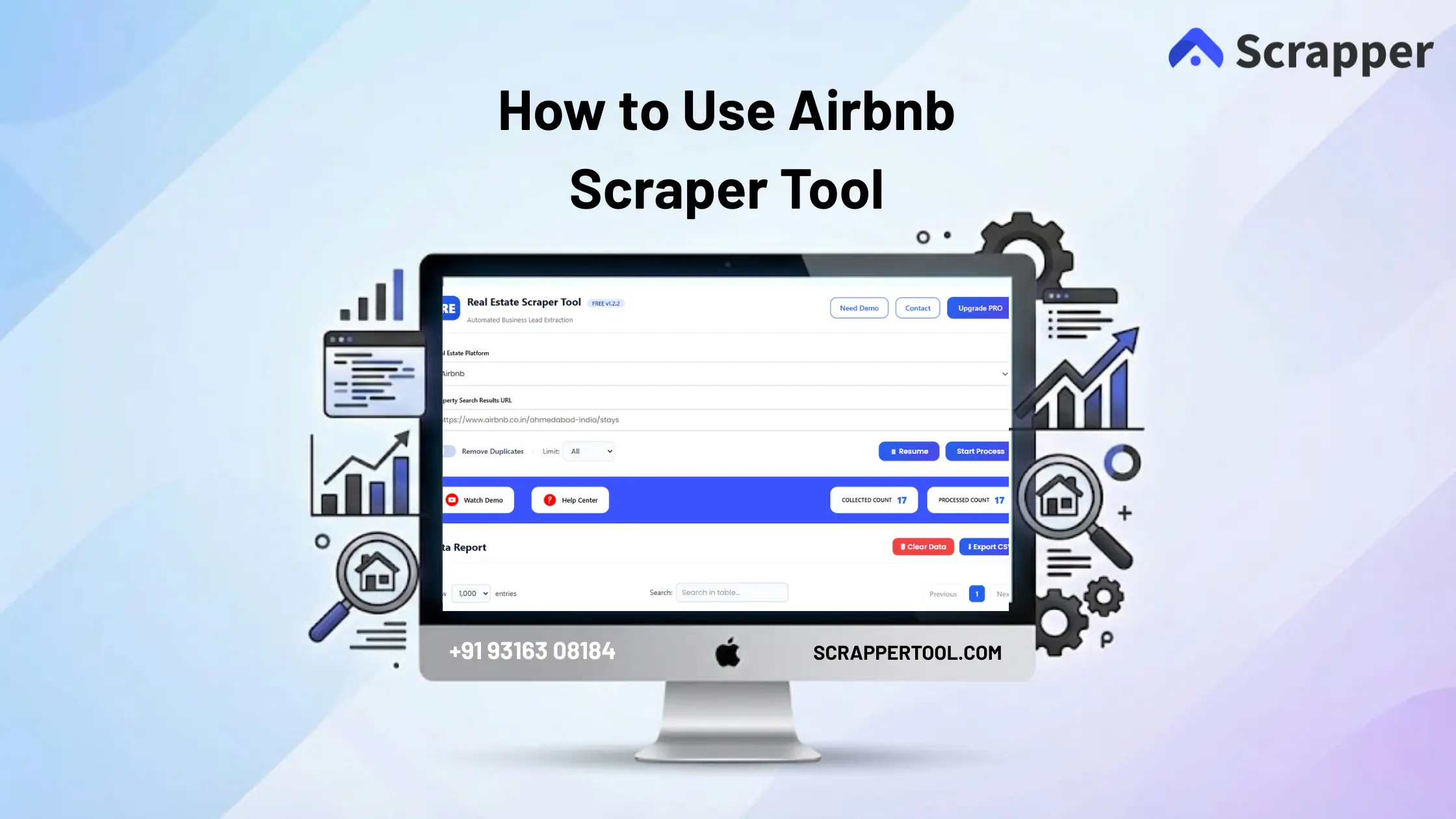

Collecting data from Airbnb manually is slow and frustrating. Users often open listings one by one, copy prices, property details, ratings, and contact information, then paste everything into spreadsheets. This process wastes time, increases errors, and does not scale when you need large datasets.
For real estate professionals, marketers, researchers, and agencies, manual Airbnb data collection makes analysis and lead generation inefficient.
The Airbnb Scraper Tool by Scrapper Tool solves this problem by automatically extracting structured Airbnb listings data in one place, without manual copy-paste.
Step-by-Step Guide: How to Use the Airbnb Scraper Tool
Step 1: Install the Scrapper Tool Chrome Extension
Go to Scrapper Tool and Airbnb Scraper Tool page.
From there, select the option “Install from Chrome Web Store”.
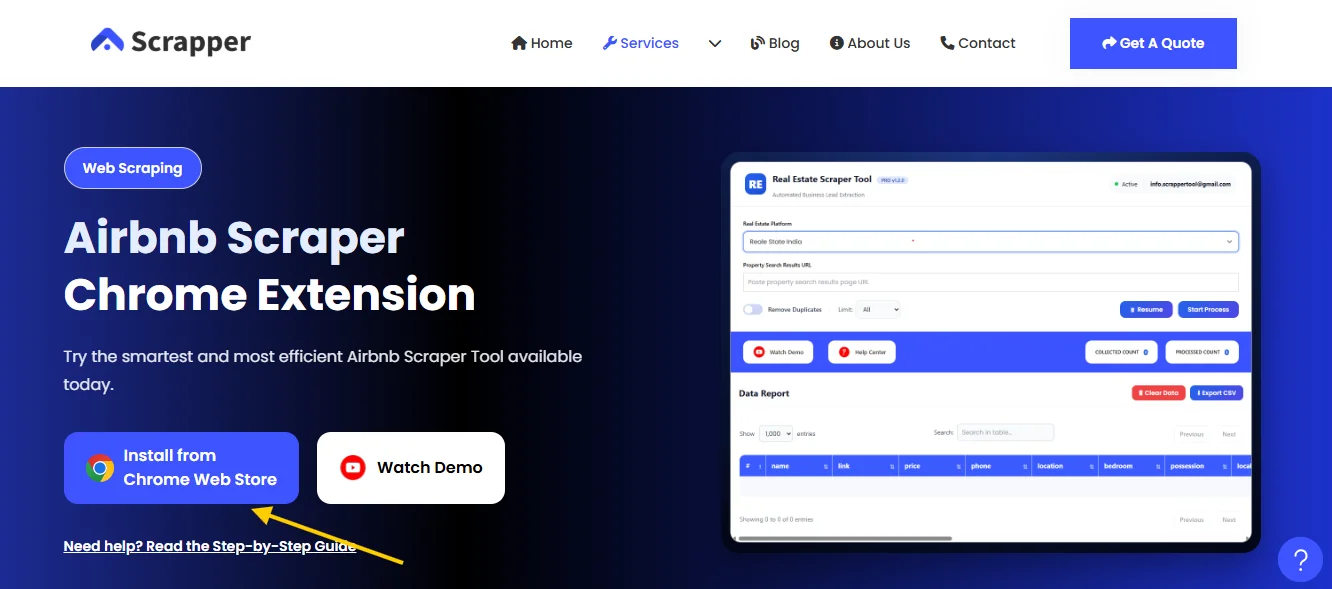
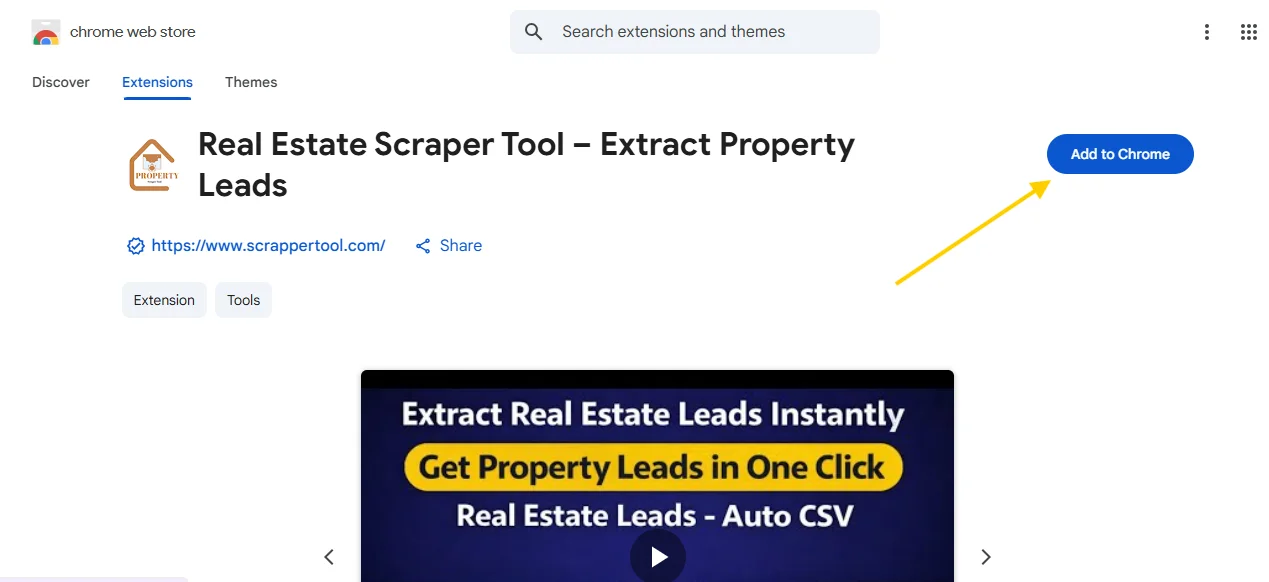
Once the Chrome Web Store opens, proceed with the installation.
Click the “Add to Chrome” button to add the extension to your browser.
Step 2: Pin the Airbnb Scraper Tool Extension
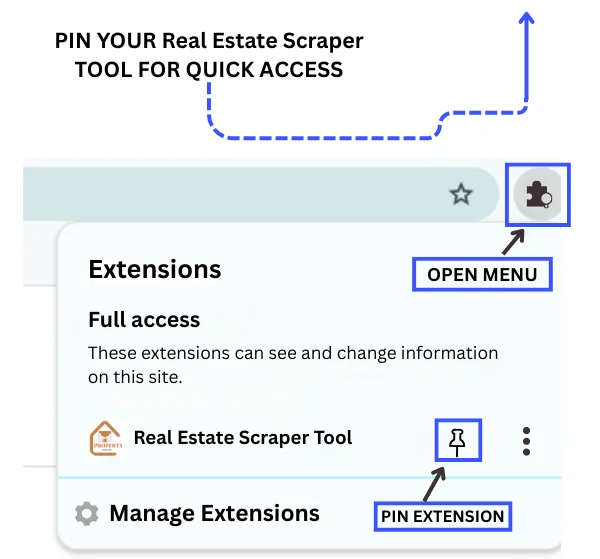
Click on the Extensions icon near the Chrome address bar and pin the Airbnb Scraper Tool by Scrapper Tool for easy access.
Step 3: Launch the Airbnb Scraper Tool
Click on the pinned Airbnb Scraper Tool icon.
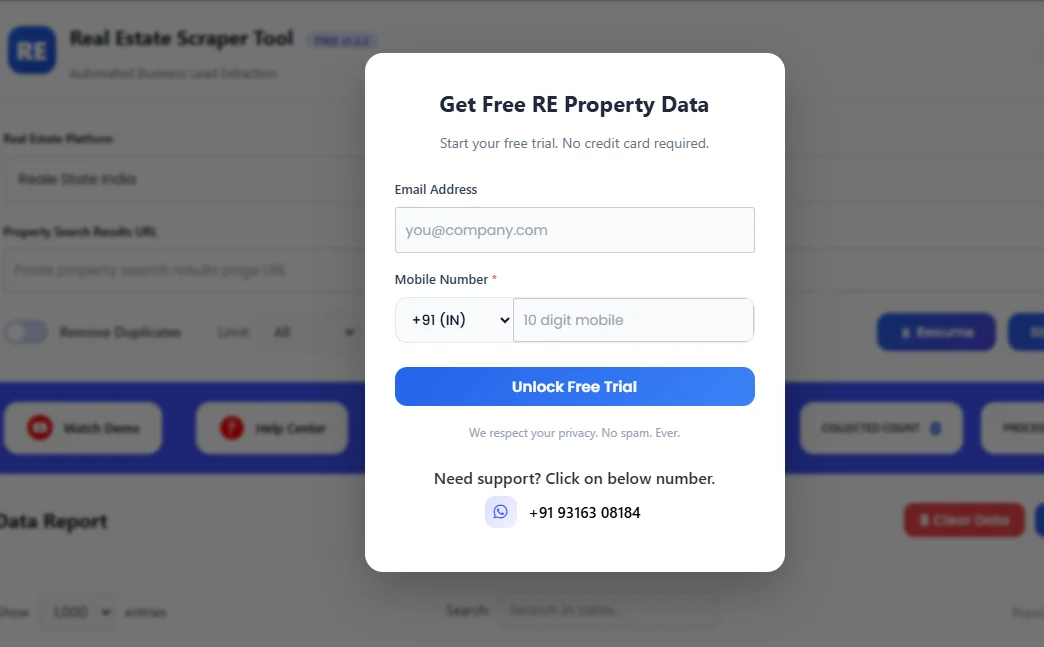
A popup will appear. Fill in the form to start your free trial.
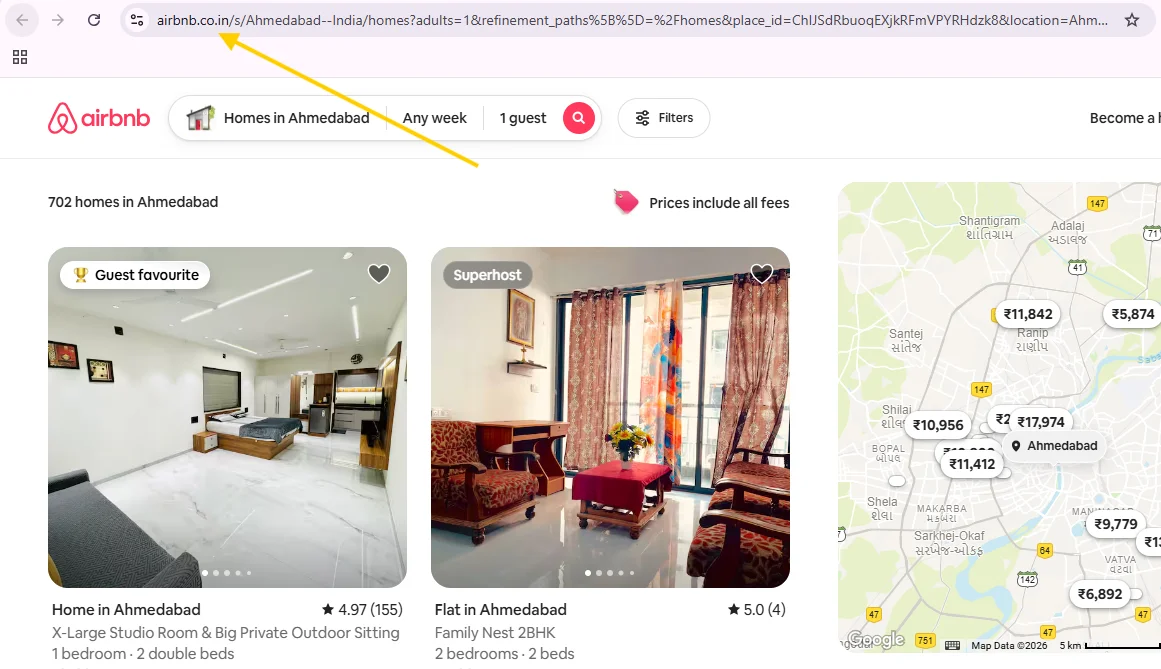
Step 4: Open Airbnb and Search for Listings
Visit Airbnb and search for properties based on your preferred location, then copy the Airbnb URL from the address bar.
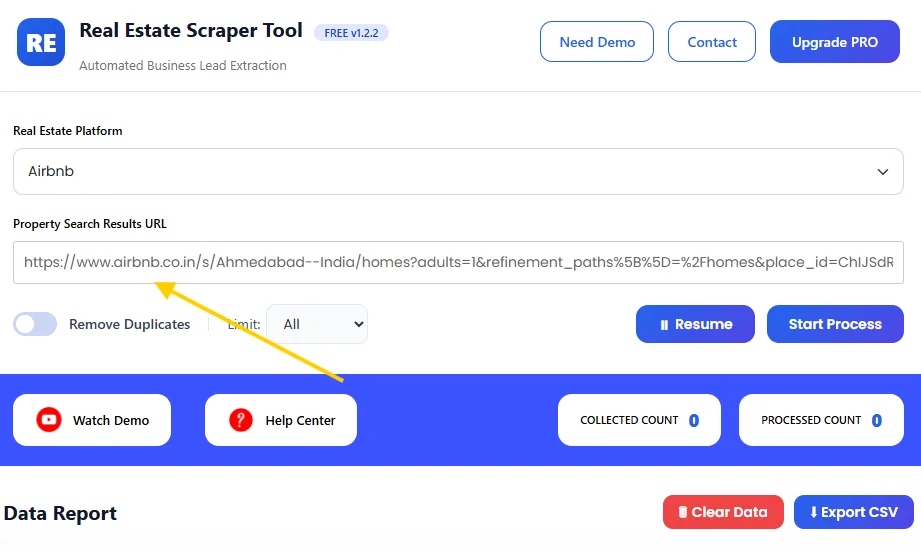
Step 5: Select Airbnb in the Dashboard
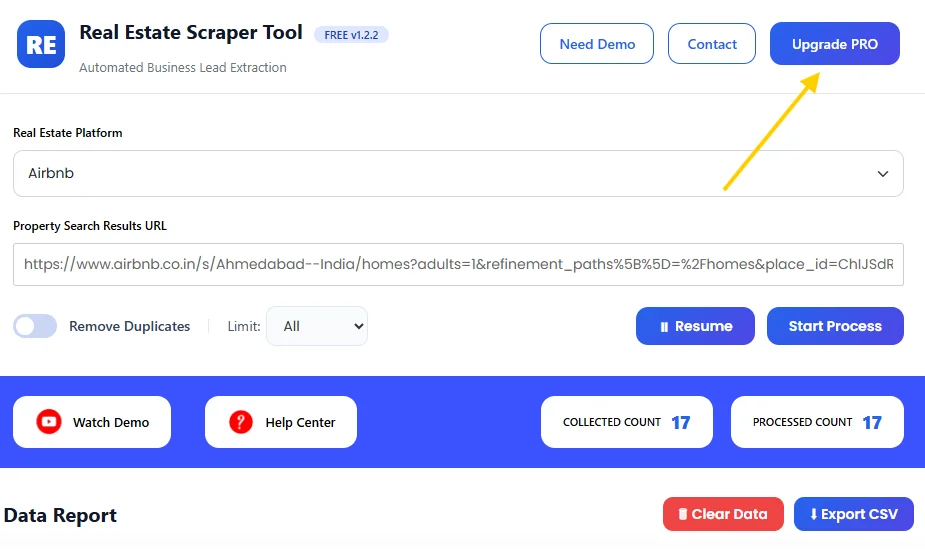
Choose Airbnb from the Real Estate Platform dropdown and paste the Property Search Results URL in the input field.
Step 6: View Extracted Airbnb Data
Click on Start Process.
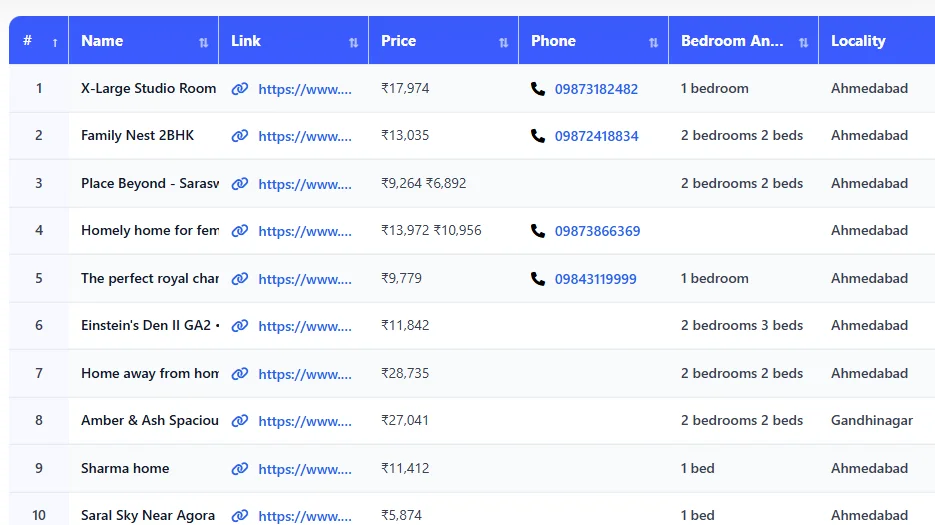
The tool automatically scans Airbnb listings and extracts data in real time.
Once completed, all extracted information appears in a structured table inside the dashboard, as shown in the preview image.
Step 7: Download the Data
Stop the scraper and instantly download the extracted data as a CSV file for further use.
What Is Airbnb Scraper Tool?
The Airbnb Scraper Tool is part of the Social Media Scraper Tool inside Scrapper Tool. It helps you extract detailed property and host information directly from Airbnb listings.
The tool automatically scans Airbnb search results and listings, then converts the data into a clean, structured format that is easy to download and use.
This tool is useful for:
-
Real estate agents
-
Property managers
-
Travel businesses
-
Market researchers
-
Digital marketers
-
Data analysts
If you work with Airbnb data regularly, this tool saves hours of manual work.
Supported Platforms
With support for all these platforms, our tools let you manage and analyze property data effortlessly from one central location.
What Data Can You Extract?
The Airbnb Scraper Tool can extract the following data fields:
-
Property name
-
Listing link
-
Price
-
Phone number
-
Number of bedrooms
-
Locality / area
-
Property type
-
Rating
-
Reviews
-
Google Maps link
-
Organization
-
Top facilities
-
About Description
All data is well-structured and ready to use.
Use Cases
Lead Generation
Find property owners and hosts for partnerships, services, or outreach.
Real Estate Research
Analyze pricing, property types, and demand across different locations.
Market Analysis
Study Airbnb trends, ratings, and reviews to understand customer preferences.
CRM & Database Management
Upload Airbnb listing data directly into your CRM or internal systems.
Benefits of Using Scrapper Tool
-
No manual copy paste from Airbnb
-
Fast and reliable data extraction
-
Clean and structured output
-
Easy to use for beginners
-
Scalable for large datasets
-
CSV download for quick analysis
Upgrade to Airbnb Scraper Tool Pro
For users who need more power and higher limits, the Pro version of the Airbnb Scraper Tool is available.
The Pro plan is ideal for professional and large-scale use.
Pro version is suitable for:
-
-
High-volume Airbnb data extraction
-
Higher daily usage limits
-
Real estate, research, and agency workflows
-
Contact us to upgrade:
📧 Email: info.scrappertool@gmail.com
📞 Phone / WhatsApp: +91 93163 08184
Watch the Complete Video Guide
We also provide a detailed video walkthrough that explains how to use the Airbnb Scraper Tool step by step.
This video shows how to:
-
Open Airbnb search results
-
Start the scraping process
-
View extracted data
-
Download the CSV file
▶ Watch the full video tutorial on YouTube
