
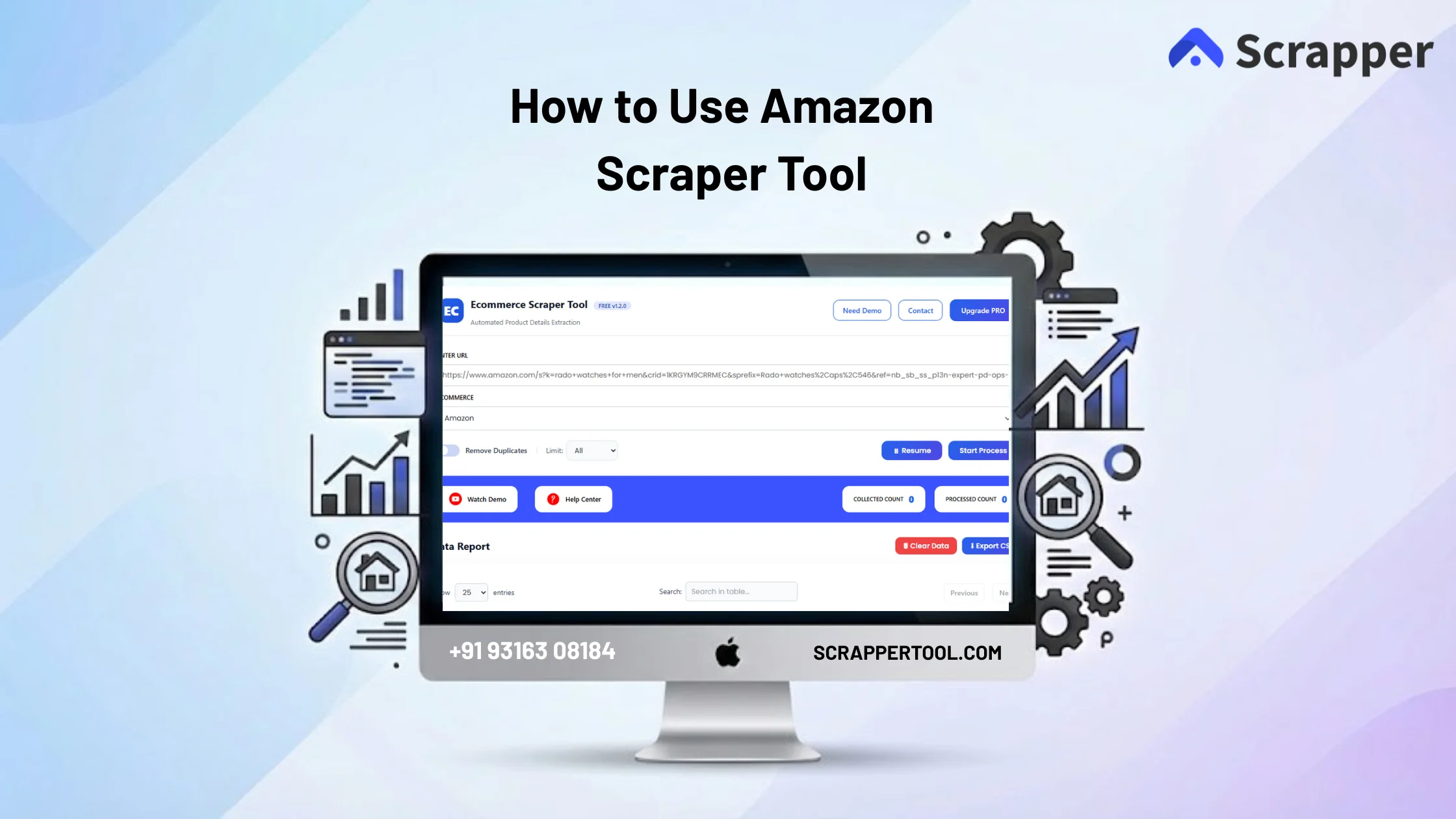

Collecting product data from Amazon manually is not practical. Sellers and researchers often open product pages one by one, copy prices, ratings, reviews, and seller details, then paste everything into spreadsheets. This process is slow, repetitive, and leads to data gaps.
For ecommerce sellers, analysts, and marketing teams, manual data collection makes competitor tracking and price analysis difficult to scale.
The Amazon Scraper Tool by Scrapper Tool solves this problem by automatically extracting structured ecommerce data from Amazon, saving time and effort.
Step-by-Step Guide: How to Use the Amazon Scraper Tool
Step 1: Install the Scraper Tool Chrome Extension
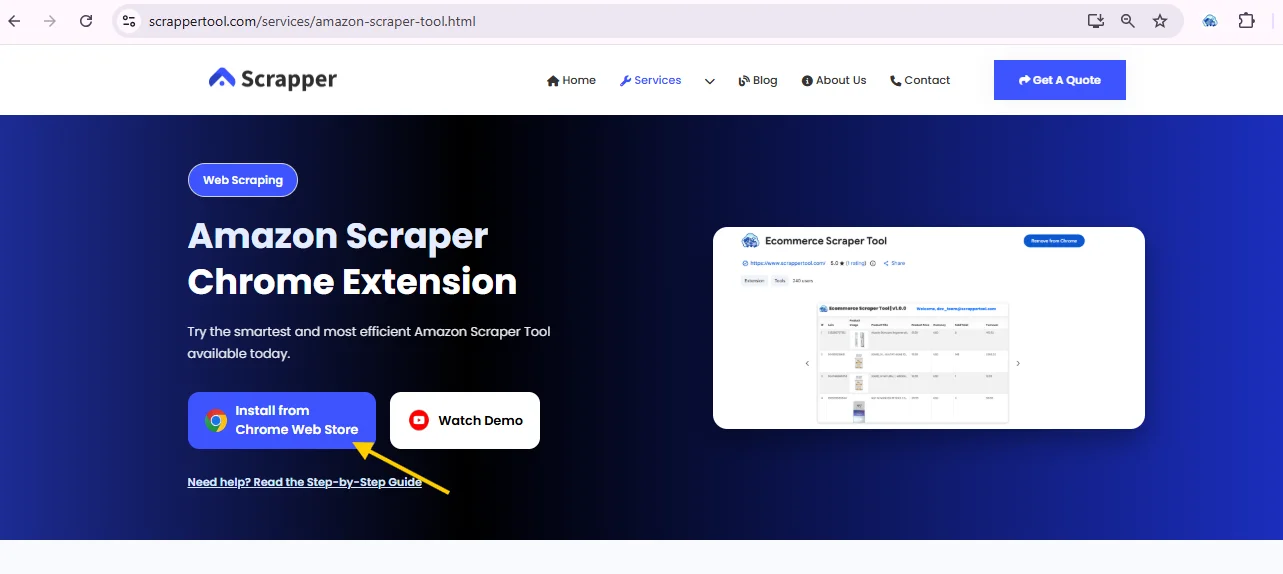
First, open your Google Chrome browser and visit the official Amazon Scraper Tool page.
On the page, click the option to install from Chrome Web Store.
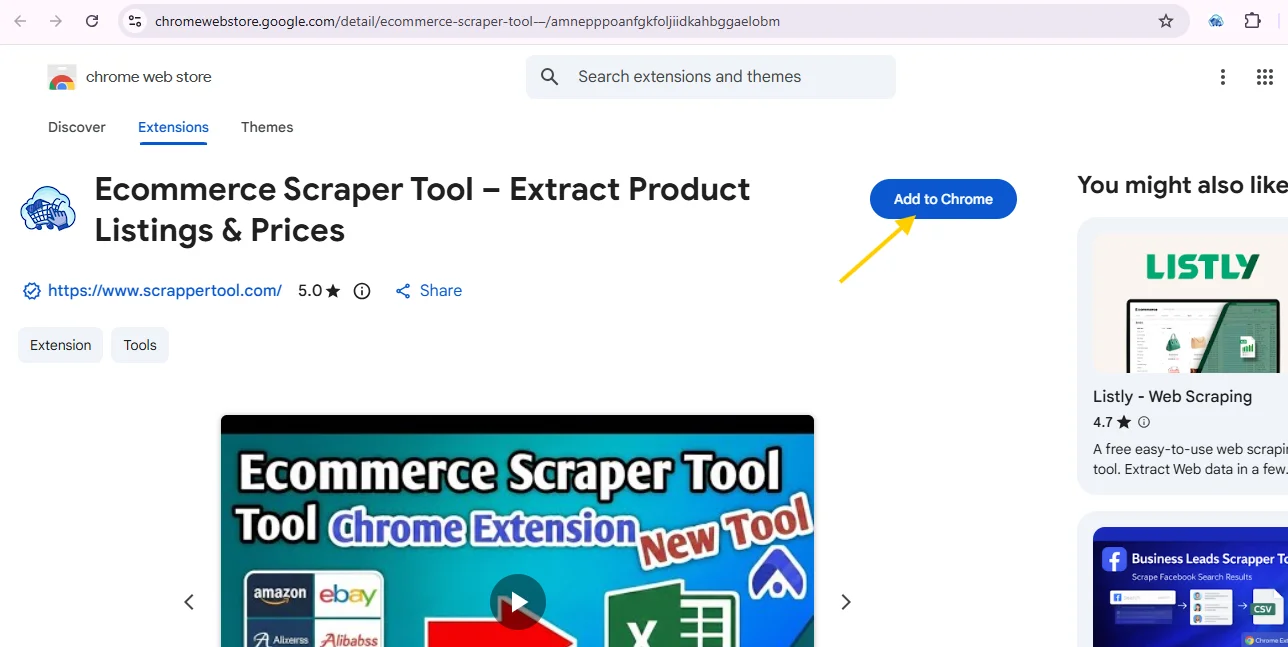
Once the Chrome Web Store page opens, click the “Add to Chrome” button and confirm to install the extension in your browser.
Step 2: Keep the Amazon Scraper Tool Ready
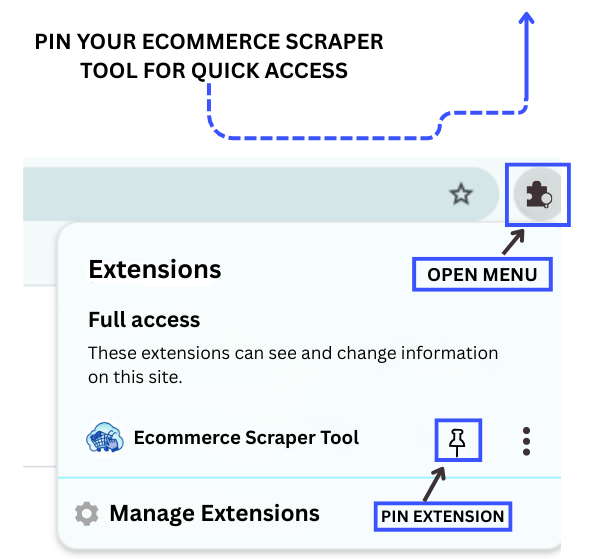
Click the puzzle piece icon in your browser to open the extensions menu, then find the Amazon Scraper Tool by Scraper Tool.
Click on the pin icon to keep the extension visible in your toolbar for easy access.
Step 3: Activate the Tool
Click on the pinned Amazon Scraper Tool icon.
A popup window will open. Complete the short form to start using the tool.
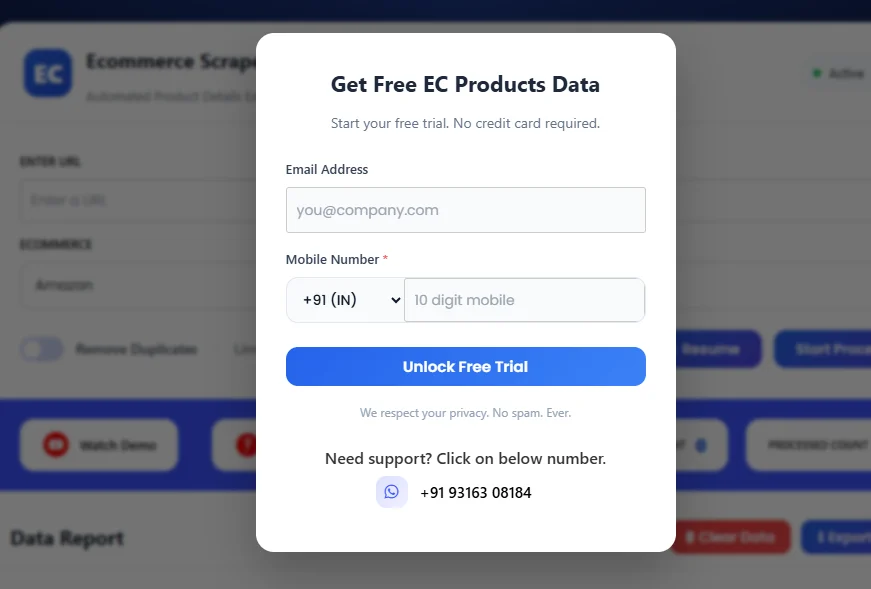
Step 4: Browse Products on Amazon
Go to Amazon and search for products using keywords, categories, or filters such as price range, ratings, or brand.
Once you find the desired product or listing, copy the URL from the address bar.
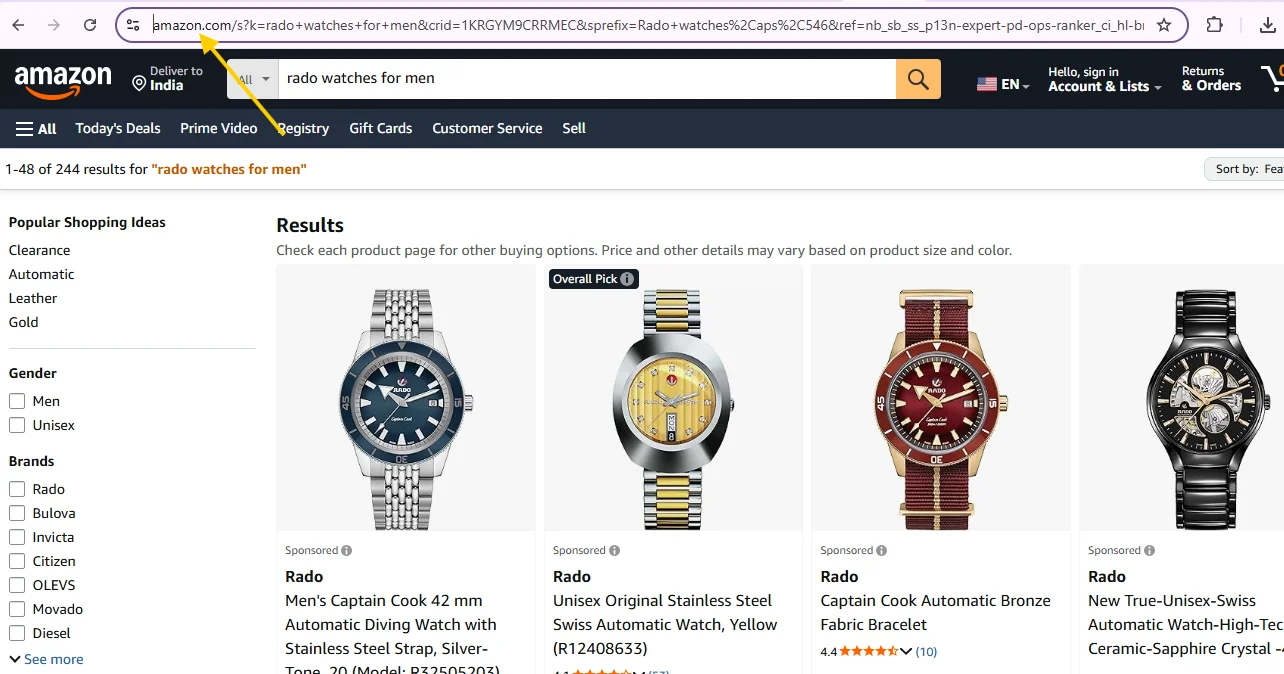
Step 5: Select Amazon Scraper Tool from Dashboard
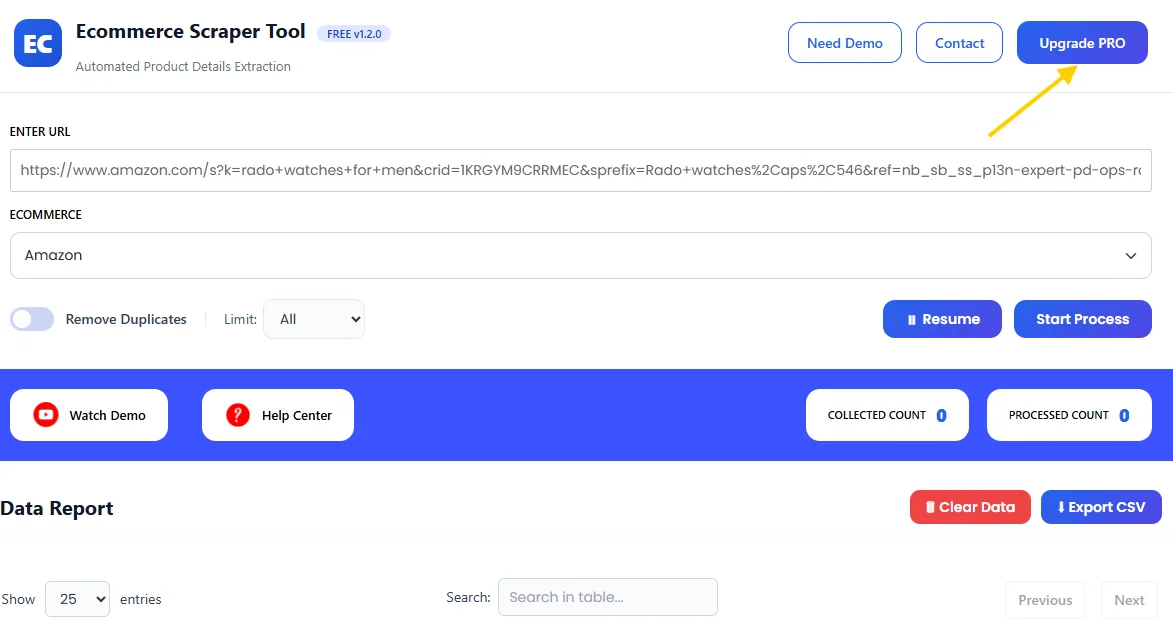
Open the Scraper Tool dashboard and select the Amazon from the Ecommerce tools section.
Paste the copied Amazon URL into the designated input field.
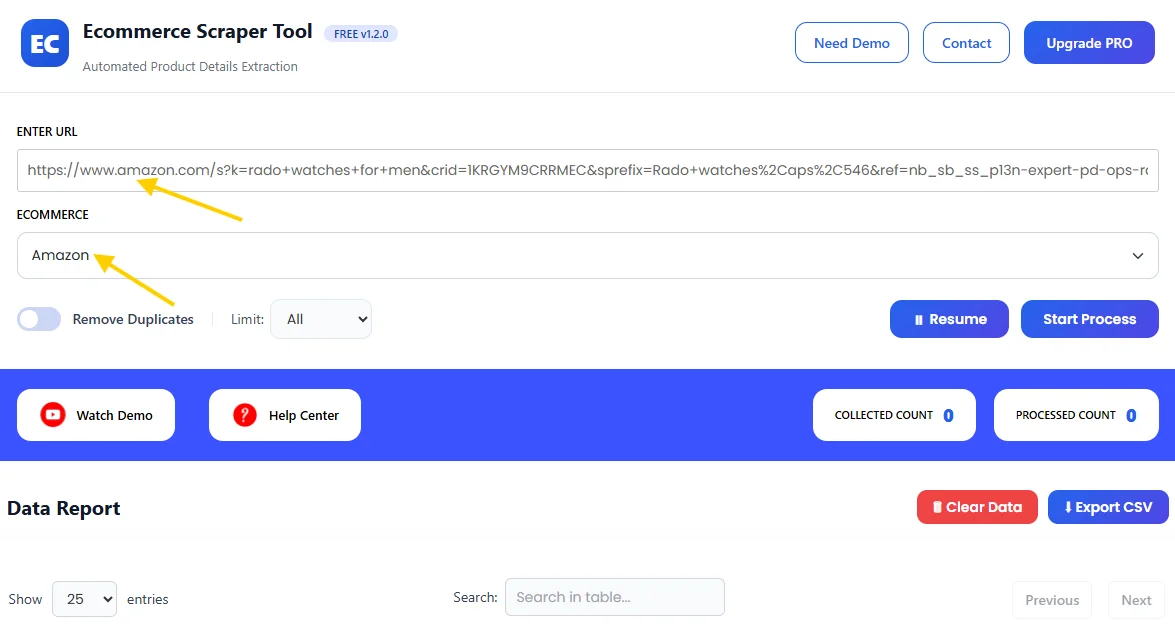
Step 6: Review Extracted Product Data
Click on Start Process.
The tool automatically scans product listings and extracts data in real time.
Once finished, all extracted information appears in a structured table inside the dashboard, ready for review.
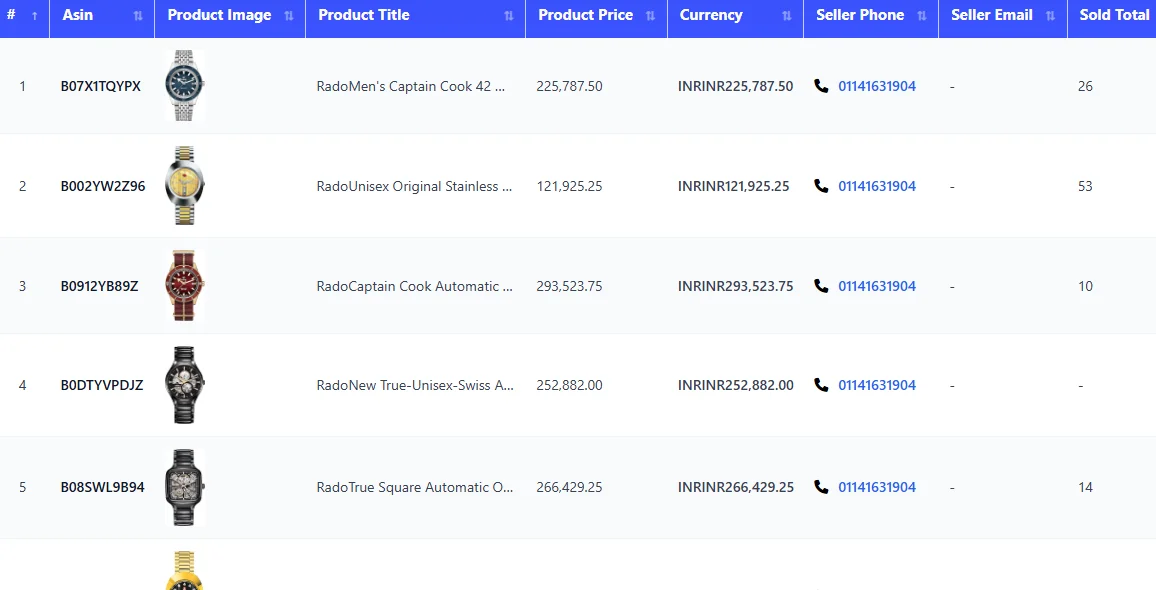
Step 7: Download the Data
Stop the scraper and download the extracted data instantly as a CSV file.
What Is Amazon Scraper Tool?
The Amazon Scraper Tool is part of the Ecommerce Scraper Tool inside Scraper Tool. It helps you collect product and seller information from Amazon search results and product pages in a structured format.
Instead of manual copy-paste, the tool scans listings automatically and converts the data into clean, downloadable files.
This tool is useful for:
-
Ecommerce sellers
-
Dropshippers
-
Product researchers
-
Digital marketers
-
Pricing and competition analysts
-
Businesses managing large product catalogs
Supported Ecommerce Platforms
This helps you maintain a consistent ecommerce research workflow.
What Data Can You Extract?
The Amazon Scraper Tool can extract the following ecommerce data fields:
-
Product name
-
Product URL
-
Price
-
Brand
-
Category
-
Seller name
-
Seller rating
-
Product rating
-
Total reviews
-
Availability status
-
Product description
-
Key features
The data is clean, organized, and ready for analysis.
Use Cases
Product Research
Analyze product listings, features, and pricing before launching new products.
Competitor Analysis
Track competitors’ prices, ratings, and reviews to stay competitive.
Pricing Strategy
Monitor price changes and adjust your pricing based on market trends.
Marketplace Intelligence
Understand demand, popular categories, and customer preferences.
Catalog & CRM Management
Upload product data into internal systems or ecommerce dashboards.
Benefits of Using Amazon Scraper Tool
-
No manual copy-paste
-
Faster ecommerce data extraction
-
Clean and structured product data
-
Easy to use for non-technical users
-
Scalable for large product lists
-
Quick CSV export
Upgrade to Amazon Scraper Tool Pro
For advanced ecommerce research and higher usage limits, you can upgrade to the Pro version of the Amazon Scraper Tool.
The Pro plan is ideal for professional ecommerce workflows.
Pro version is suitable for:
-
Large-scale product data extraction
-
Faster scraping performance
-
Higher daily usage limits
-
Professional ecommerce research and analysis
Contact us to upgrade:
📧 Email: info.scrappertool@gmail.com
📞 Phone / WhatsApp: +91 93163 08184
Watch the Complete Video Guide
We also provide a detailed video walkthrough that explains how to use the Amazon Scraper Tool step by step.
The video shows:
-
Searching products on Amazon
-
Starting the scraping process
-
Reviewing extracted data
-
Downloading the CSV file
▶ Watch the full video tutorial on YouTube
https://www.youtube.com/watch?v=Zp6rMsud57E
