
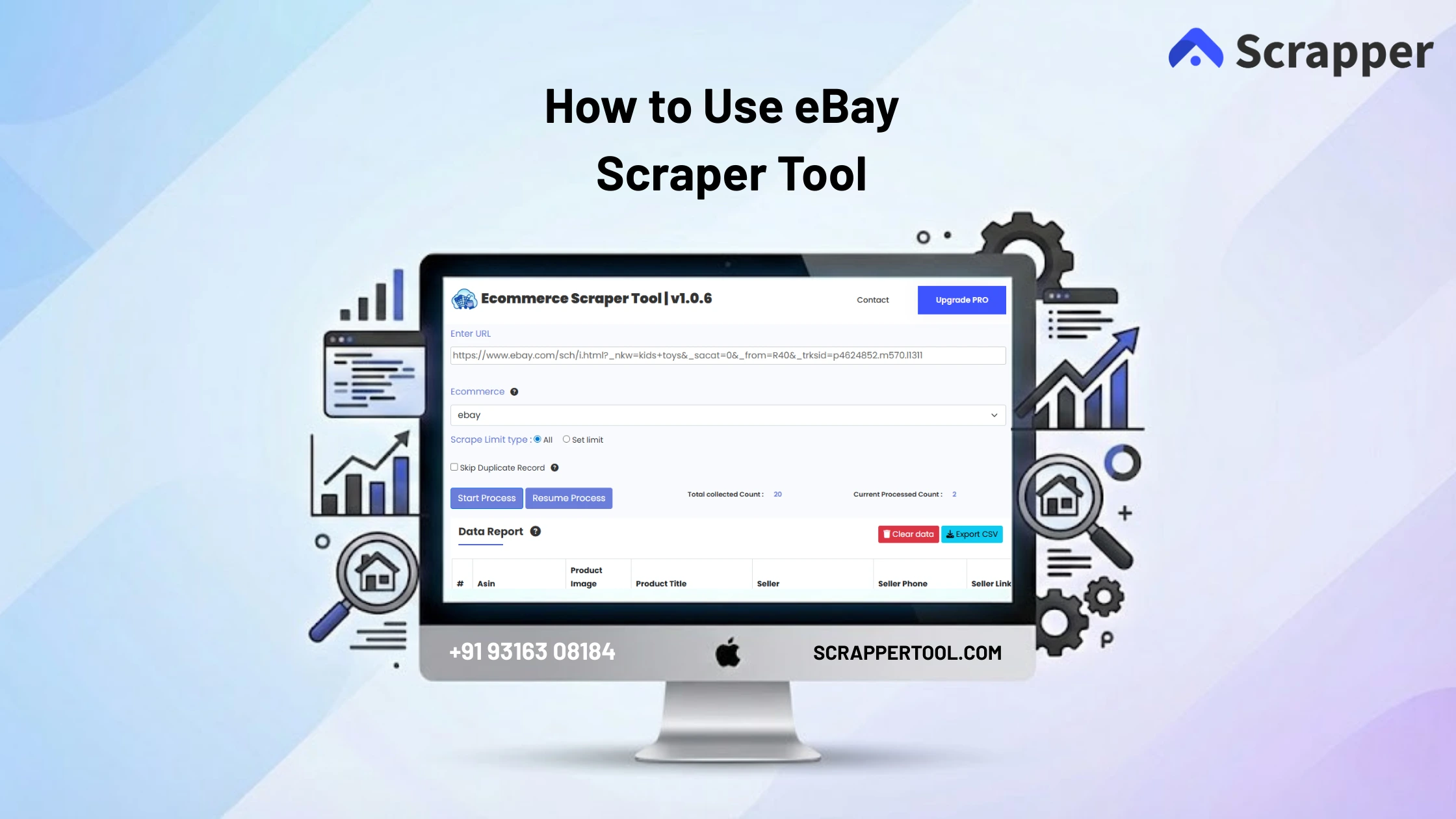

Collecting product information from eBay manually can be frustrating. Many sellers and researchers open listings one by one, copy prices, seller details, ratings, and product descriptions, then paste everything into spreadsheets. This takes time and often causes errors or missing data.
For ecommerce sellers, resellers, and research teams, manual tracking makes it difficult to compare products and follow market trends.
The eBay Scraper Tool by Scrapper Tool helps you solve this problem by automatically collecting structured product and seller data from eBay in a simple and fast way.
Step-by-Step Guide: How to Use the eBay Scraper Tool
Step 1: Install the Extension
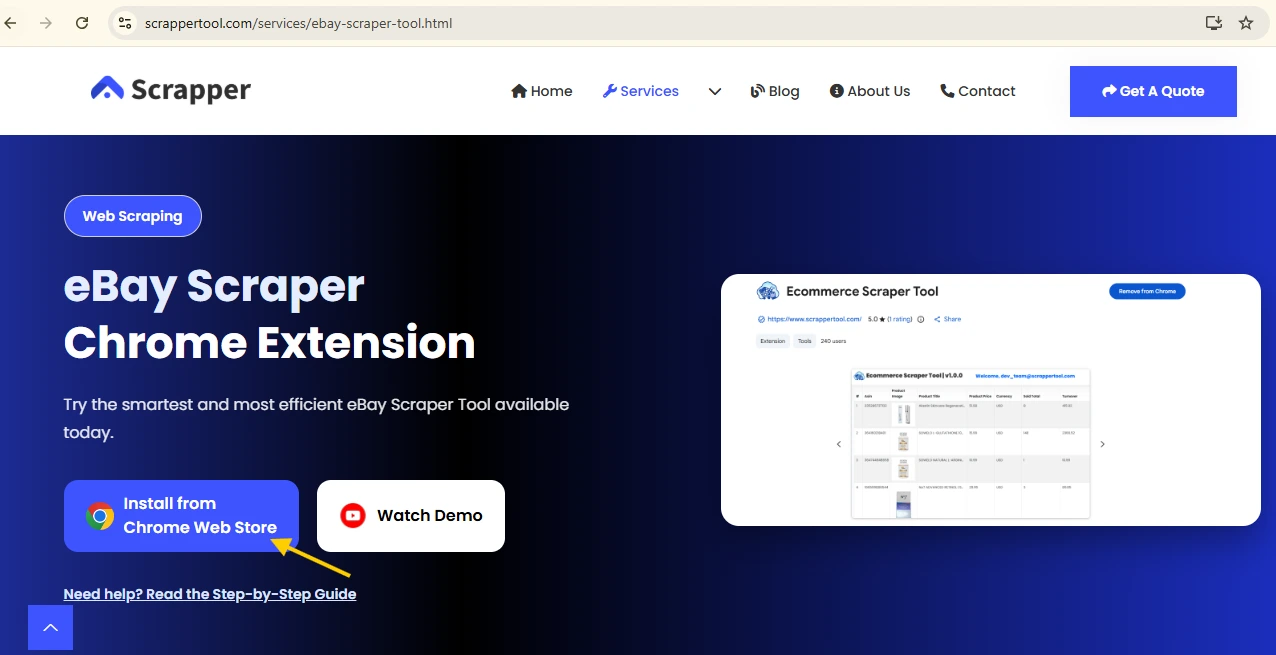
Open Google Chrome and visit the official eBay Scraper Tool page on ScraperTool. Click on “Install from Chrome Web Store.”
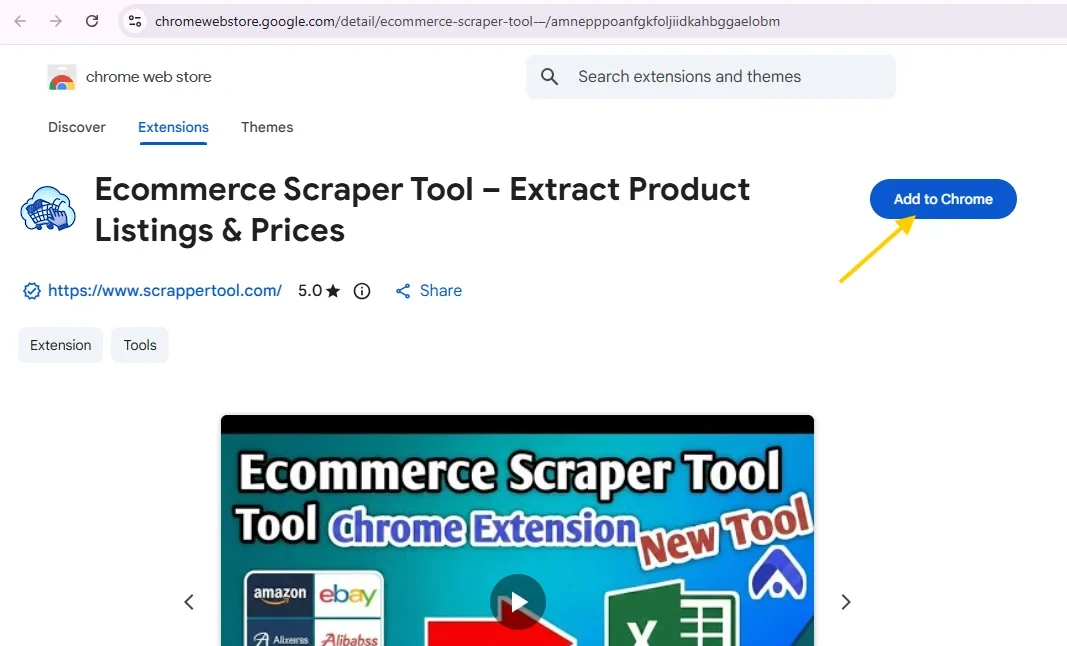
The Chrome Web Store page will open. Now, click on the “Add to Chrome” button.
Step 2: Pin the Tool
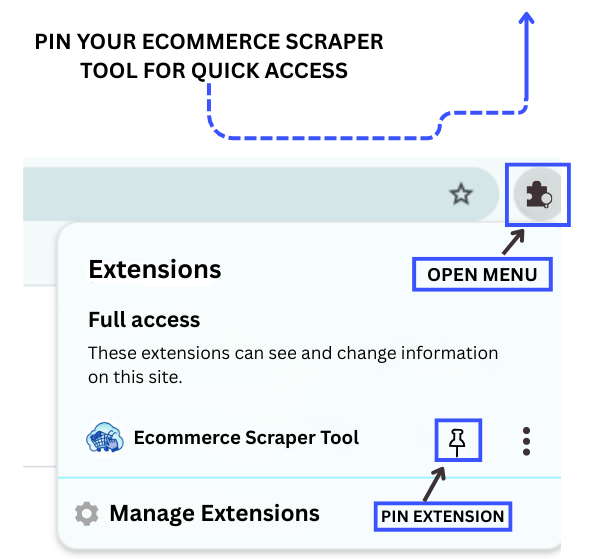
After installation, click the Extensions (puzzle) icon in Chrome. Find eBay Scraper Tool by Scrapper Tool and click the pin icon so it stays visible on the toolbar.
Step 3: Activate the Tool
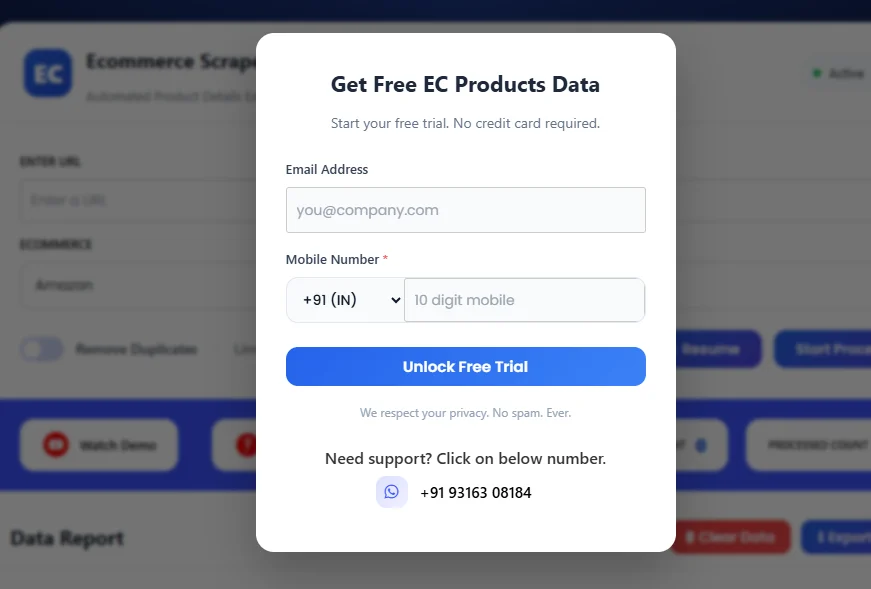
Click the pinned tool icon to open the popup. Fill the small form shown there to enable the tool, and once it completes, your scraper is ready to use.
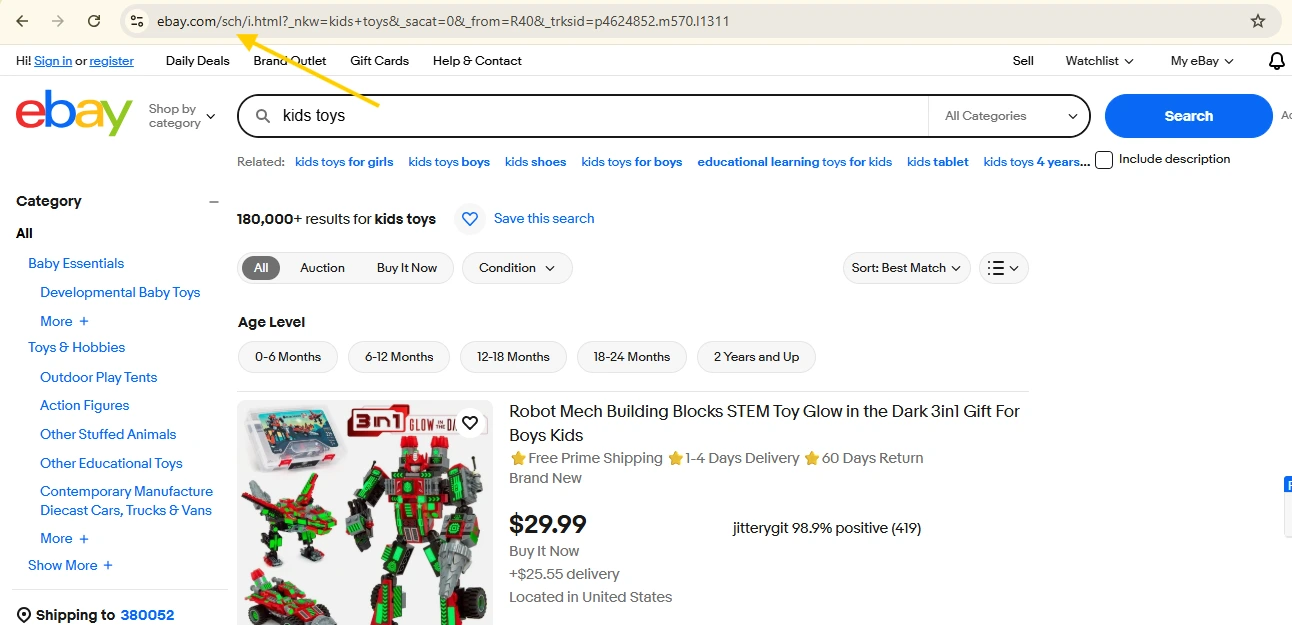
Step 4: Copy the eBay Page URL
Go to eBay and search for the products you want using keywords, categories, and filters like price or condition. When you reach the correct listing page, copy the full URL from the address bar.
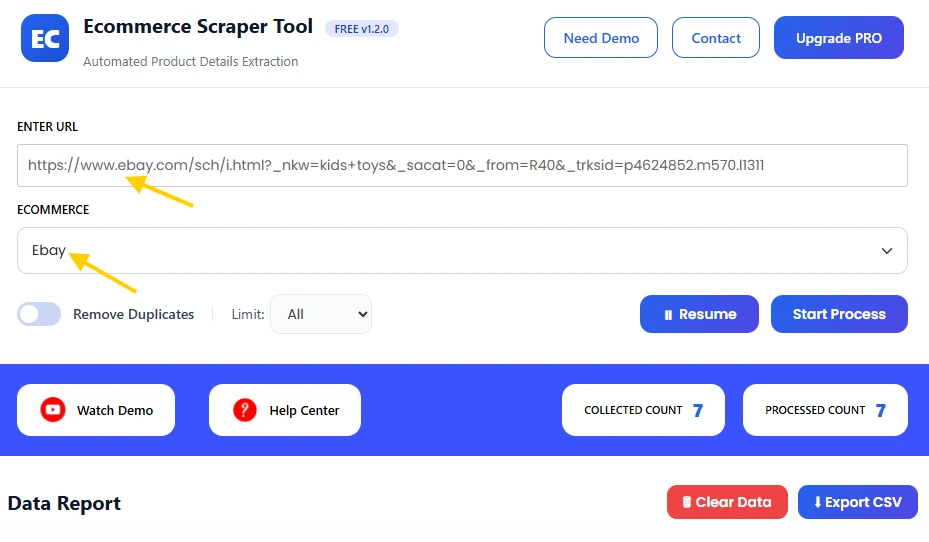
Step 5: Paste URL in Dashboard
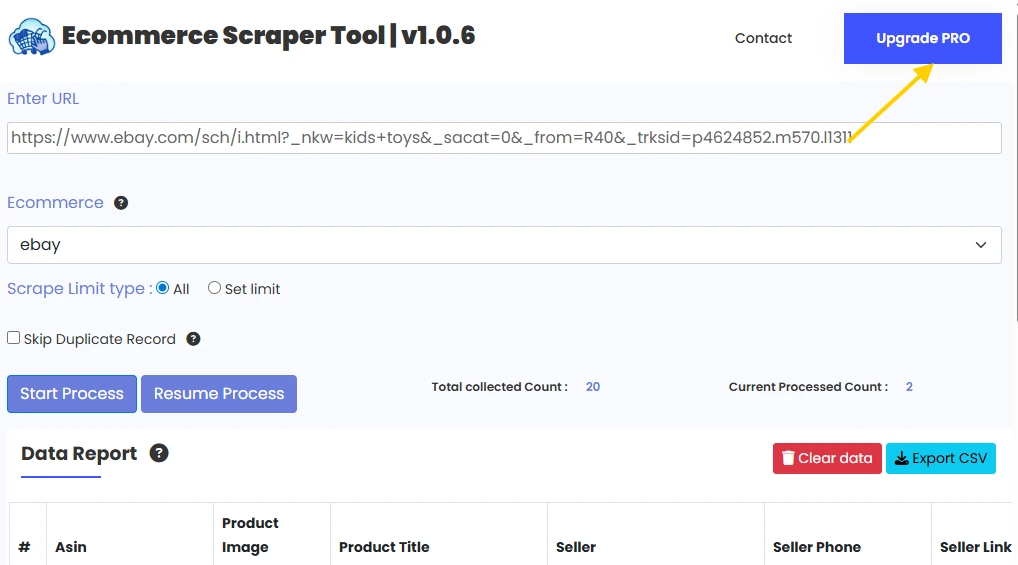
Open the ScraperTool dashboard and go to the Ecommerce Scraper Tools section. Select eBay Scraper Tool, paste the copied URL into the input box, and keep it ready.
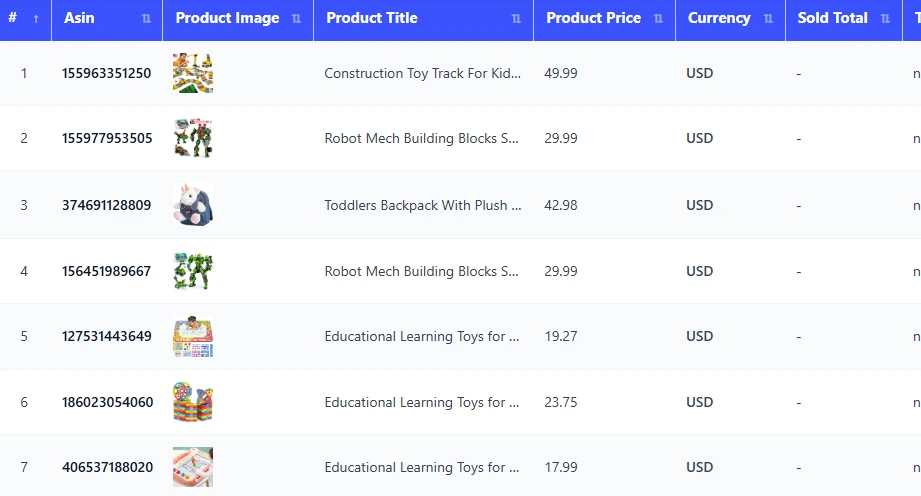
Step 6: Start Data Extraction
Click Start Process to begin scraping. The tool will scan listings and collect important product and seller details, then show the extracted data in a clean table inside the dashboard.
Step 7: Download CSV
After reviewing the table, stop the scraper and download your data instantly in CSV format. You can use it for analysis, research, or reporting anytime.
What Is eBay Scraper Tool?
The eBay Scraper Tool is part of the Ecommerce Scraper Tools available inside ScraperTool. It allows users to collect product and seller information from eBay search results and listing pages without manual effort.
The tool converts raw listing data into a clean and reusable format.
Who Can Use This Tool?
This tool is useful for:
-
Ecommerce sellers
-
Online resellers
-
Product researchers
-
Digital marketing teams
-
Pricing analysts
-
Businesses handling large product catalogs
Supported Ecommerce Platforms
ScraperTool supports multiple ecommerce platforms so you can manage all research in one place:
This helps maintain a smooth and consistent workflow.
What Data Can You Extract from eBay?
The eBay Scraper Tool can extract:
-
Product title
-
Product URL
-
Price
-
Seller name
-
Product ASIN
-
Product condition
-
Currency
-
Sold Total
-
Offered
All data is structured and easy to use.
Use Cases
Product Research
Compare products, prices, and conditions before listing or sourcing items.
Competitor Tracking
Monitor competitor listings and seller performance.
Pricing Decisions
Analyze price trends to adjust your selling strategy.
Market Insights
Understand demand and popular product categories.
Catalog Management
Upload extracted data into internal tools or ecommerce systems.
Benefits of Using eBay Scraper Tool
-
No manual copy-paste work
-
Saves time and effort
-
Beginner-friendly interface
-
Clean and structured data
-
Works for large product lists
-
Instant CSV download
Upgrade to eBay Scraper Tool Pro
For advanced research and higher usage limits, you can upgrade to the Pro version.
The Pro plan is best for serious ecommerce users.
Pro version is ideal for:
-
Large-scale data extraction
-
Faster processing speed
-
Higher daily limits
-
Professional ecommerce analysis
Contact us to upgrade:
📧 Email: info.scrappertool@gmail.com
📞 Phone / WhatsApp: +91 93163 08184
Watch the Complete Video Guide
We also provide a detailed video guide that shows how to use the eBay Scraper Tool step by step.
The video explains:
-
Searching products on eBay
-
Running the scraper
-
Reviewing collected data
-
Downloading the CSV file
▶ Watch the full video tutorial on YouTube
https://www.youtube.com/watch?v=Zp6rMsud57E
