

Collecting data from social media platforms manually can be very time-consuming. Users often open profiles, copy posts, comments, followers, and other details one by one, then paste everything into spreadsheets.
This process is slow, inefficient, and often leads to missing or incorrect data.
For marketers, businesses, and research teams, manual tracking makes it difficult to analyze trends, monitor competitors, and generate leads effectively.
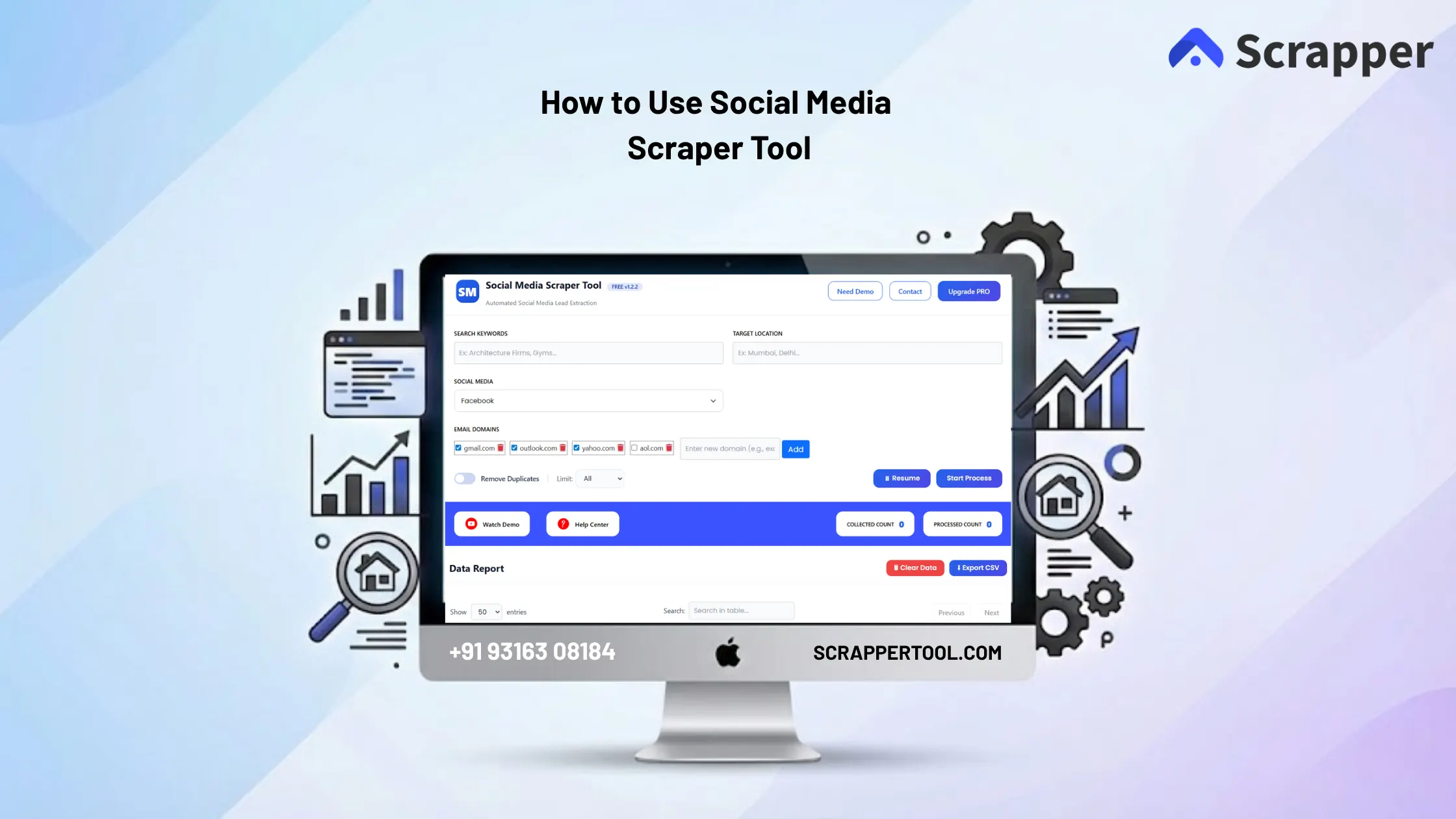
The Social Media Scraper Tool by Scrapper Tool helps solve this problem by automatically extracting structured data and leads from multiple social media platforms in a fast and simple way.
Step By Step Guide on Social Media Scraper Tool
Step 1: Install the Social Media Scraper Tool
- You can click on the https://www.scrappertool.com/services/social-media-scrapper.html link and click the “Install from Chrome Web Store” button.
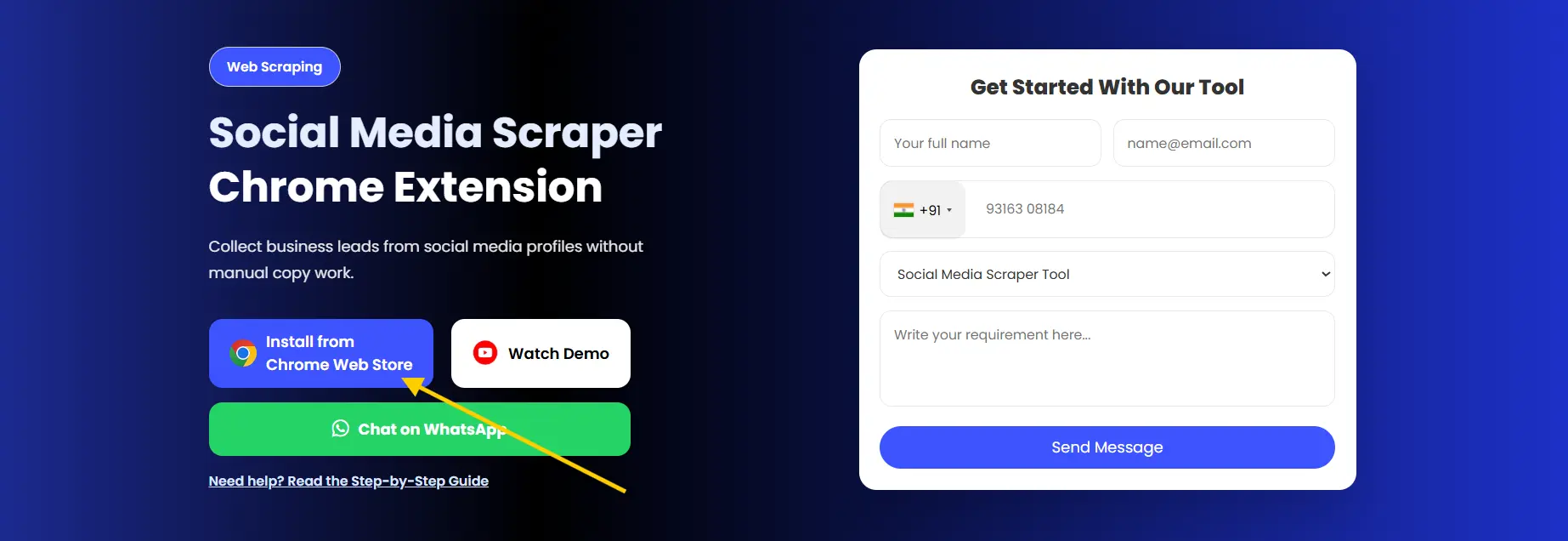
- You can Directly Go to our Social Media Scraper Tool Page to Install it. Click on the text you will redirect to the Social Media Scraper Tool in Chrome Web Store.
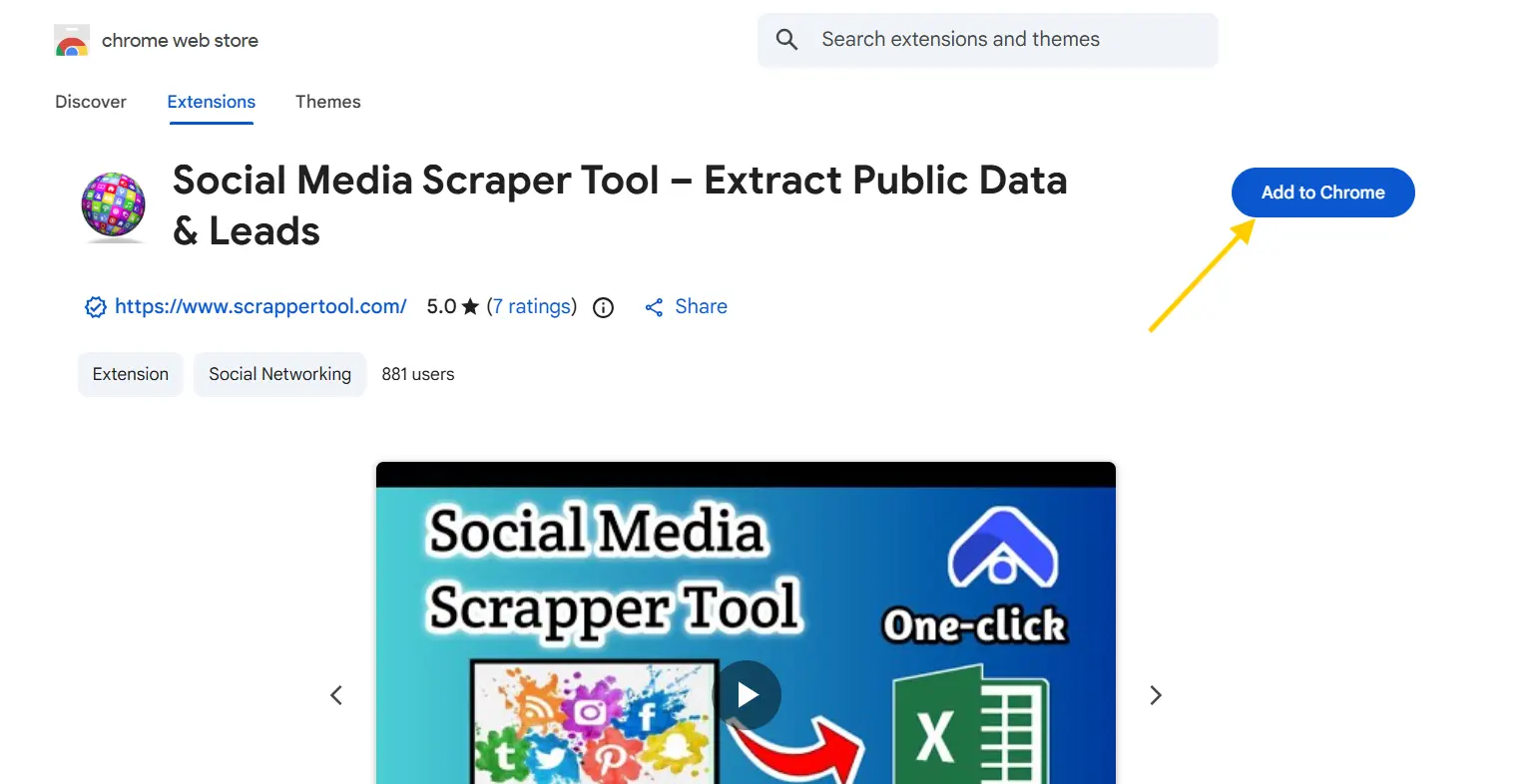
- After clicking that link you will redirect to the page and see the below page. Click on the “Add to Chrome” button to download.
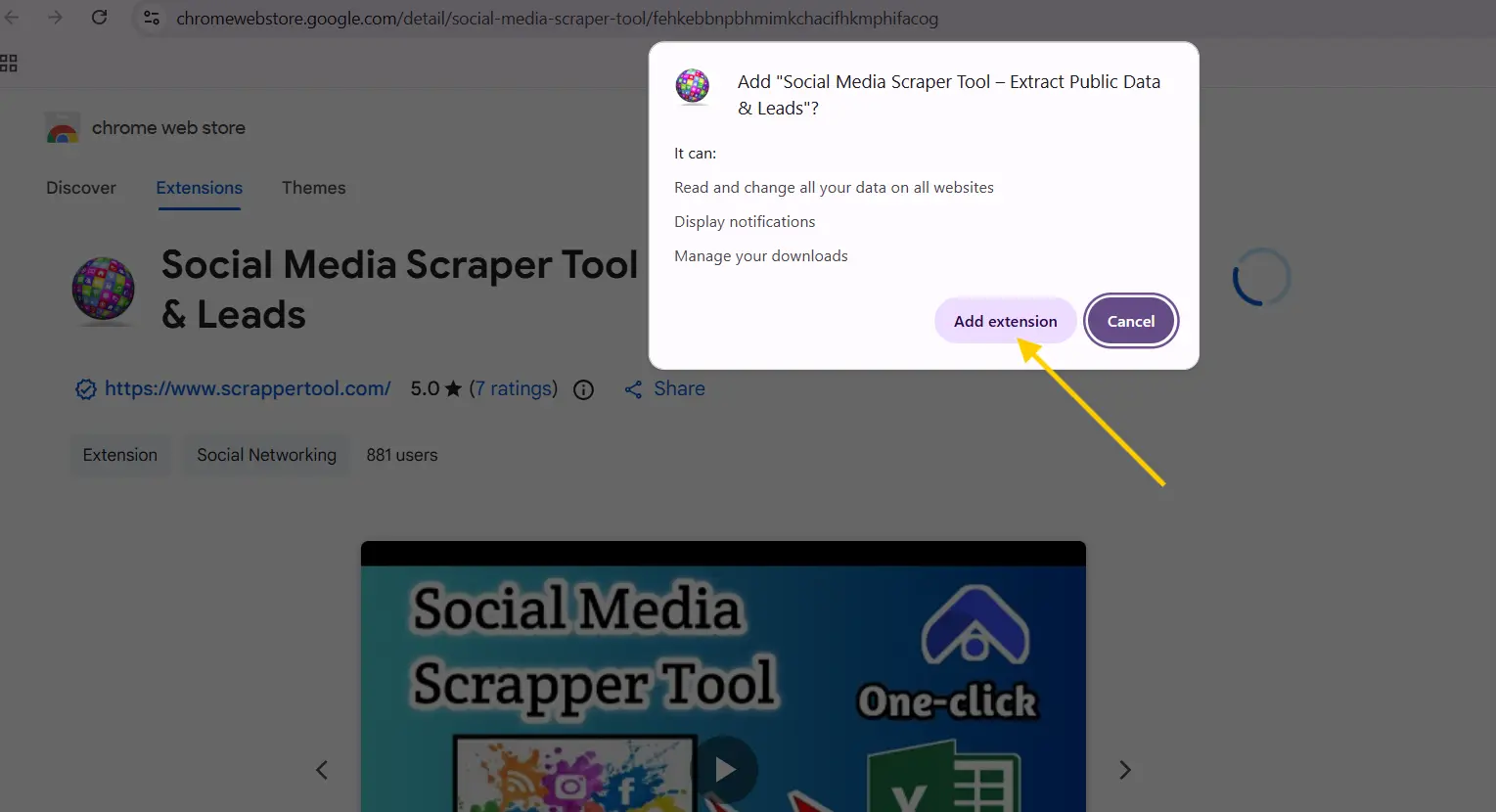
- After click on Add to Chrome button you will see a popup like below screenshot then click on “Add extension” button.
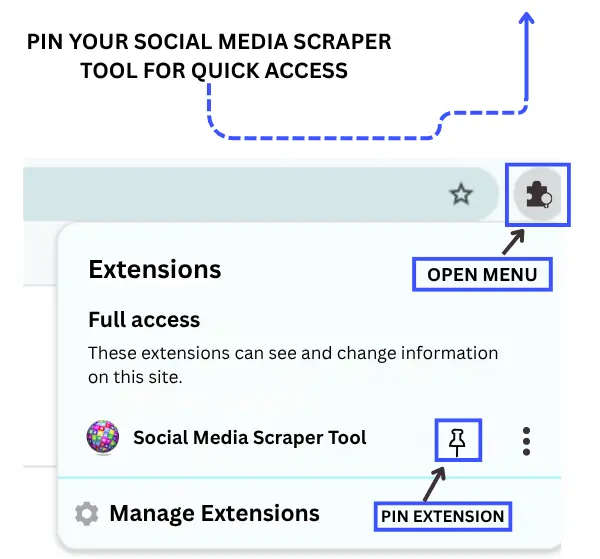
- Now go to the Chrome URL bar and then on the right side you can see the “Browser Action” Icon. Click on that icon then you can see the Social Media Scrapper Tool Extension click on the arrow icon to pin that Chrome extension in the Chrome URL bar. Click on the Social Media Scraper Tool Extension.
Step 2: Start the Free Version of the Social Media Scraper Tool
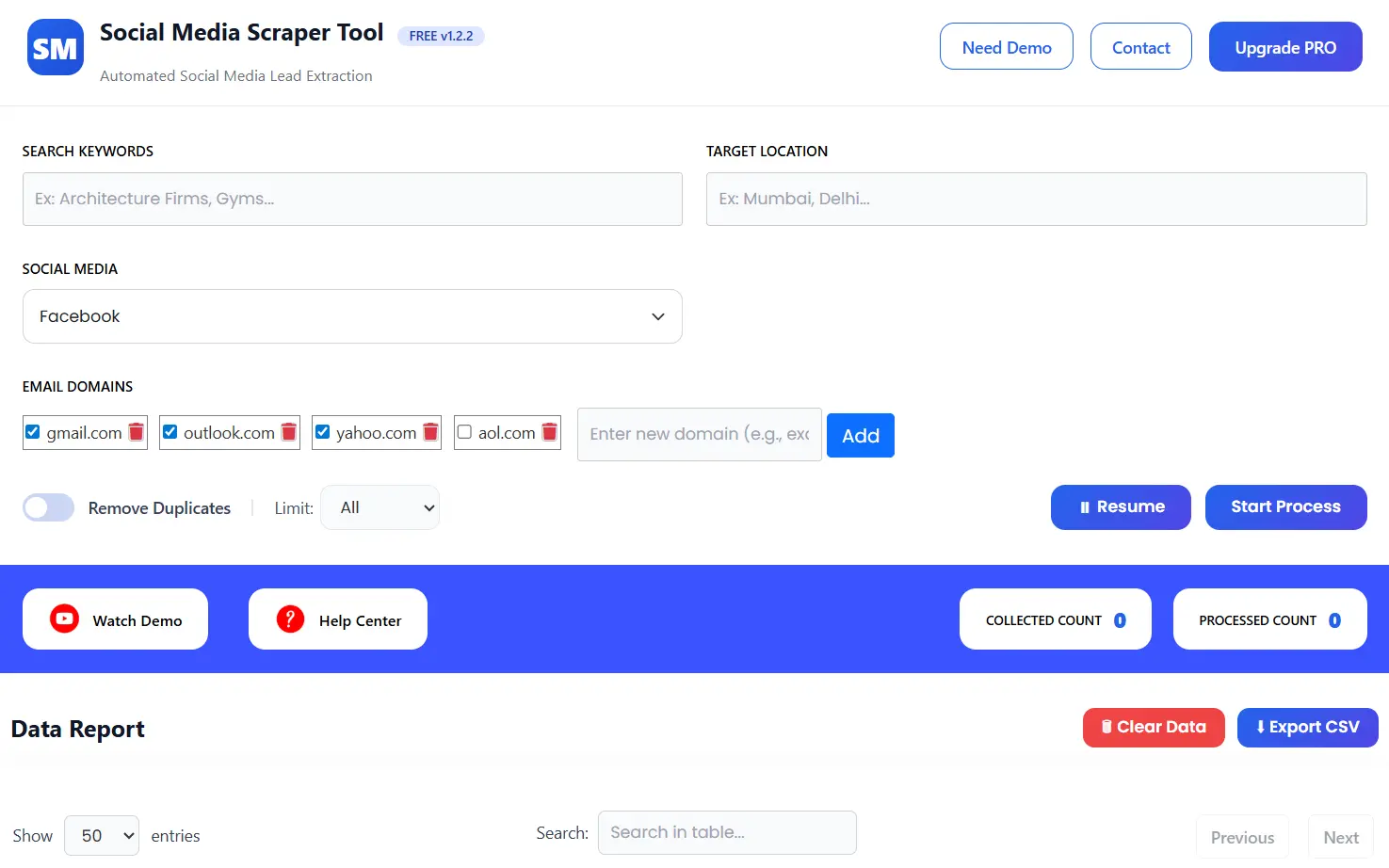
- After clicking on the Social Media Scrapper Tool you can see the below screenshot page.
-
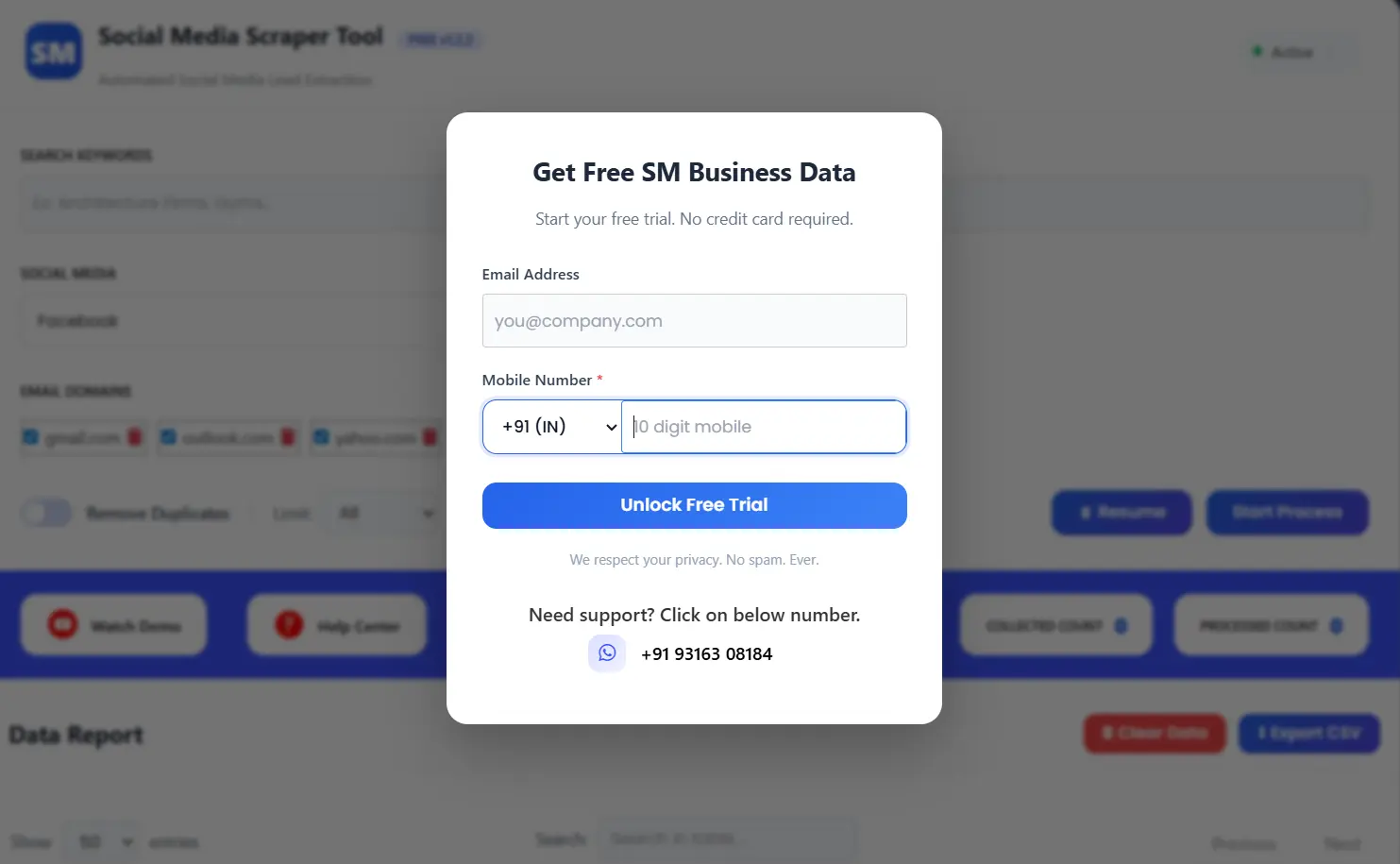
A popup will appear,fill the small form to activate the tool.Once completed, your scraper is ready to use.
Read Also:- Justdial Scraper: How to use Justdial(JD) Scraper Tool
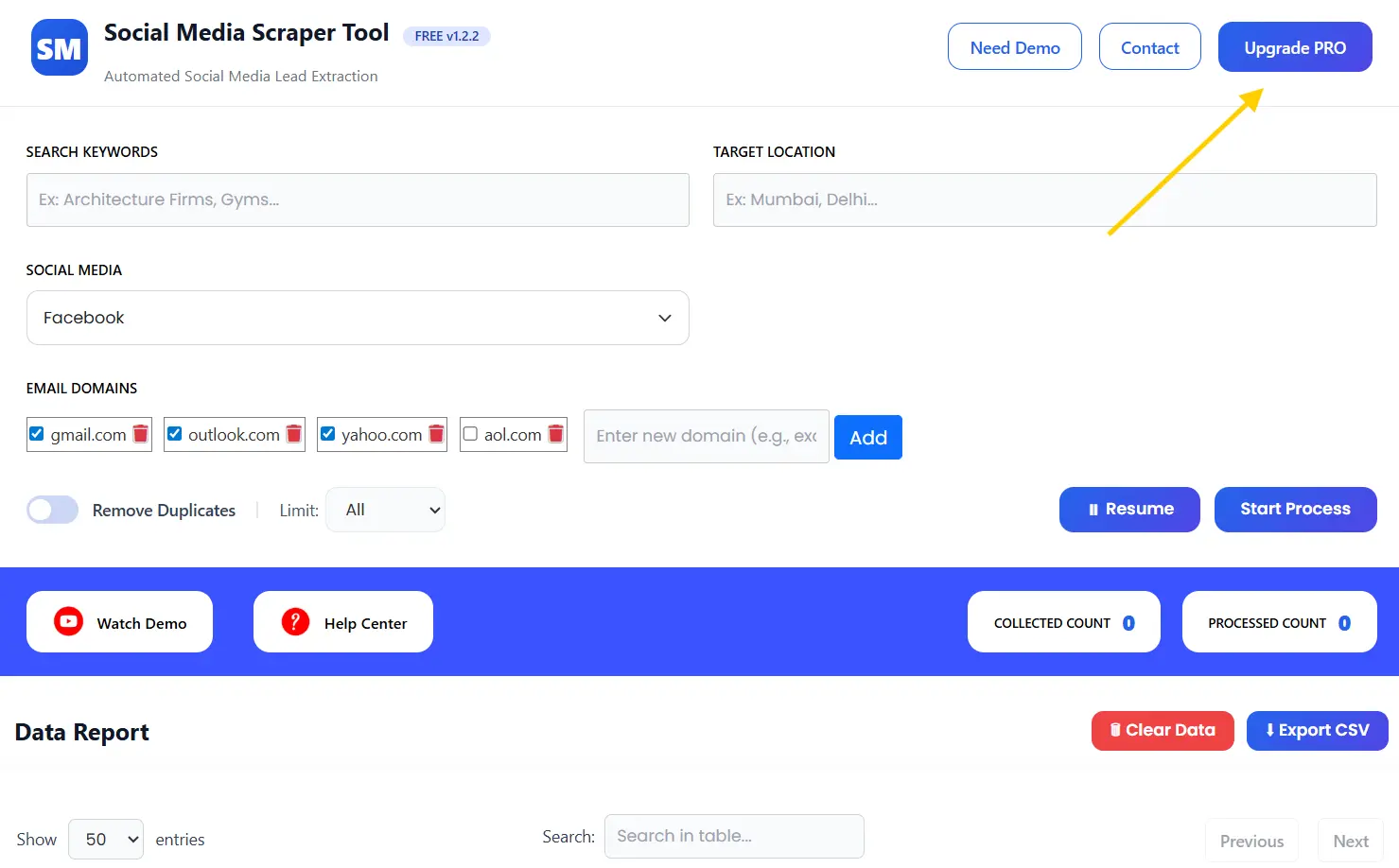
Step 3: Start Scraping Data From the Tool
-
In the Search Keywords field, enter your target niche.
👉 Examples:
- Gyms
- Restaurants
- Digital Marketing Agencies
- Real Estate Agents
This helps the tool find relevant profiles and businesses.
-
In the Search Keywords field, enter your target niche.
👉 Examples:
- Mumbai
- Delhi
- New York
- London
This ensures your data is highly targeted.
Step 4: Choose Social Media Platform
-
From the dropdown, select your preferred platform:
- Twitter (X)
- YouTube
- TikTok
- Google Search
- Other Websites
Choose the platform where your audience is most active.
Step 5: Select Email Domains (Optional) :
You can filter leads using Email Domains like:
- gmail.com
- outlook.com
- yahoo.com
- aol.com
You can also add custom domains.
👉 This helps in collecting more relevant email data.
Step 6: Remove Duplicates & Set Limit
- Enable Remove Duplicates to avoid repeated entries
- Set a Limit if required
This keeps your data clean and organized.
Step 7: Start Data Extraction
Click on Start Process.
The tool will:
- Search based on keyword + location
- Scan the selected platform
- Extract profiles and business data
- Collect emails (if available)
You can also use the Resume button if needed.
Step 8: View Data Report
Once the process starts, you will see:
- Collected Count
- Processed Count
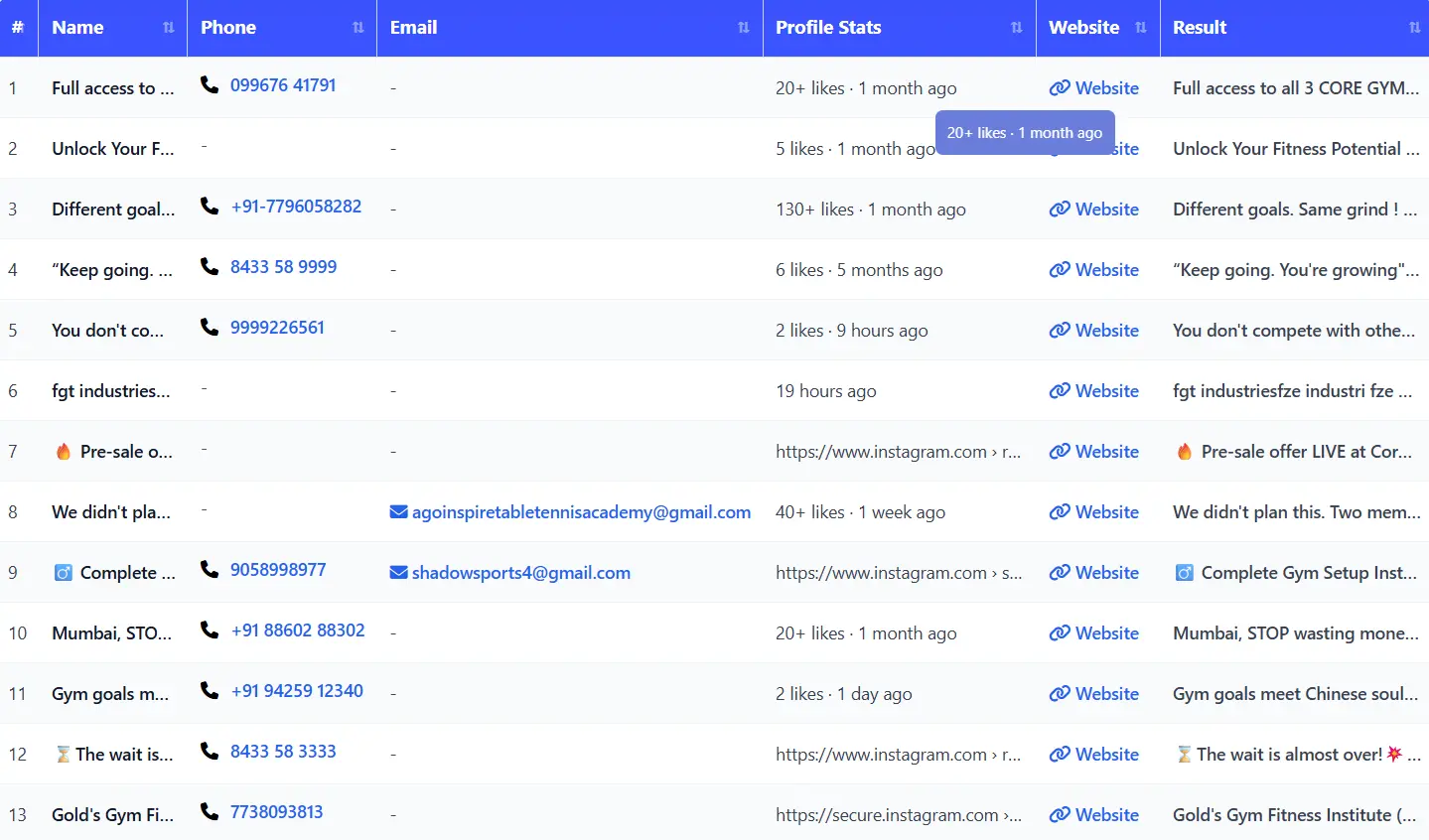
All extracted data will be displayed in a structured table.
Upgrade to the Pro Version of the Social Media Scraper Tool
- If you want to purchase our Chrome extension you can go to contact us page.
- You can contact us directly via our phone number, WhatsApp, or Email.
Contact Details
- Email us:- info.scrappertool@gmail.com
- Call us:- +91 93163 08184
What Is Social Media Scraper Tool?
The Social Media Scraper Tool is an automation solution that helps you extract business and profile data from social platforms using filters like keywords, location, and platform selection.
Instead of manual work, it converts raw social media data into a structured and downloadable format.
Who Can Use This Tool?
This tool is ideal for:
- Digital marketing agencies
- Lead generation professionals
- Sales teams
- Freelancers
- Startups and businesses
- Local service providers
What Data Can You Extract?
Using this tool, you can collect:
- Profile / Business name
- Profile URL
- Email address (if available)
- Platform source
- Location-based data
- Contact-related details
Use Cases
Lead Generation
Find targeted leads based on niche and location.
Sales Outreach
Use extracted emails for campaigns and promotions.
Local Business Research
Discover businesses in specific cities.
Competitor Analysis
Track competitors and similar profiles.
Marketing Campaigns
Create targeted audience lists for ads and outreach.
Benefits of Using Social Media Scraper Tool
- No manual copy-paste work
- Saves time and effort
- Keyword + location targeting
- Multi-platform support
- Email filtering options
- Clean and structured data
- Beginner-friendly interface
Supported Platforms
The tool supports multiple platforms:
- Twitter (X)
- YouTube
- TikTok
- Google Search
- Other websites
This helps you manage all your lead generation in one place.
Watch Demo / Help Center
You can also explore:
▶ Watch Demo
