
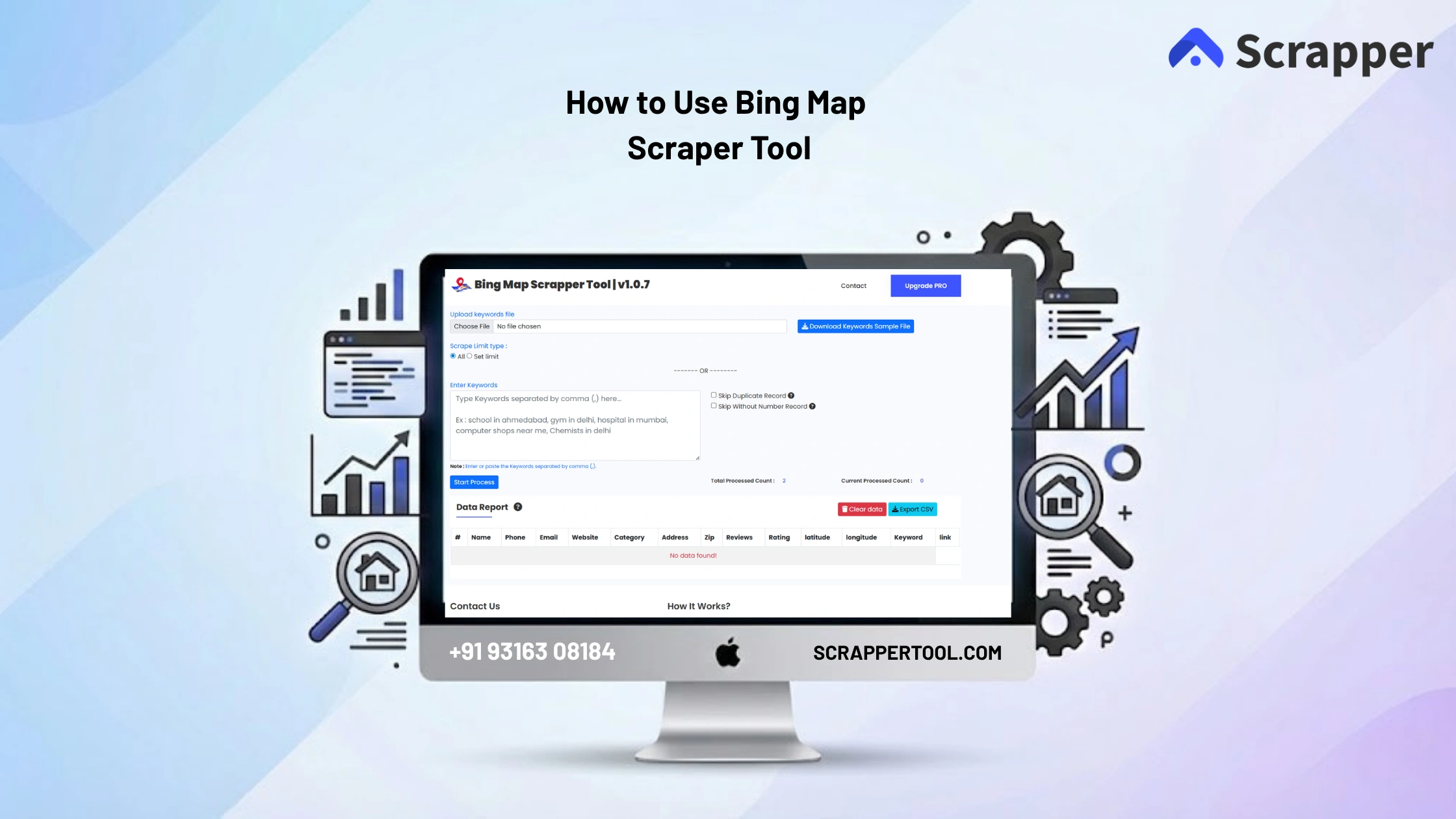

Collecting search results data from Bing manually can take a lot of time. Users typically search keywords, open results one by one, copy titles, URLs, and descriptions, and then paste everything into spreadsheets.
This process is slow, repetitive, and often results in incomplete or inconsistent data.
For marketers, SEO professionals, lead generation agencies, and researchers, manual data collection makes it difficult to analyze search results and scale data extraction efficiently.
The Bing Scraper Tool by Scrapper Tool solves this problem by automatically extracting search result data from Bing, allowing you to collect structured data quickly without manual effort or technical skills.
Step By Step Guide on Bing Scraper Tool
Step 1: Install the Bing Scraper Tool
- You can click on the https://www.scrappertool.com/services/bing-map-data-scrapper.html link and click the “Install From Chrome Web Store” button.
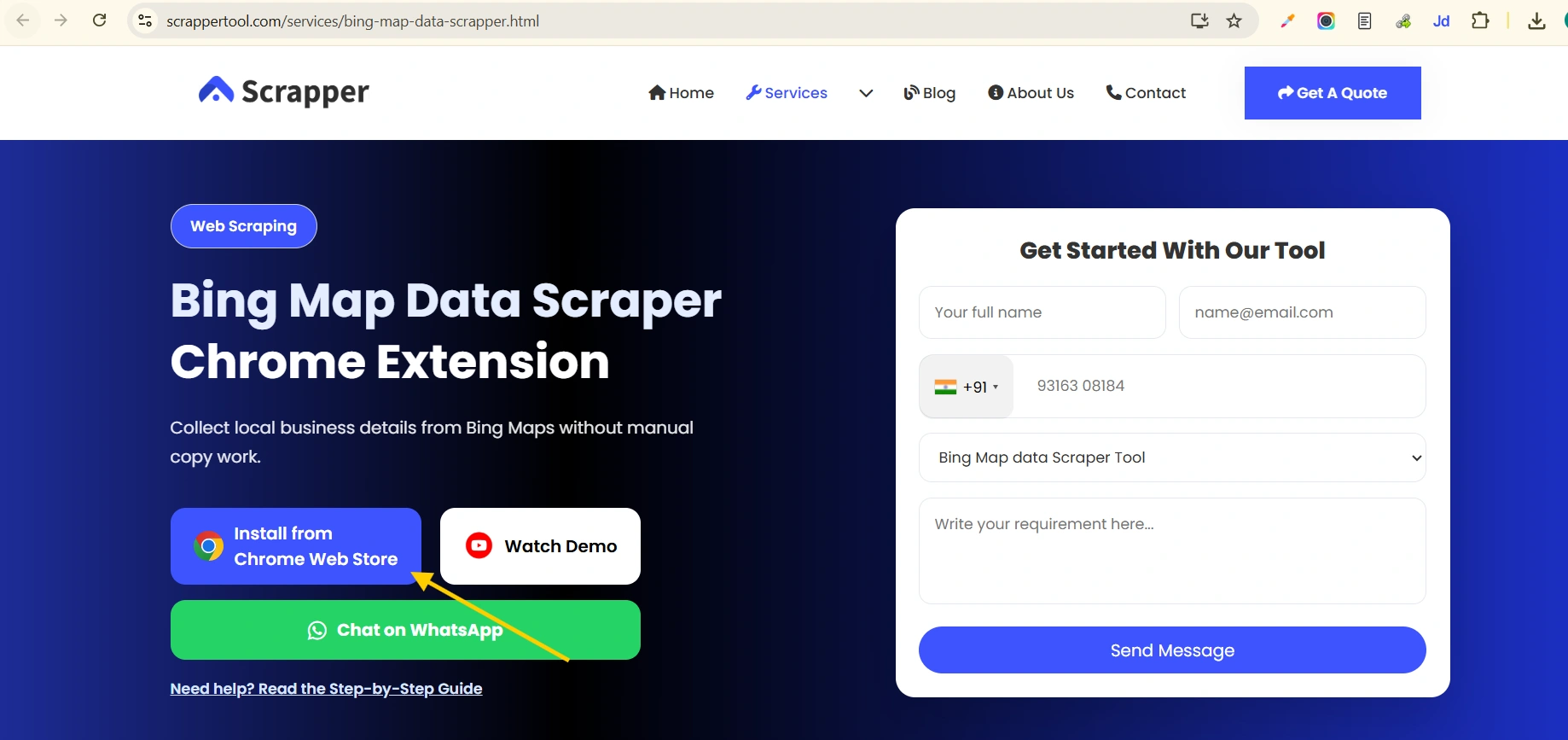
- You can Directly Go to our Bing Scraper Tool Page to install it. Click on the text you will redirect to the Bing Scraper Tool in Chrome Web Store. Now You can see the below screen.
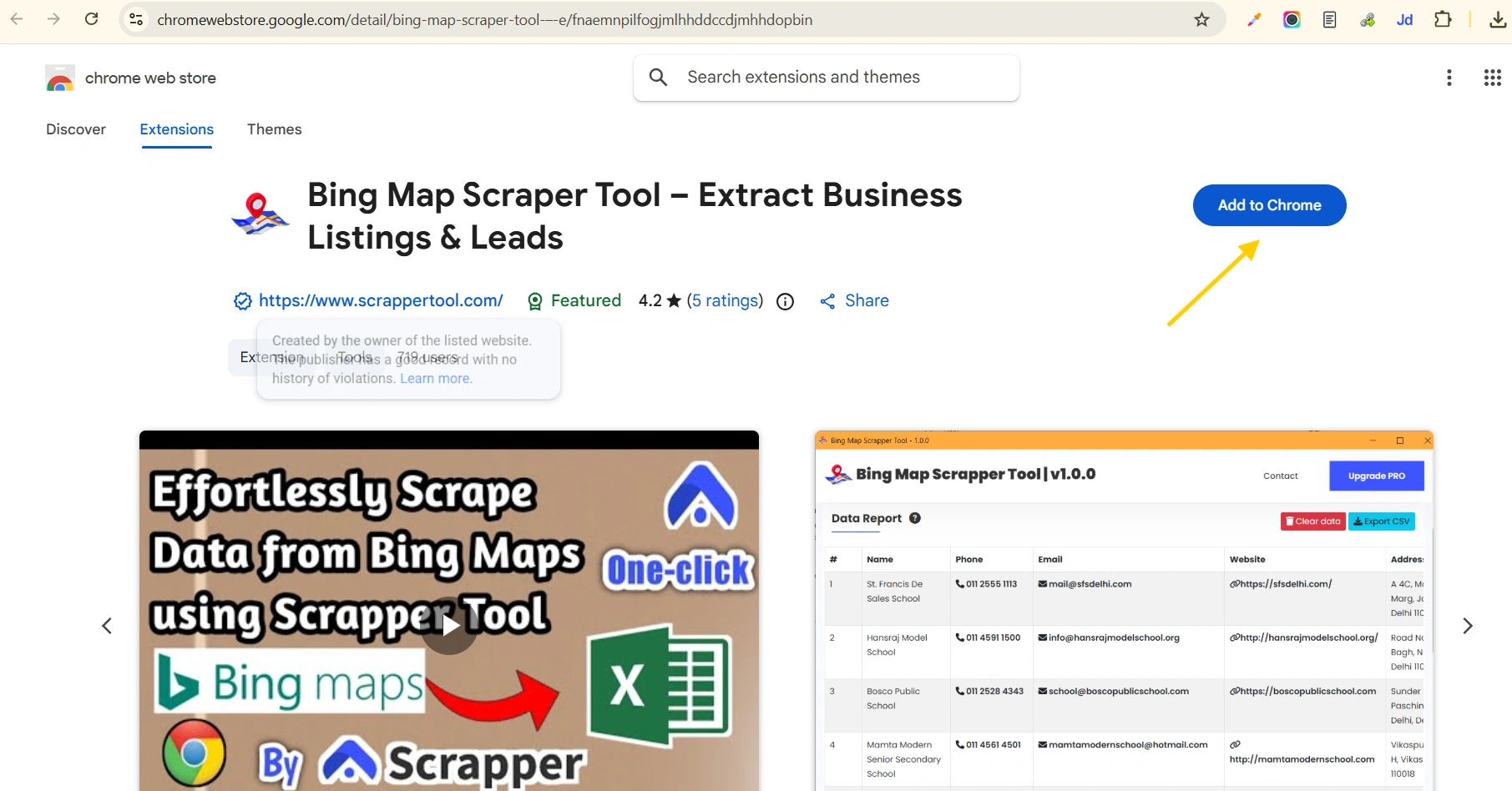
- After clicking that link you will redirect to the page and see the below page. Click on the “Add to Chrome” button to download.
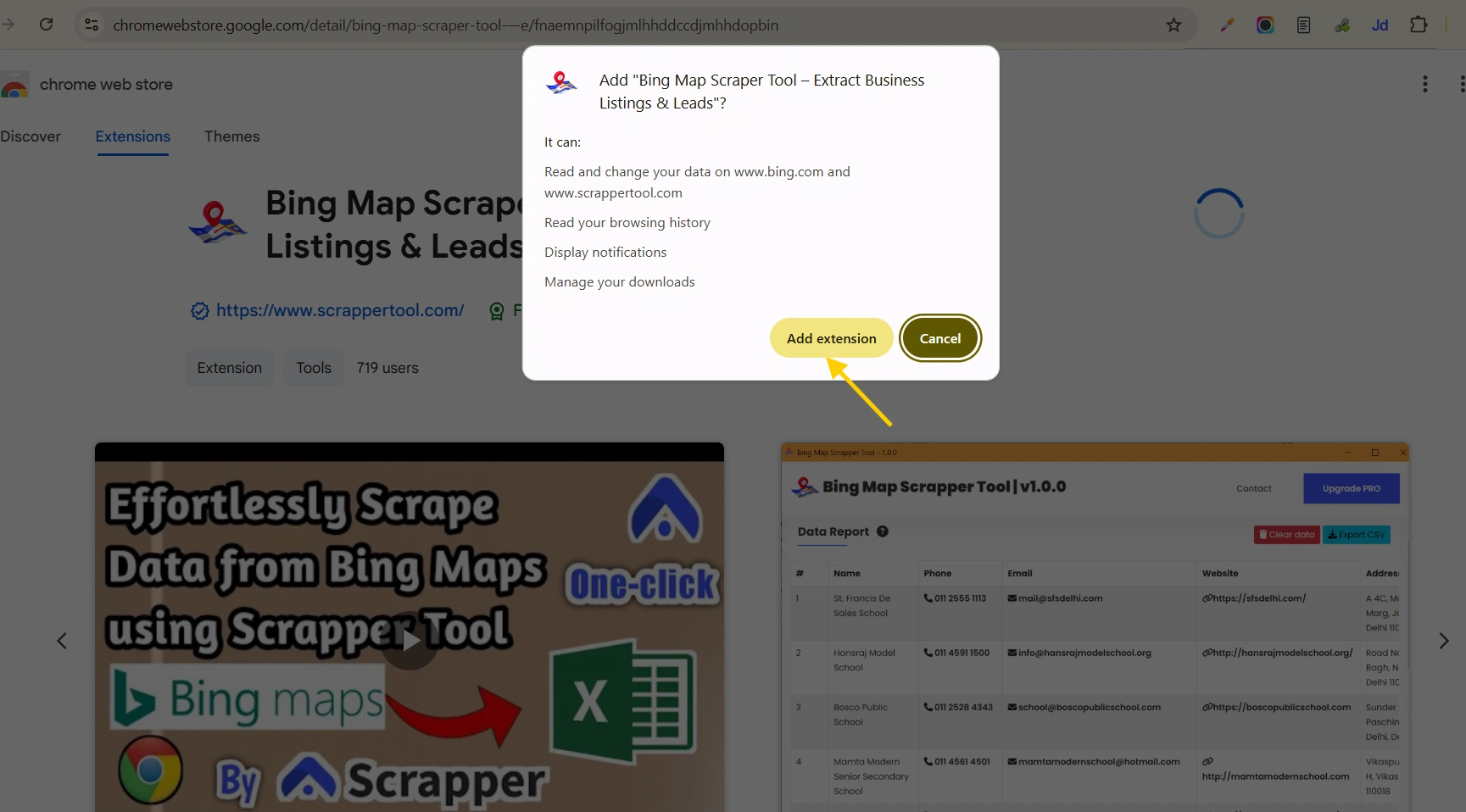
- After click on add to chrome button you will see a popup like this in below after that click on “Add extension” button to add Bing Map Scraper Tool.
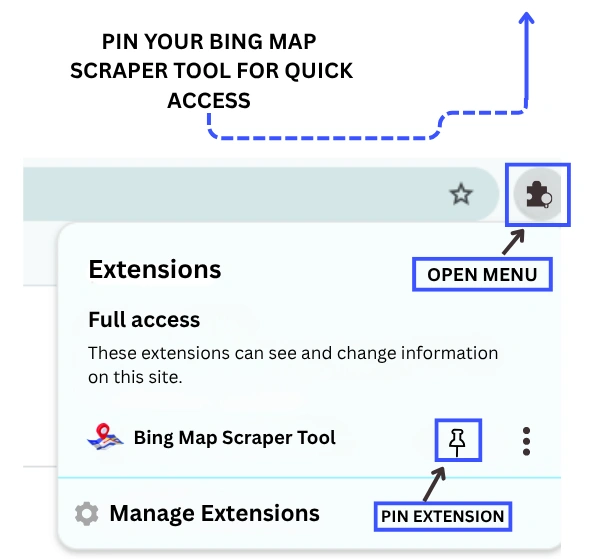
- Now go to the Chrome URL bar and then on the right side you can see the “Browser Action” Icon. Click on that icon then you can see the Bing Map Scrapper Tool Extension click on the arrow icon to pin that Chrome extension in the Chrome URL bar.
Read Also:- How to use G-Map Data Scrapper Tool
Step 2: Start the Free Version of the Bing Scraper Tool
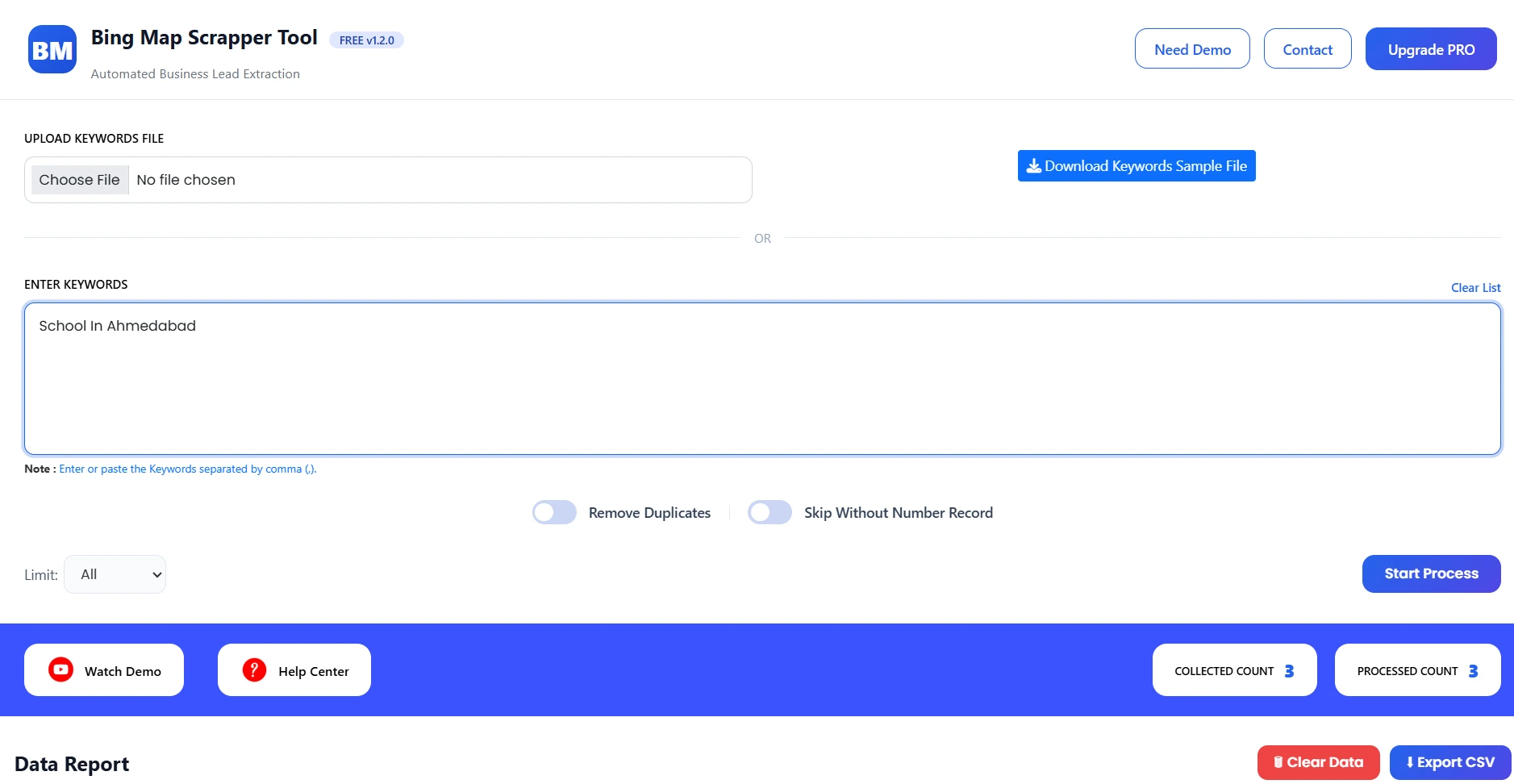
- After clicking on the Bing Scrapper Tool you can see the below screenshot page.
- Congratulations Your Free Version of the Bing Map Scrapper Tool has been started.

Step 3: Start Scraping Data From the Tool
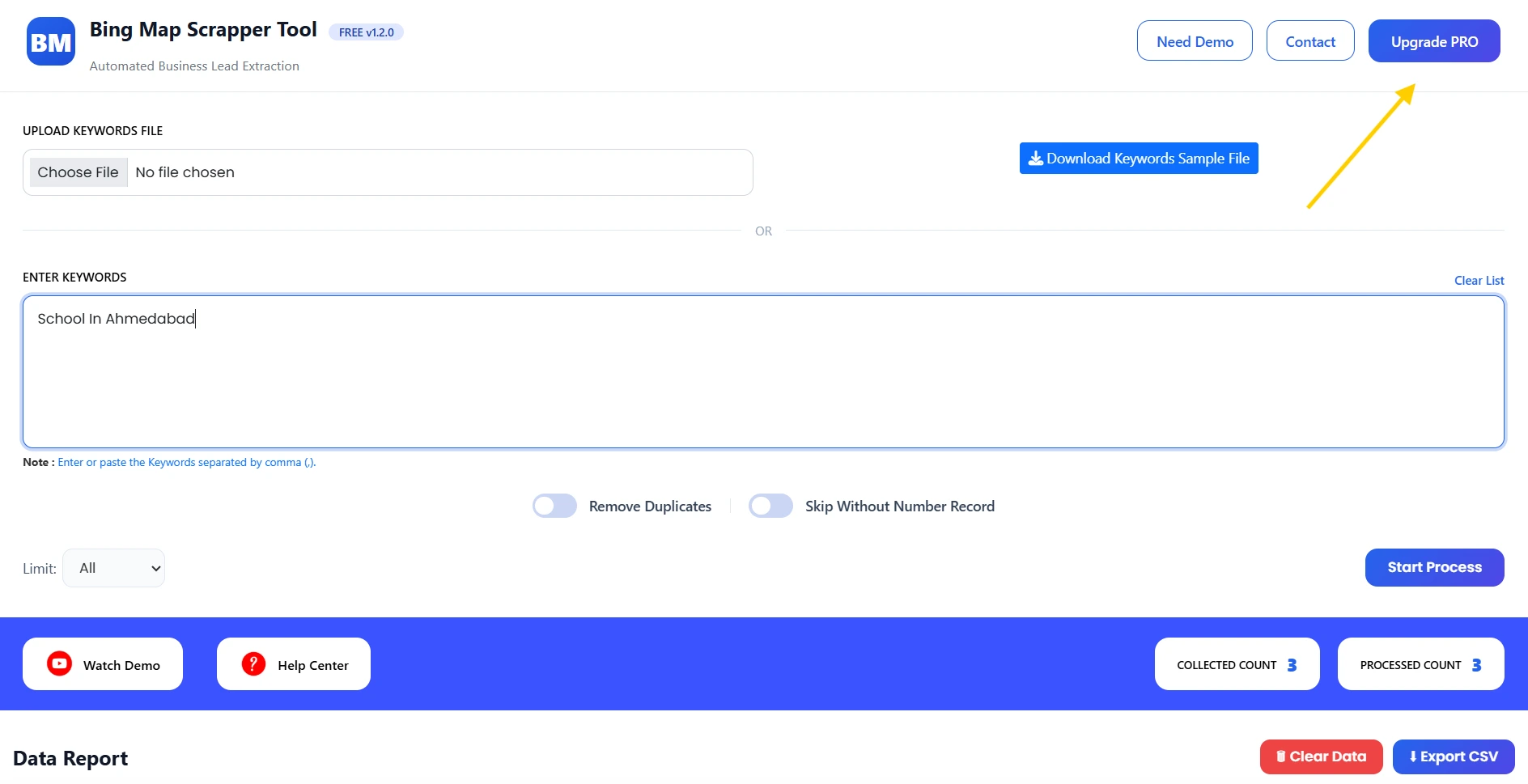
- Now you can see the below screen.
- Now as seen on Bing Map Scrapper Tool Screenshot. You can directly upload keywords on “Upload keywords file”.
- Bing Map Scrapper Tool you can set Scrape Limit type.
- OR you can directly add keywords in the keywords box.
- you can skip duplicate record.
- See example on below screen that “school in ahmedabad” keyword.
- If you want to add multiple keywords then you need to buy our pro version of Scrapper Tool.
Step 4:View Extracted Data
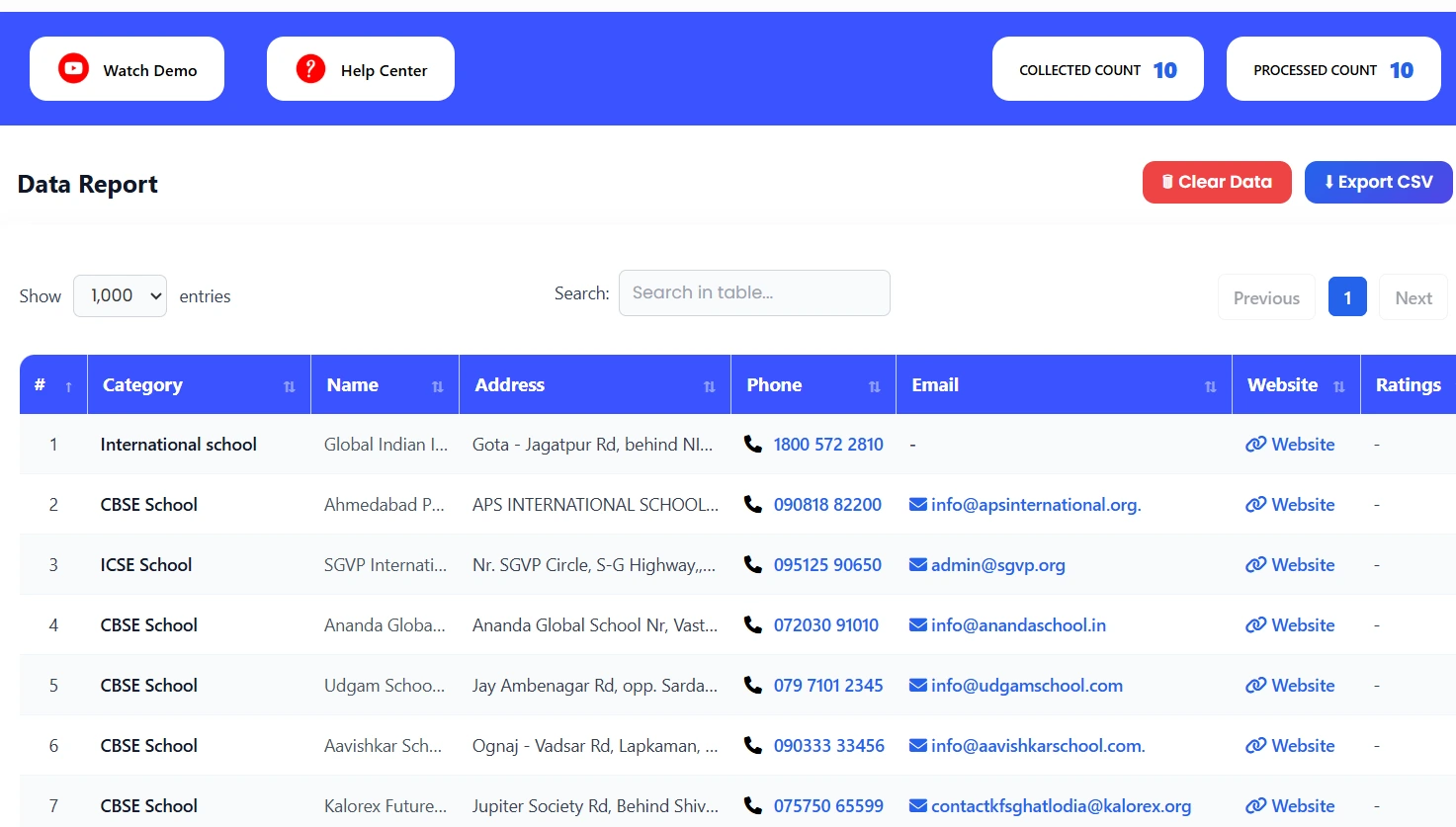
Once the process starts, you can see live progress.
The tool will automatically:
- Navigate Bing search result pages
- Extract search result data
- Capture titles, URLs, and descriptions
- Store everything in structured format
After completion, all extracted data will appear in a structured table.
What Is Bing Scraper Tool?
The Bing Scraper Tool is a data extraction tool inside Scrapper Tool that allows users to collect search result data directly from Bing search pages.
Instead of manually copying search results, the tool automates the entire process and delivers structured data in seconds.
Who Should Use This Tool?
This tool is ideal for:
- SEO professionals
- Digital marketers
- Lead generation agencies
- Data researchers
- Affiliate marketers
- Business analysts
Use Cases
SEO Research
Analyze search results and competitors for targeted keywords.
Lead Generation
Find websites and businesses based on search queries.
Competitor Analysis
Track competitor presence in search results.
Content Research
Discover trending topics and top-ranking pages.
Benefits of Using Bing Scraper Tool
- No manual copy-paste
- Fast and automated extraction
- Beginner-friendly interface
- Accurate and structured data
- Saves time and effort
- Easy CSV export
Upgrade to Bing Scraper Tool Pro
For higher limits and advanced data extraction needs, you can upgrade to the Pro version.
The Pro plan is ideal for professionals and teams handling large-scale scraping.
Watch the Complete Video Guide
We also provide a step-by-step video tutorial explaining how to use the Bing Scraper Tool.
The video covers:
- Searching on Bing
- Running the scraper
- Viewing extracted data
- Downloading CSV files
▶ Watch the full video tutorial on YouTube
https://www.youtube.com/watch?v=tZ-U4-8W6eY&feature=youtu.be
