

Collecting product data from AliExpress by hand is not easy. Many sellers and researchers open product pages one by one, copy prices, seller details, ratings, and product information, then paste everything into Excel sheets. This takes a lot of time and often causes mistakes or missing data.
For ecommerce sellers, dropshippers, and market researchers, manual product tracking makes it hard to study competitors and manage large product lists.
The AliExpress Scraper Tool by Scrapper Tool removes this problem by automatically collecting structured ecommerce data from AliExpress in just a few clicks.
Step-by-Step Guide: How to Use the AliExpress Scraper Tool
Step 1: Install the AliExpress Scrapper Tool Chrome Extension
Open your Google Chrome browser.
Visit the official AliExpress Scraper Tool page on Scrapper Tool.
Click on the option to install the extension from the Chrome Web Store.
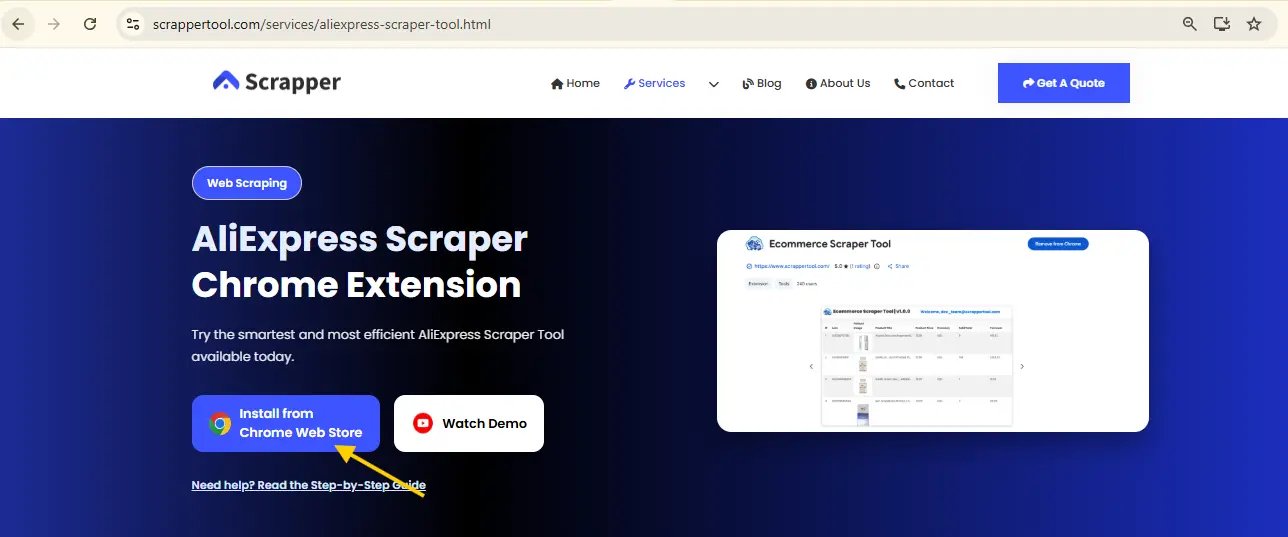
AliExpress Scrapper Tool Web Page
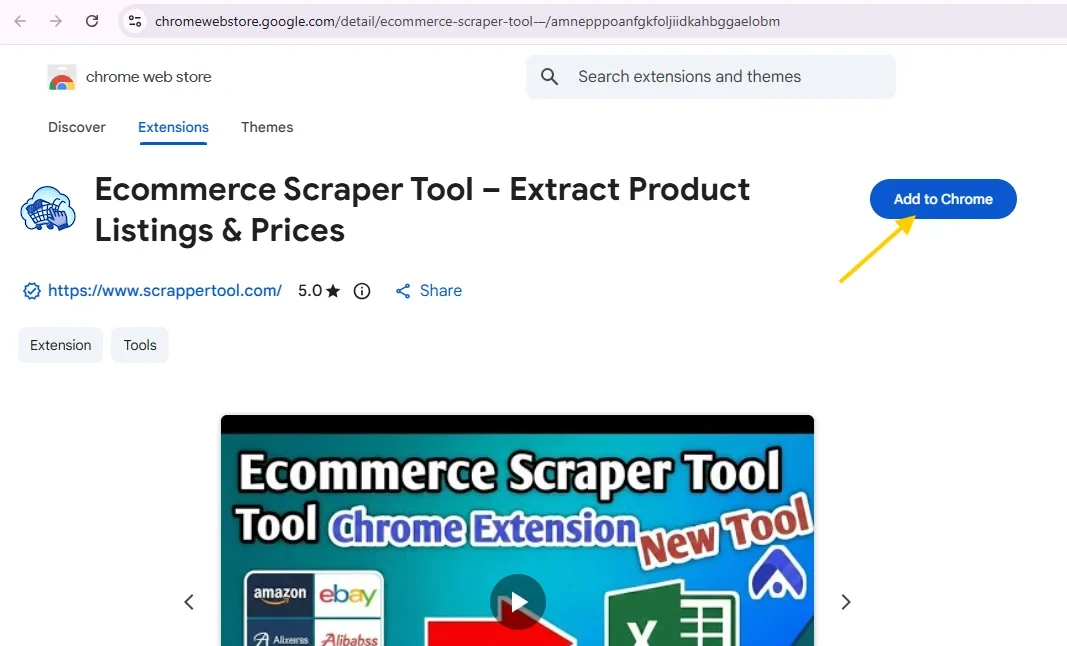
When the Chrome Web Store opens, click Add to Chrome and confirm the installation.
The extension will be added to your browser quickly.
Step 2: Keep the AliExpress Scraper Tool Ready
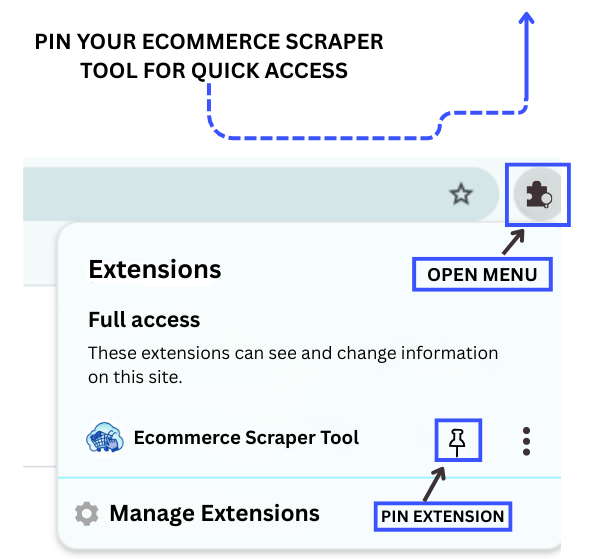
After installation, look at the top-right corner of your Chrome browser.
Click the Extensions (puzzle) icon.
Find AliExpress Scraper Tool by Scrapper Tool and click the pin icon.
AliExpress Scrapper Tool Pin Extension
This keeps the tool visible in your toolbar so you can use it anytime.
Step 3: Activate the AliExpress Scraper Tool
Click on the pinned AliExpress Scraper Tool icon.
A small popup window will open.
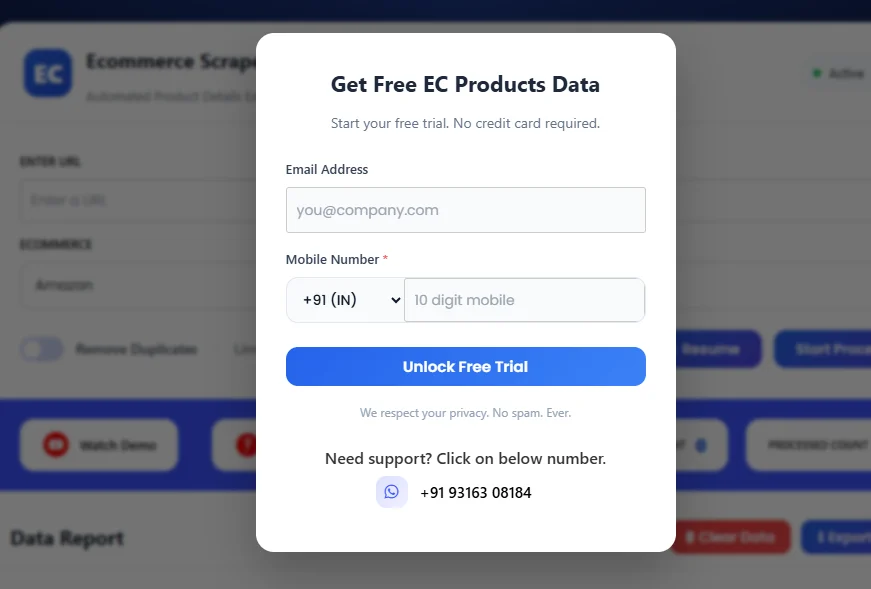
Fill in the short form shown in the popup to activate the tool.
AliExpress Scrapper Tool Free Popup
Once completed, the tool is ready to work.
Step 4: Browse Products on AliExpress
Open AliExpress in a new tab.
Search for products using:
-
Keywords
-
Categories
-
Price filters
-
Seller ratings
-
Product popularity
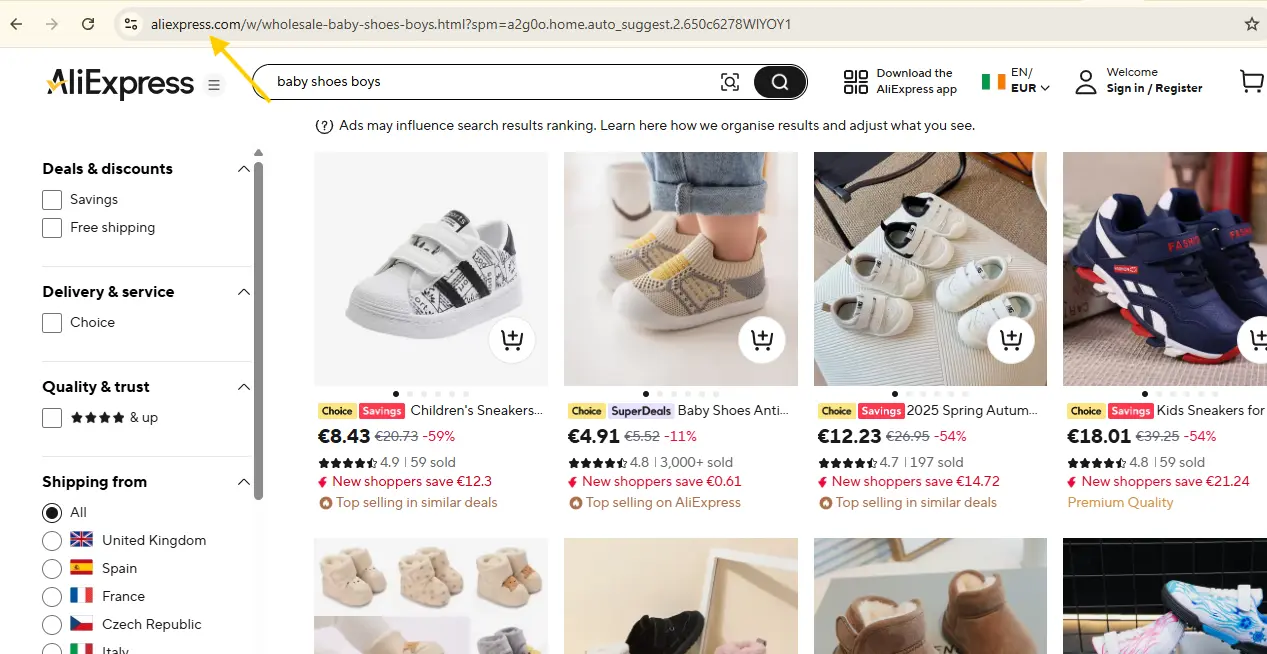
When you find the product list or page you want, copy the page URL from the browser address bar.
AliExpress Product Listing Page
Step 5: Select AliExpress Scraper Tool from Dashboard
Open the Scrapper Tool dashboard.
Go to the Ecommerce Scraper Tools section.
Select AliExpress Scraper Tool.
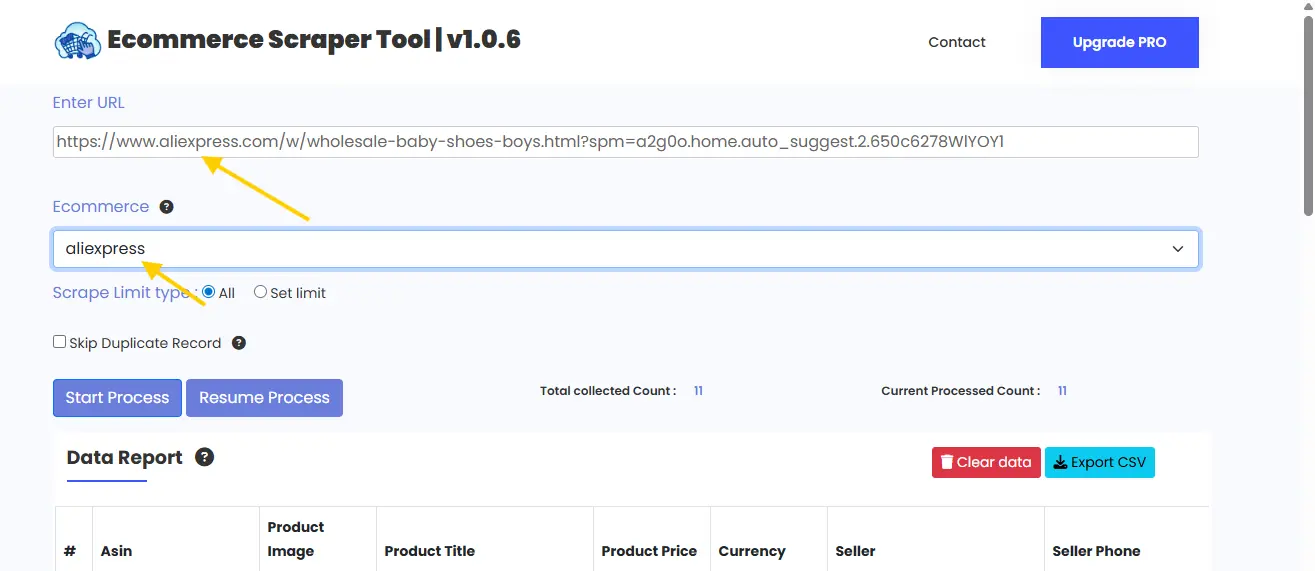
Paste the copied AliExpress URL into the input field.
AliExpress Scrapper Tool URL Input
Step 6: Review Extracted Product Data
Click on Start Process.
The tool will:
-
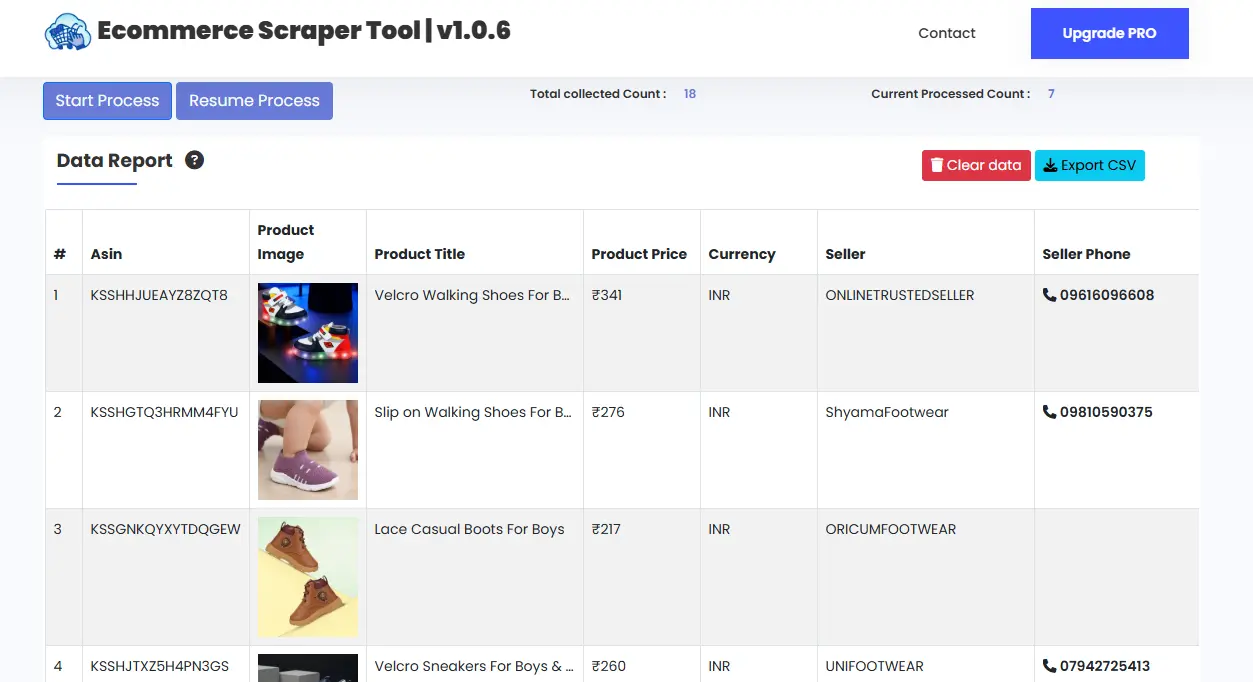
Scan product listings automatically
-
Extract product and seller data in real time
-
Organize the data into a clean table
Once the process finishes, all extracted information appears inside the dashboard.
AliExpress Scrapper Tool Data Table
You can review everything easily without manual work.
Step 7: Download the Data
After reviewing the data:
Stop the scraper.
Download the extracted data instantly as a CSV file.
You can use this file for analysis, reporting, or business planning.
What Is AliExpress Scraper Tool?
The AliExpress Scraper Tool is part of the Ecommerce Scraper Tools available inside Scrapper Tool. It helps users collect product and seller information from AliExpress search results and product pages automatically.
Instead of copying data manually, the tool extracts everything in a structured format that is easy to download and reuse.
Who Can Use This Tool?
This tool is helpful for:
-
Ecommerce sellers
-
Dropshippers
-
Product researchers
-
Digital marketers
-
Pricing analysts
Businesses managing large product catalogs
Supported Ecommerce Platforms
Scrapper Tool provides scraping tools for multiple ecommerce platforms so you can manage your research from one dashboard:
This helps keep your ecommerce workflow simple and organized.
What Data Can You Extract from AliExpress?
The AliExpress Scraper Tool can extract:
-
Product name
-
Product URL
-
Price
-
Seller name
-
Seller rating
-
Product rating
-
Total reviews
-
Availability status
-
Product description
-
Key features
All data is clean, structured, and ready to use.
Use Cases
Explore Products Before Listing
Examine products, their pricing, and features carefully before adding new items to your store. This helps in making informed listing decisions.
Monitor Competitor Listings
Keep track of competitor products, pricing strategies, and customer ratings to ensure your store stays competitive.
Plan Your Pricing Strategy
Observe market price trends and adjust your product prices accordingly to maximize sales and profit.
Identify Dropshipping Opportunities
Quickly find trending products and reliable sellers to streamline your dropshipping operations.
Organize Your Product Catalog
Easily import and manage product details in your ecommerce dashboards or internal inventory systems.
Benefits of Using AliExpress Scraper Tool
-
Skip Manual Copying – Collect product and seller information automatically without repetitive tasks.
-
Time & Effort Saver – Speeds up data gathering so you can focus on other important tasks.
-
User-Friendly for Beginners – Intuitive interface makes it easy for anyone to use.
-
Organized and Clean Data – Extracted information is structured and ready for analysis.
-
Handles Large Product Volumes – Efficiently works even with thousands of listings.
-
Quick Export to CSV – Download your data instantly for reports or inventory updates.
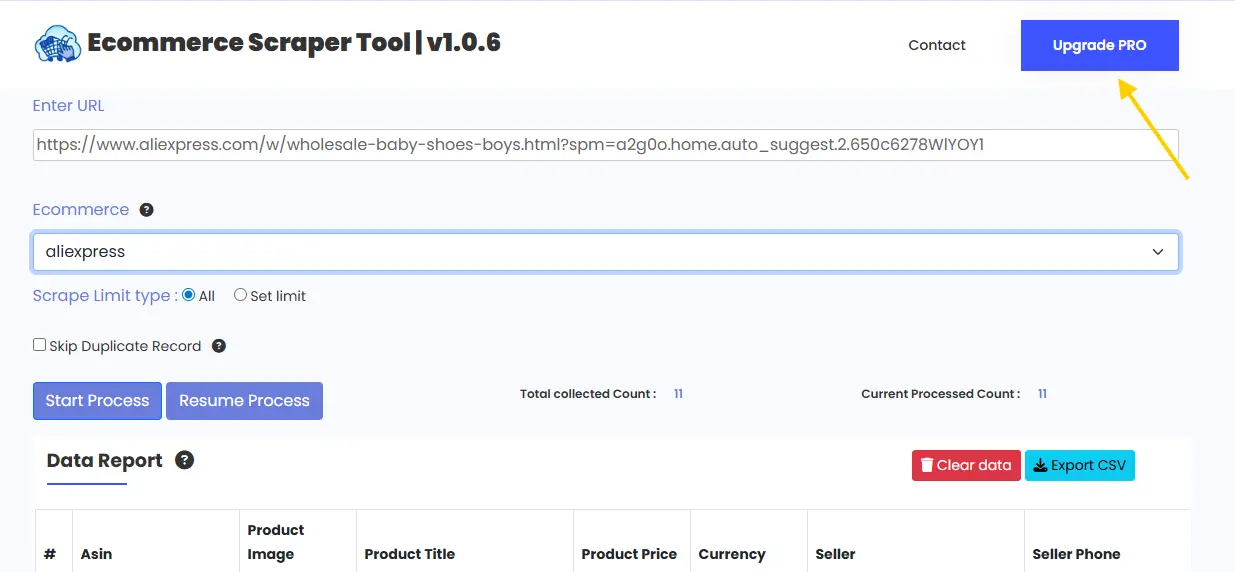
Upgrade to AliExpress Scraper Tool Pro
For higher usage limits and advanced ecommerce research, you can upgrade to the Pro version.
The Pro plan is best for professional ecommerce users.
Pro version is ideal for:
-
Large-scale product scraping
-
Faster extraction speed
-
Higher daily limits
-
Professional research and analysis
Contact us to upgrade:
📧 Email: info.scrappertool@gmail.com
📞 Phone / WhatsApp: +91 93163 08184
AliExpress Scrapper Tool PRO
Watch the Complete Video Guide
We also provide a step-by-step video tutorial that shows how to use the AliExpress Scraper Tool.
The video explains:
-
Searching products on AliExpress
-
Starting the scraping process
-
Reviewing extracted data
-
Downloading the CSV file
▶ Watch the full video tutorial on YouTube
https://www.youtube.com/watch?v=Zp6rMsud57E&feature=youtu.be
