

If you already have a Director Identification Number, a DIN to mobile number lookup can help you check whether available director phone or email details exist for that record. Scrapper Tool provides a DIN-based contact lookup for users who need director contact information for legitimate business research, B2B communication, recruitment, vendor outreach, or other professional use cases.
Get Director Phone Number by DIN
Contact availability varies by DIN. Some records may return a mobile number, an email address, both, or no available contact details, so important information should always be verified before business use.
This guide explains how the Scrapper Tool DIN lookup works, what information may be available, how single and repeat lookups are handled, and how to use director contact data responsibly.
You can use a DIN to check whether available director contact details such as mobile number or email address are available. With Scrapper Tool, users can login, add wallet balance, enter a DIN number, run the lookup, and view available contact details if the record is found.
DIN to mobile number lookup is useful when you already have a Director Identification Number and want to check whether available mobile number or email details exist for that director. The result depends on data availability, so users should always verify the details before calling, emailing, or adding the contact to a CRM.
What Is a DIN?
DIN stands for Director Identification Number. It is a unique identifier used for company directors in India. This guide assumes you already have a DIN and want to check whether related director contact details are available.
If you do not have the DIN yet, read our guide on how to find a DIN number.
What Is DIN to Mobile Number Lookup?
DIN to mobile number lookup means using a Director Identification Number to check whether available director contact details can be found for that record. Depending on data availability, the result may include a mobile number, email address, both, or limited contact information.
This process is useful when you already have a valid DIN and a genuine reason to contact or research the director.
Not every DIN will return contact data. Always verify the result before calling, emailing, adding it to a CRM, or using it for business decisions.
Why Do Businesses Search Director Contact Details by DIN?
Teams may already have a director or company record but still need an available contact route for a legitimate business purpose.
- B2B sales and business development
- Recruitment and leadership hiring
- Vendor or supplier communication
- Partnership research
- Company and director research
Contact information should be used only for relevant and lawful communication.
Step-by-Step Guide for DIN to Mobile Number Lookup
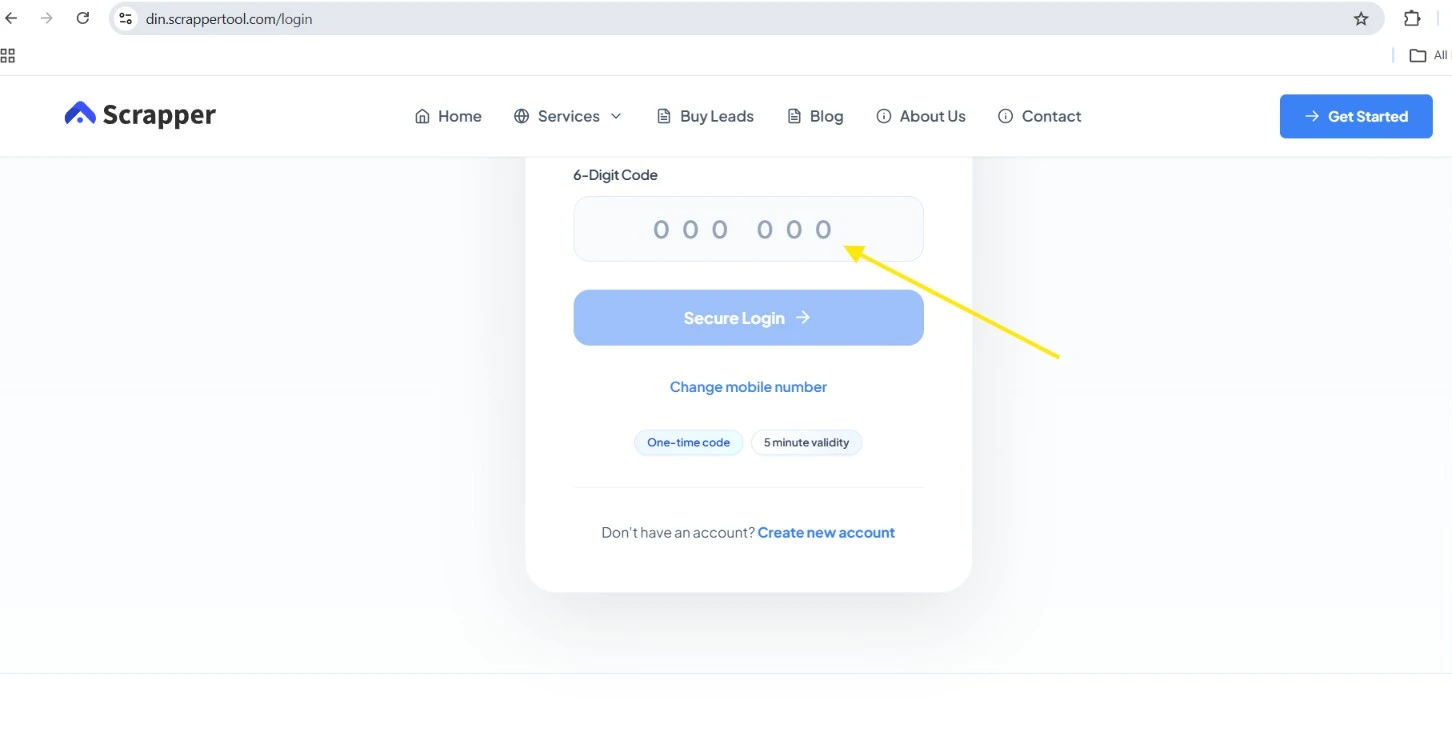
Step 1: Open the DIN Contact Lookup Page
Open the Scrapper Tool DIN to mobile number lookup page and select the option to start a lookup.
This workflow is designed for users who already have a DIN and want to check whether available director contact details can be found.
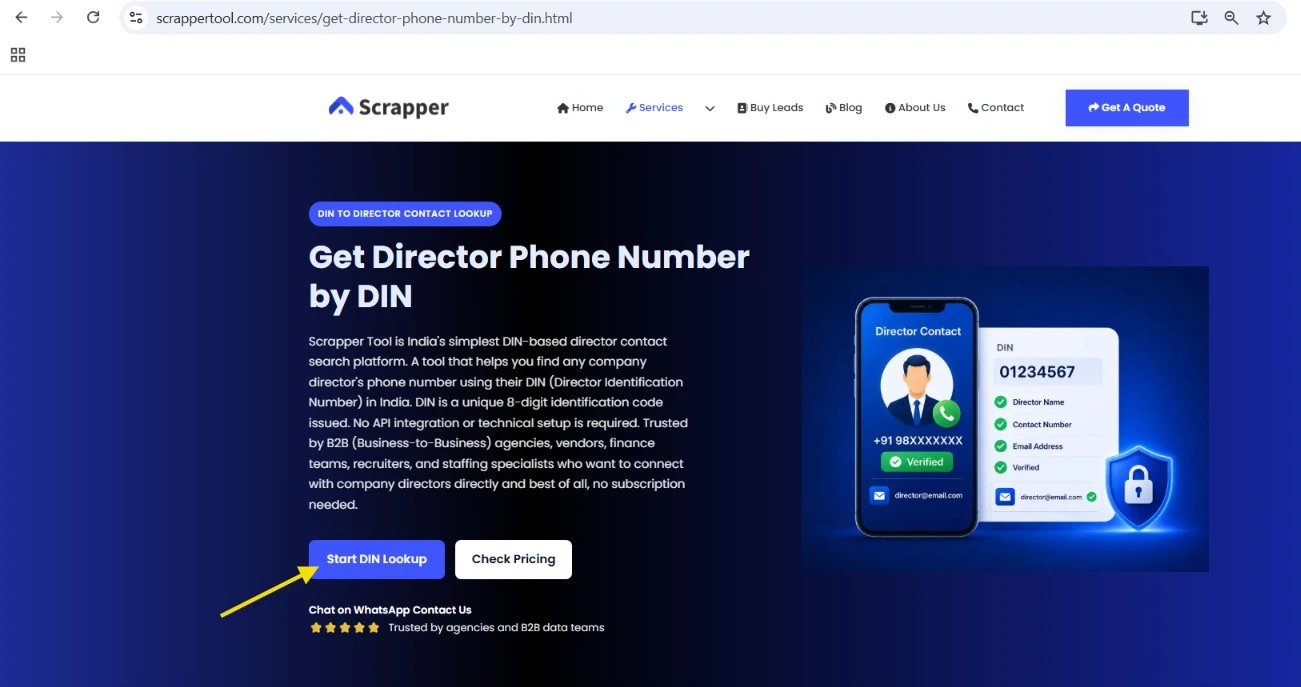
Step 2: Register With Your Mobile Number
After opening the lookup platform, login with your registered mobile number. This helps the system manage your account, wallet balance, lookup history, and repeat DIN checks.
Enter your mobile number carefully and continue to the OTP step.
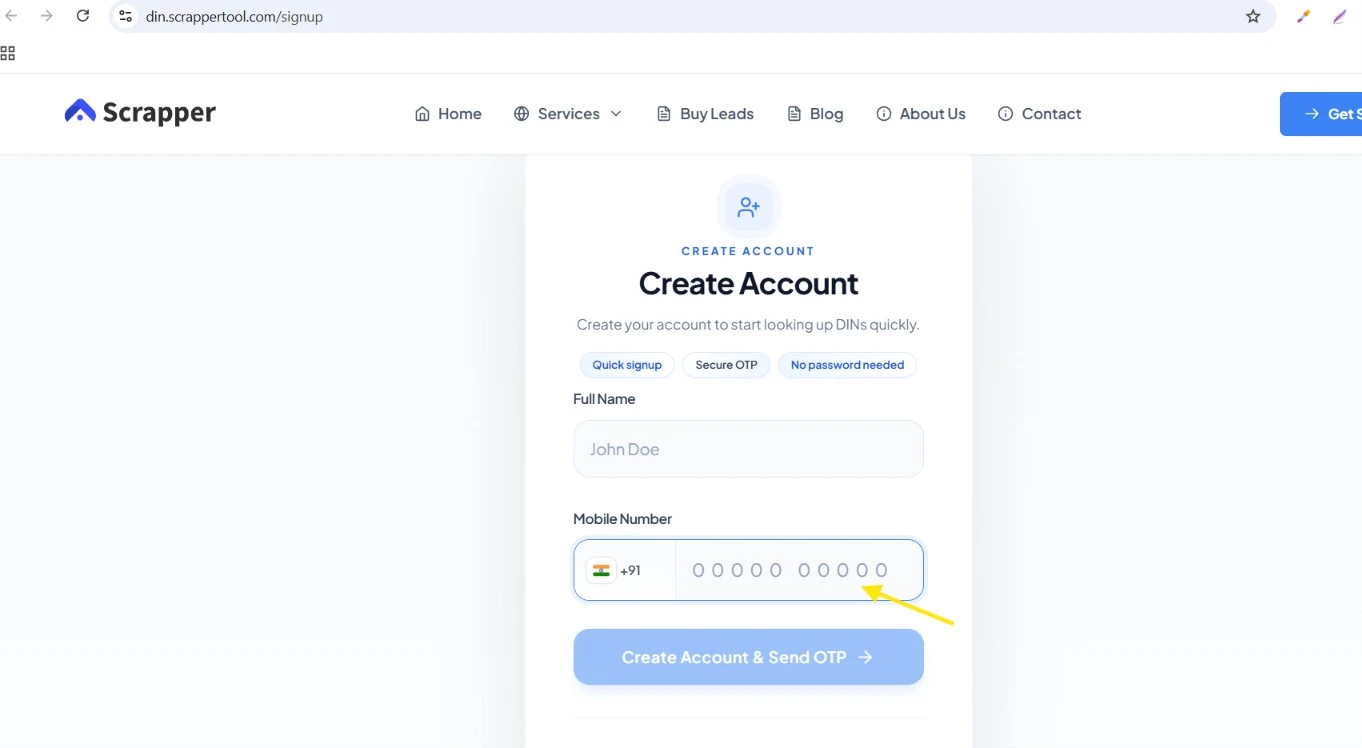
Step 3: Enter OTP and Access Your Account
After entering your mobile number, you will receive or enter an OTP based on the login flow. Once the OTP is verified, you can access your dashboard and start using the DIN lookup service.
Important: Never publish OTP screenshots publicly. If you are adding a screenshot in the blog, blur the OTP field.
Step 4: Add Wallet Balance
Before running a paid lookup, check your wallet balance. Scrapper Tool makes the process simple because users do not need to start with a large payment or API setup. You can add a small wallet amount and run a lookup as per your requirement.
This is helpful for users who need only one director contact check as well as teams that want to process multiple DIN numbers later.
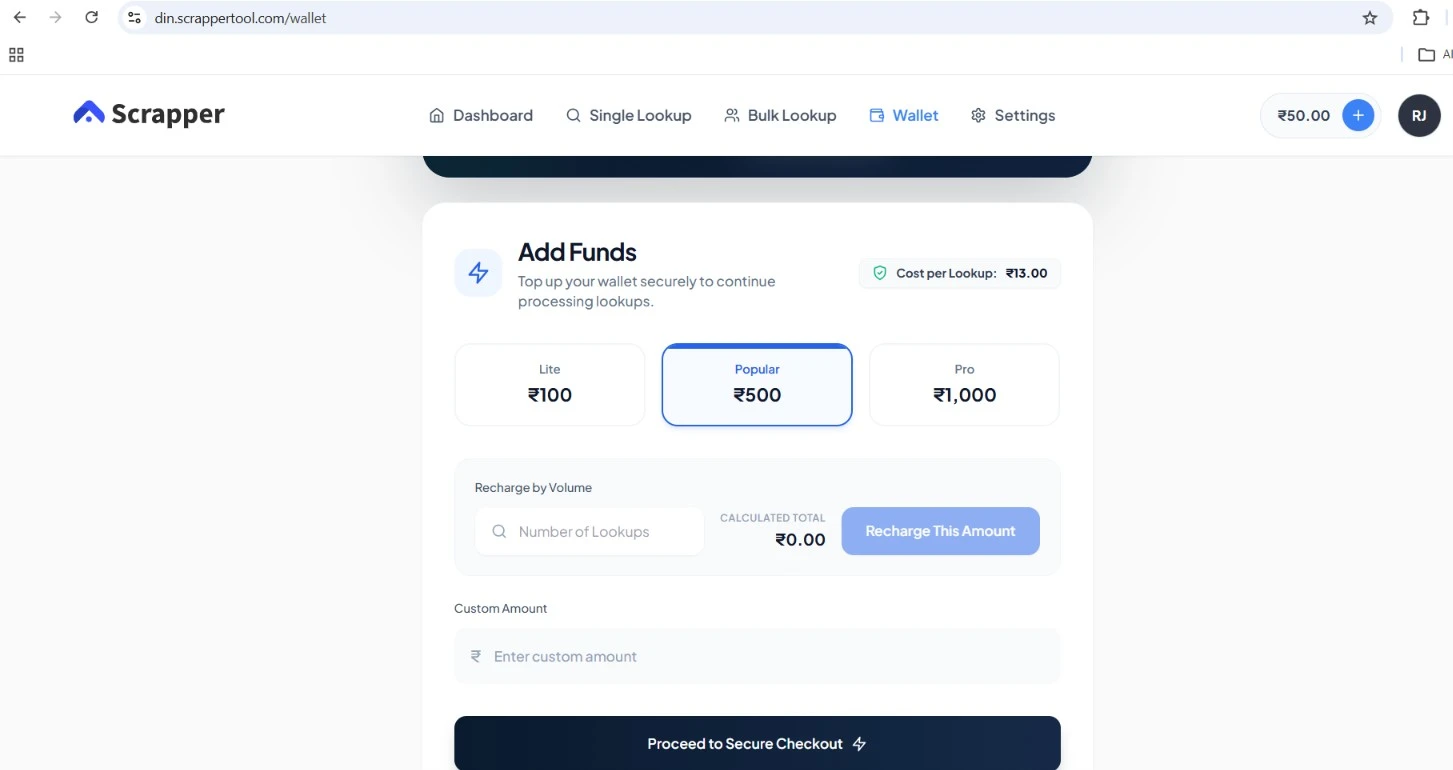
A successful DIN contact lookup currently costs ₹13. Pricing may change, so check the service page for the latest amount.
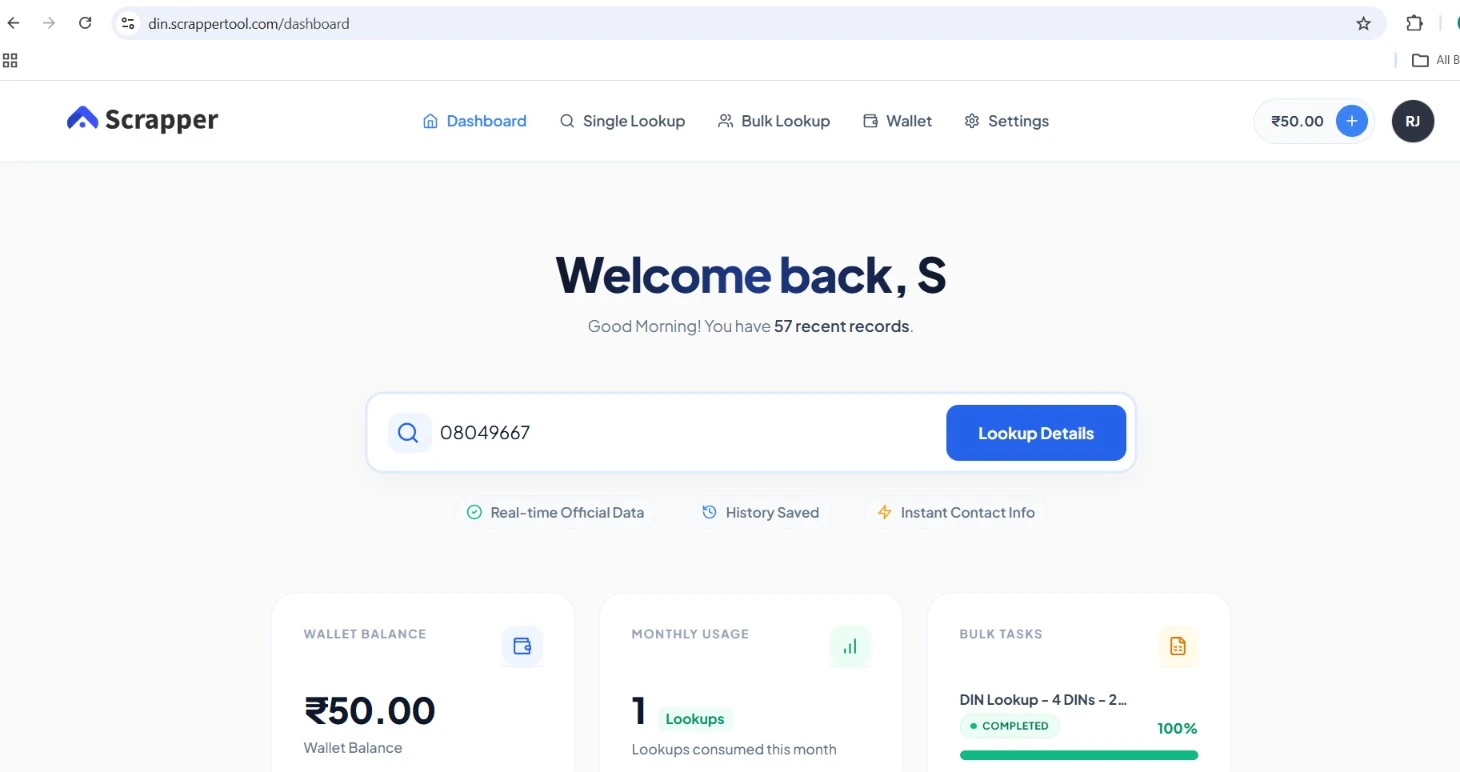
Step 5: Enter the DIN Number
Now enter the DIN number you want to check. Make sure the DIN is correct before running the lookup. A wrong DIN may lead to no result or an incorrect search attempt.
Before submitting the DIN, check that:
- The DIN is complete and correctly entered.
- The DIN matches the director you intend to research.
- The director is associated with the correct company where relevant.
- You have verified the record before running a contact lookup.
Step 6: Run the DIN Contact Lookup
After entering the DIN, click the lookup or search button. The system will check whether director contact details are available for that DIN.
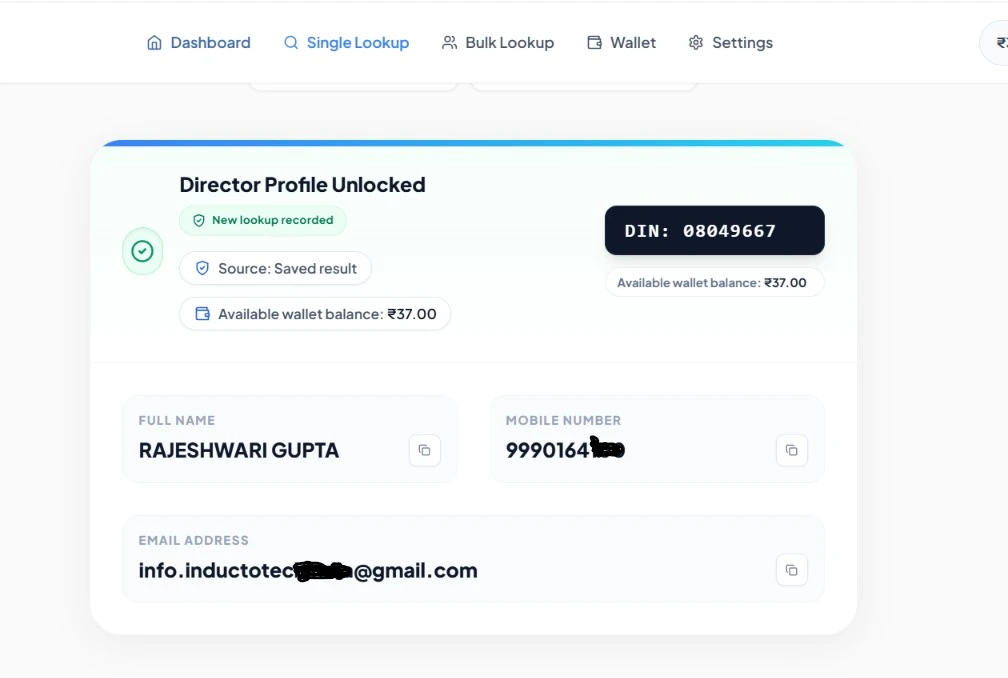
The output may include:
- Director mobile number, if available
- Director email address, if available
- Partial contact details, if only limited data is available
- No available contact result, if data is not found
Not every DIN will return the same result. Some records may have mobile numbers, some may have email addresses, some may have both, and some may not have available contact data.
Step 7: Check the Result and Save It Properly
Once the result is visible, review it carefully. Do not use the contact detail blindly. Add proper notes such as company name, director name, purpose of contact, date of lookup, and follow-up status.
This helps your team avoid random calling and keeps the outreach process organized.
After the lookup, verify the result and store only the information your workflow needs. For example:
- DIN
- Director & Company name
- Available Phone or Email
- Verification status
- Research Notes
Step 8: Repeat a DIN Lookup Without Another Charge
Based on the current Scrapper Tool account workflow, a DIN already searched successfully from the same account can be checked again without another lookup charge. This is useful when your Excel sheet contains repeated DIN numbers or when multiple team members work with similar records.
Example: If you searched one DIN today and later the same DIN appears again in your list, your account history can help avoid duplicate lookup cost.
What Details Can You Get From DIN to Mobile Number Lookup?
DIN contact lookup starts from the Director Identification Number. Based on availability, you may receive contact details that can help with professional communication.
| Data Field | Availability |
|---|---|
| Director mobile number | If available |
| Director email address | If available |
| Both phone and email | If available |
| No matching contact | Possible |
A DIN itself does not contain a director’s phone number or email address. The contact lookup is a separate process, and availability varies by record.
Do You Need an API for DIN Contact Lookup?
No. You do not need to build an API integration or write code to use the Scrapper Tool DIN lookup. If your goal is to check one DIN or process a manageable list through the dashboard, you can use the normal lookup workflow directly.
Teams building a fully automated internal system may have different integration requirements, but API setup is not required for the standard Scrapper Tool workflow.
Who Can Use DIN Contact Lookup?
| User | Possible Use |
|---|---|
| B2B sales teams | Researching relevant company decision-makers |
| Recruitment teams | Leadership or company-level hiring communication |
| Vendors and suppliers | Relevant company proposals or introductions |
| Business development teams | Partnership and company research |
| Research teams | Director and company data verification |
Best Practices for DIN Contact Lookup
- Verify the DIN, director, and company before relying on a result.
- Remove duplicate DINs before processing larger lists.
- Do not assume every DIN will have contact data.
- Verify available phone or email information before business use.
- Use contact data only for relevant professional communication.
- Respect opt-outs and applicable privacy, communication, and marketing laws.
Why Use Scrapper Tool for DIN Contact Lookup?
Scrapper Tool provides a DIN-based director contact lookup for users who want to check available phone or email information without building a custom coding or API workflow. You can start with a single DIN, use the dashboard for repeat research, and process larger lists when supported by your account. Check available director contact details using DIN.
Frequently Asked Questions
1. What is DIN to mobile number lookup?
Ans: DIN to mobile number lookup uses a Director Identification Number to check whether available director phone or email details can be found. A DIN itself is an identifier, not a phone number, and contact availability varies by record.
2. Can I find a director phone number by DIN?
Ans: You can use the Scrapper Tool DIN lookup to check whether a phone number or email is available for a valid DIN. Not every record will return contact information.
3. Does every DIN have a mobile number or email?
Ans: No. Some records may return a phone number, an email address, both, or no available contact information.
4. Do I need coding or an API?
Ans: No. The standard Scrapper Tool lookup can be used through its dashboard without coding or API integration.
5. Can I search one DIN or multiple DINs?
Ans: You can start with one DIN. Bulk or spreadsheet-based processing can be used where the relevant option is available in your account.
6. How can I find a company director’s mobile number if I already have the DIN?
Ans: If you already have the correct DIN, use a DIN contact lookup to check whether available phone or email information exists for that director. Verify the director and company details before using the result.
Conclusion
Finding director contact details using DIN can save time for business teams, but it should be done responsibly. A DIN-based lookup is useful when you already have a clear business purpose and want to check whether available mobile or email details exist for a director.
With Scrapper Tool, users can login, add wallet balance, enter a DIN number, run the lookup, and view available contact details if found. The process is simple for single DIN checks as well as bulk work.
Before using any contact detail, verify the information and follow applicable privacy, platform, communication, and marketing laws. Use the data only for genuine business communication.
Ready to check a DIN? Visit the DIN to contact number service page and start with your DIN lookup.
