
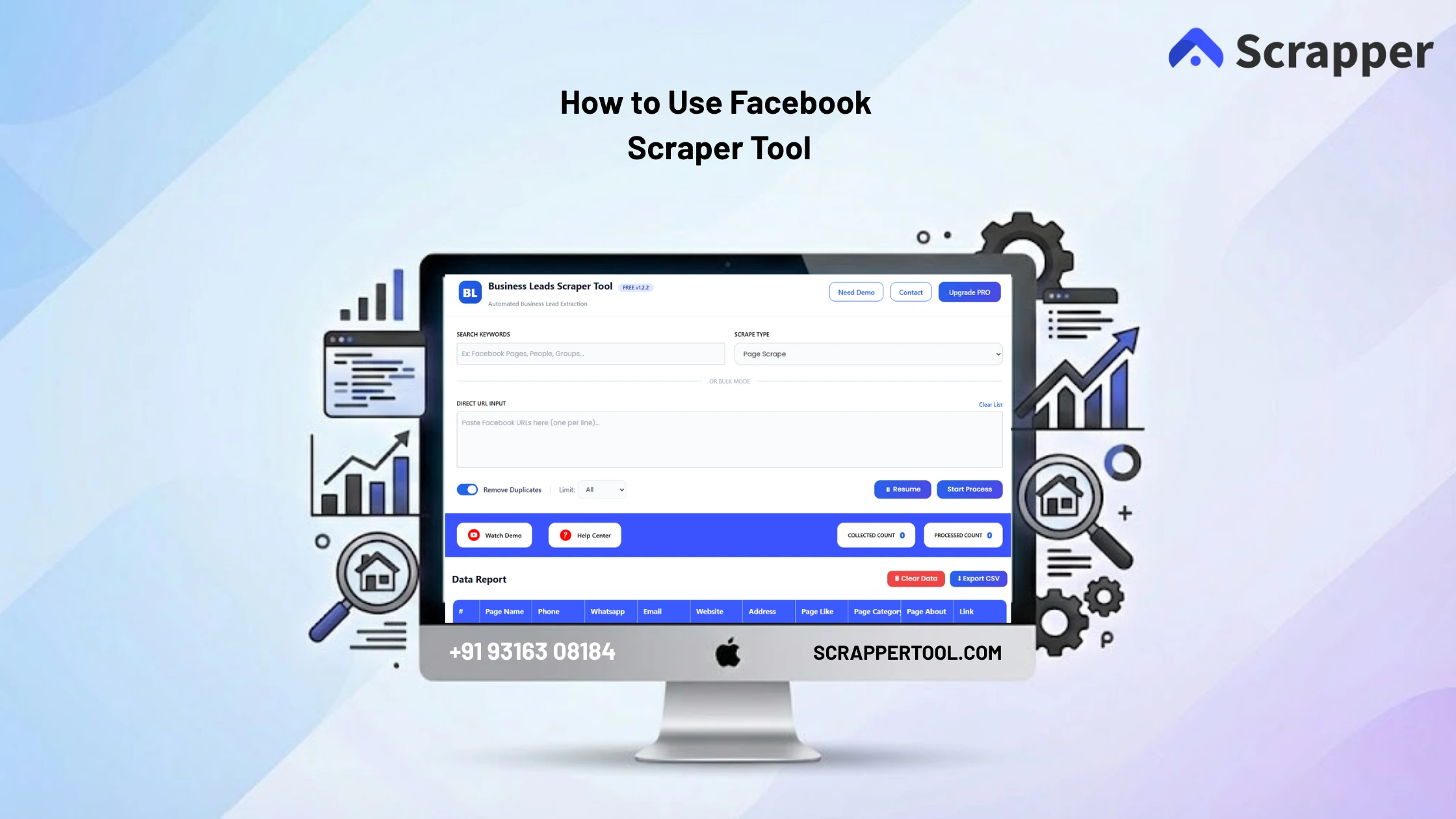

Collecting business leads from Facebook manually can be time-consuming and inefficient. Users often open pages, groups, or profiles one by one and copy details like phone numbers, emails, and addresses into spreadsheets.
This process is slow and often results in incomplete or inaccurate data.
For marketers, agencies, and businesses, manual lead collection makes it difficult to scale outreach and manage data effectively.
The Facebook Scraper Tool by Scrapper Tool solves this problem by automatically extracting structured business leads from Facebook pages, groups, and profiles in a fast and simple way.
Step-by-Step Guide: How to Use Facebook Scraper Tool
Step 1: Install the Chrome Extension
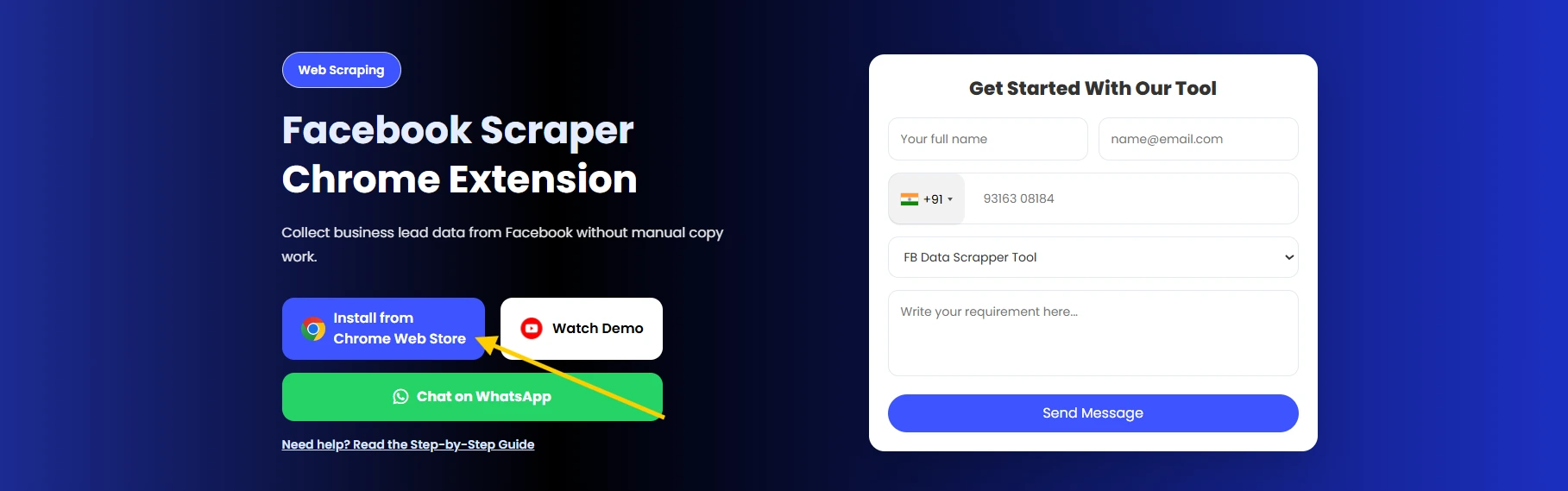
Open Google Chrome and visit the official Facebook Scraper Tool page on Scrapper Tool.
Click on “Install from Chrome Web Store.”
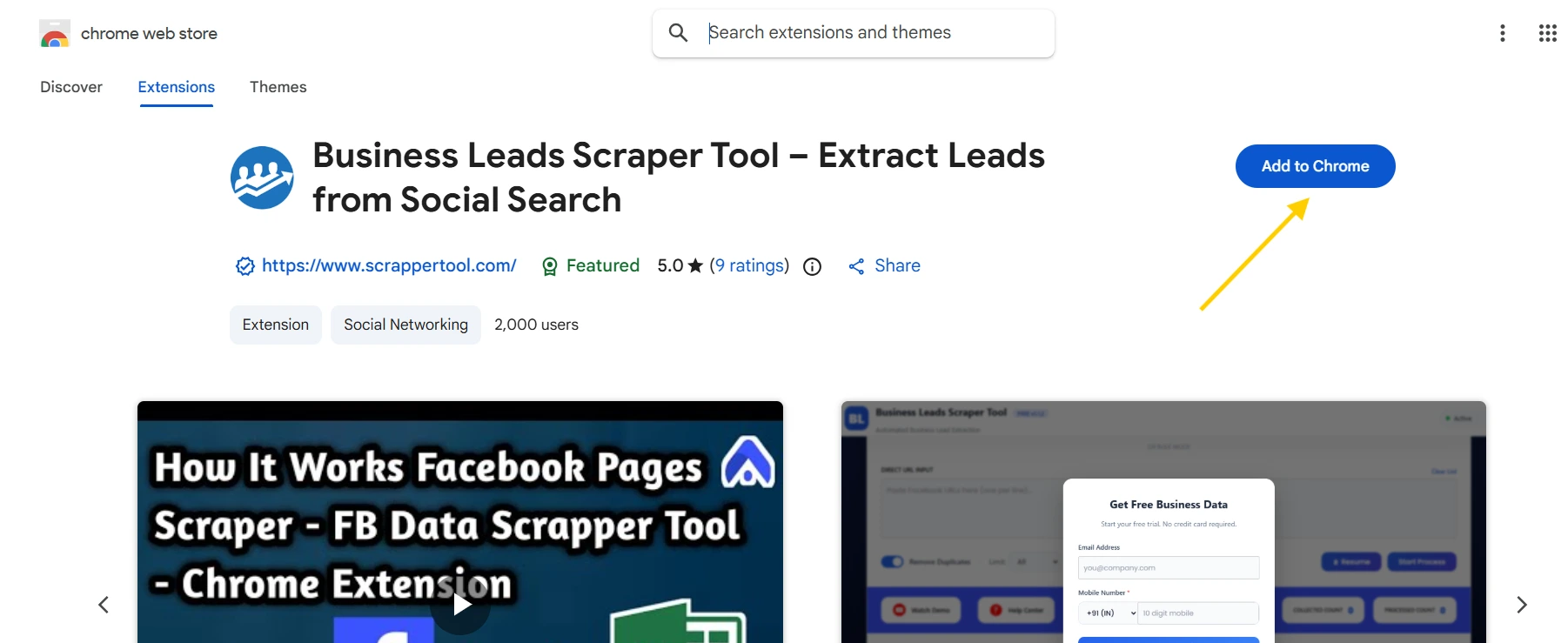
Once redirected, click “Add to Chrome” to install the extension.
Want to get more out of your Facebook profile? Check out our Facebook Scraper Tool for some helpful tips!
Step 2: Pin the Extension
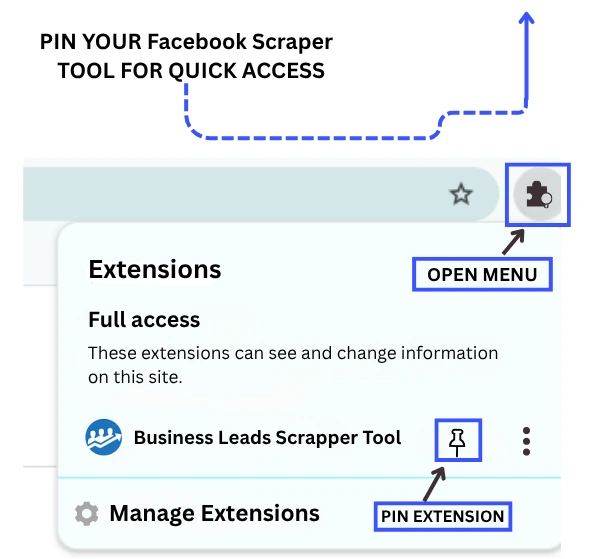
After installation, click the Extensions (puzzle icon) in Chrome.
Find Facebook Scraper Tool and click the pin icon so it stays visible in your toolbar.
Step 3: Activate the Tool
Click on the pinned extension icon.
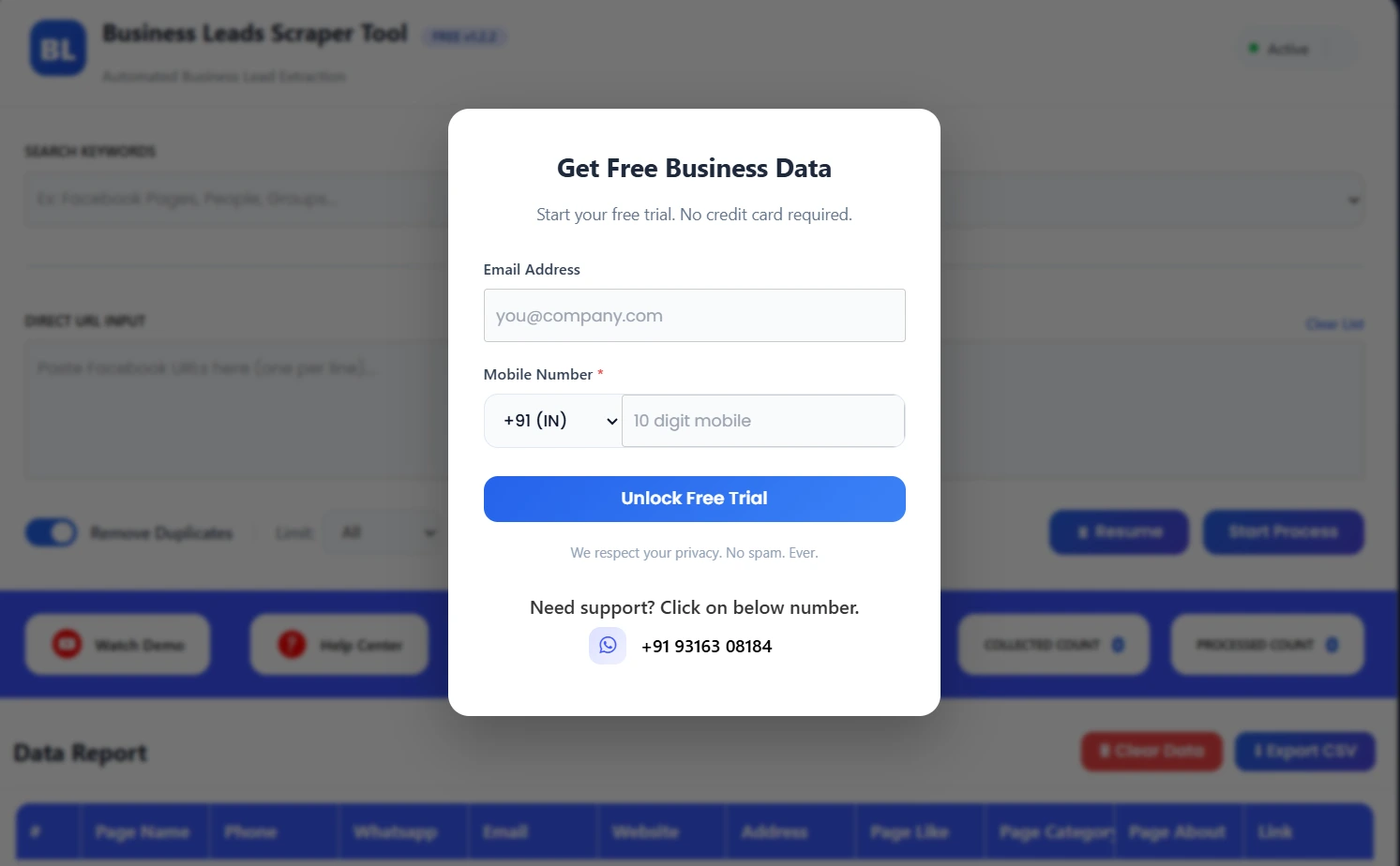
A popup will appear—fill the simple form to activate the tool.
Once completed, your scraper is ready to use.
Step 4: Enter Keywords, Select Scrape Type, or Paste Direct URLs
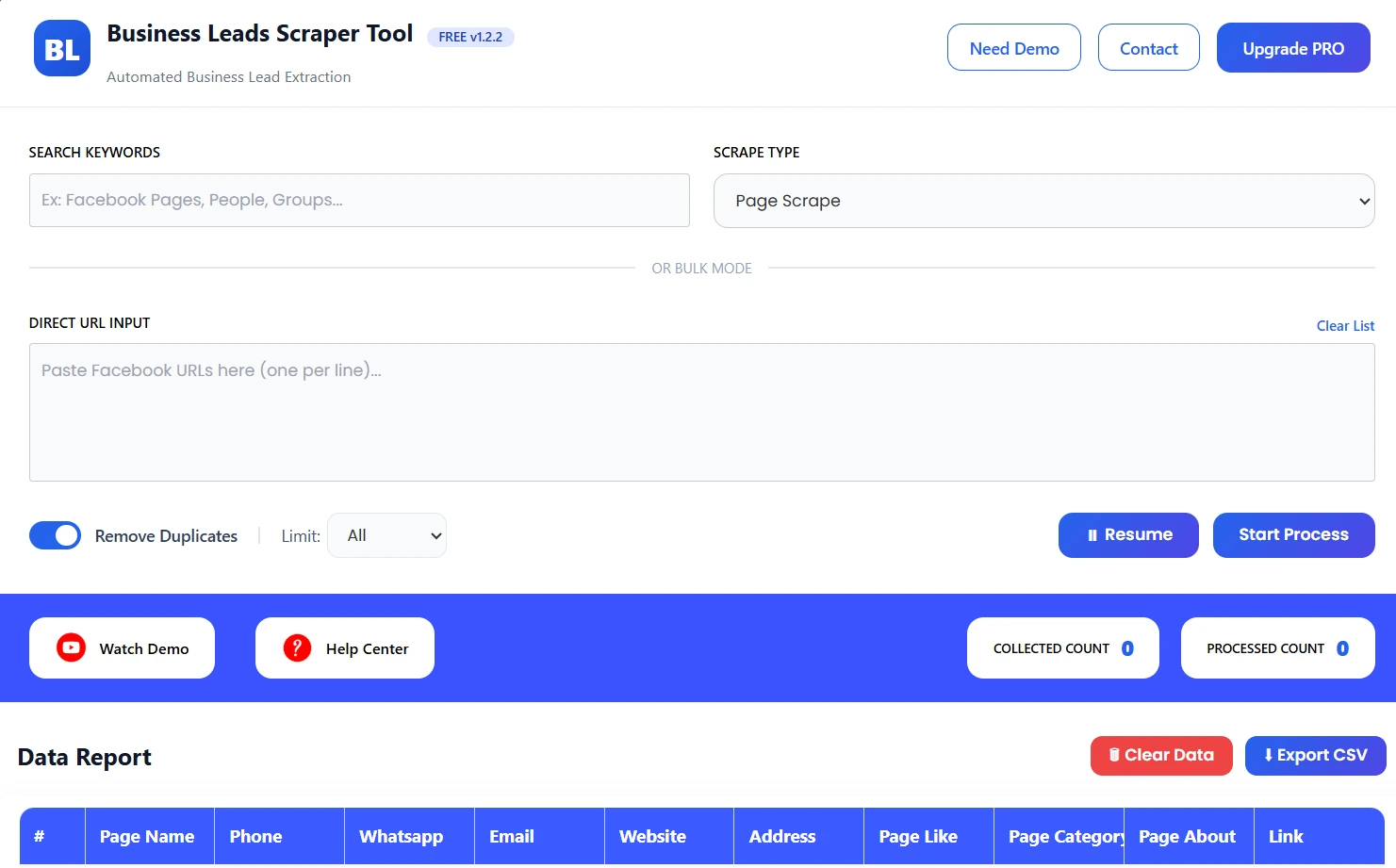
In the Search Keywords field, enter what you want to search.
👉 Example:
- Facebook Pages
- Gyms
- Restaurants
- Real Estate
This helps the tool find relevant results.
From the Scrape Type dropdown, choose what you want to extract:
- Page Scrape
- People Scrape
- Place Scrape
- Group Scrape
- Group Member Scrape
- Post Comment Scrape
👉 Choose based on your requirement.
If you already have specific Facebook links, you can paste them in the Direct URL Input box.
👉 Example:
- Page URLs
- Group URLs
- Profile links
This allows direct and targeted scraping.
Step 5: Start Data Extraction
Click on Start Process.
The tool will:
- Scan Facebook based on your input
- Extract business and profile data
- Collect contact details like email, phone, etc.
You can pause and resume anytime using the Resume button.
Step 6: View Data Report
After the process starts, you will see:
- Collected Count
- Processed Count
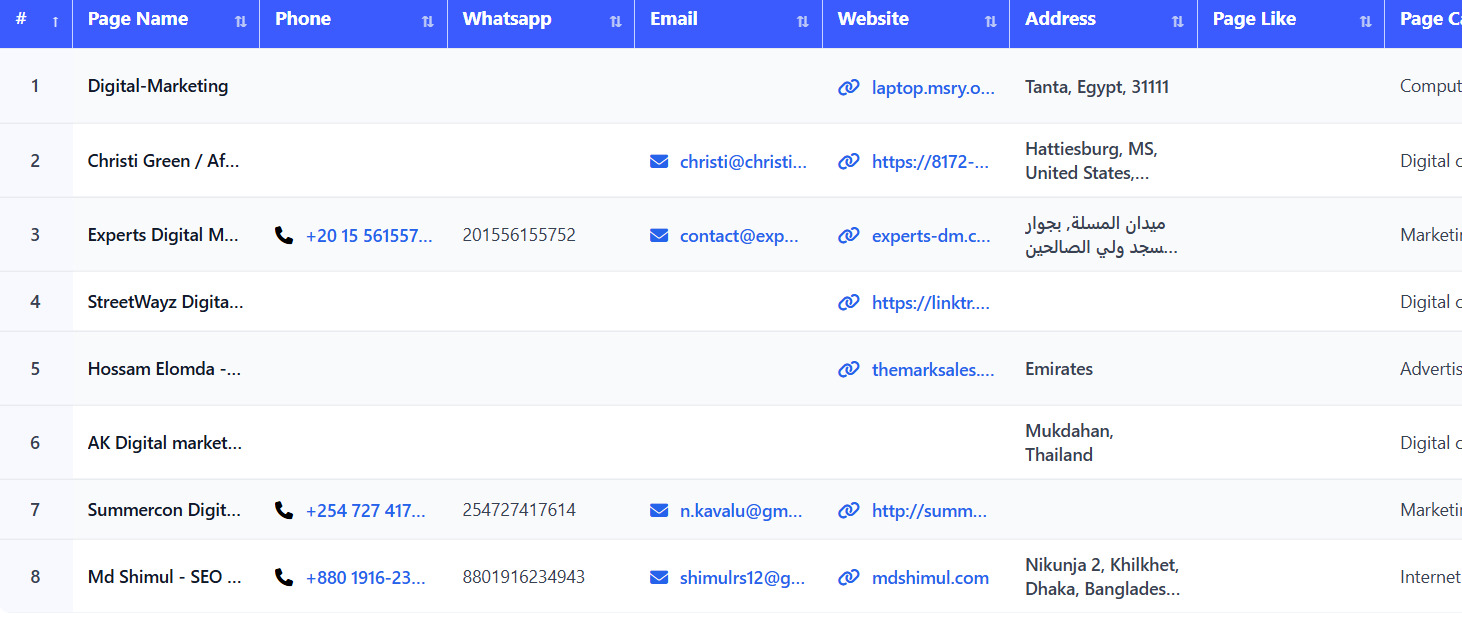
All extracted data will appear in the Data Report table.
What Is Facebook Scraper Tool?
The Facebook Scraper Tool is an automation tool that helps you extract business leads and contact data from Facebook pages, groups, and profiles.
It converts raw Facebook data into a structured format that is easy to download and use.
Who Can Use This Tool?
This tool is ideal for:
- Digital marketing agencies
- Lead generation experts
- Sales teams
- Local businesses
- Startups & entrepreneurs
What Data Can You Extract?
Using this tool, you can collect:
- Page / Profile Name
- Phone Number
- WhatsApp Number
- Email Address
- Website
- Address
- Page Likes
- Page Category
- About Section
- Profile / Page Link
Use Cases
Lead Generation
Find targeted business leads from Facebook.
Sales Outreach
Use emails and phone numbers for campaigns.
Local Business Research
Discover businesses in specific niches.
Competitor Analysis
Track competitor pages and engagement.
Marketing Campaigns
Create targeted audience lists.
Benefits of Using Facebook Scraper Tool
- No manual copy-paste
- Saves time and effort
- Multiple scrape options
- Direct URL scraping
- Clean and structured data
- Beginner-friendly
- Export in CSV format
Upgrade to Facebook Scraper Tool Pro
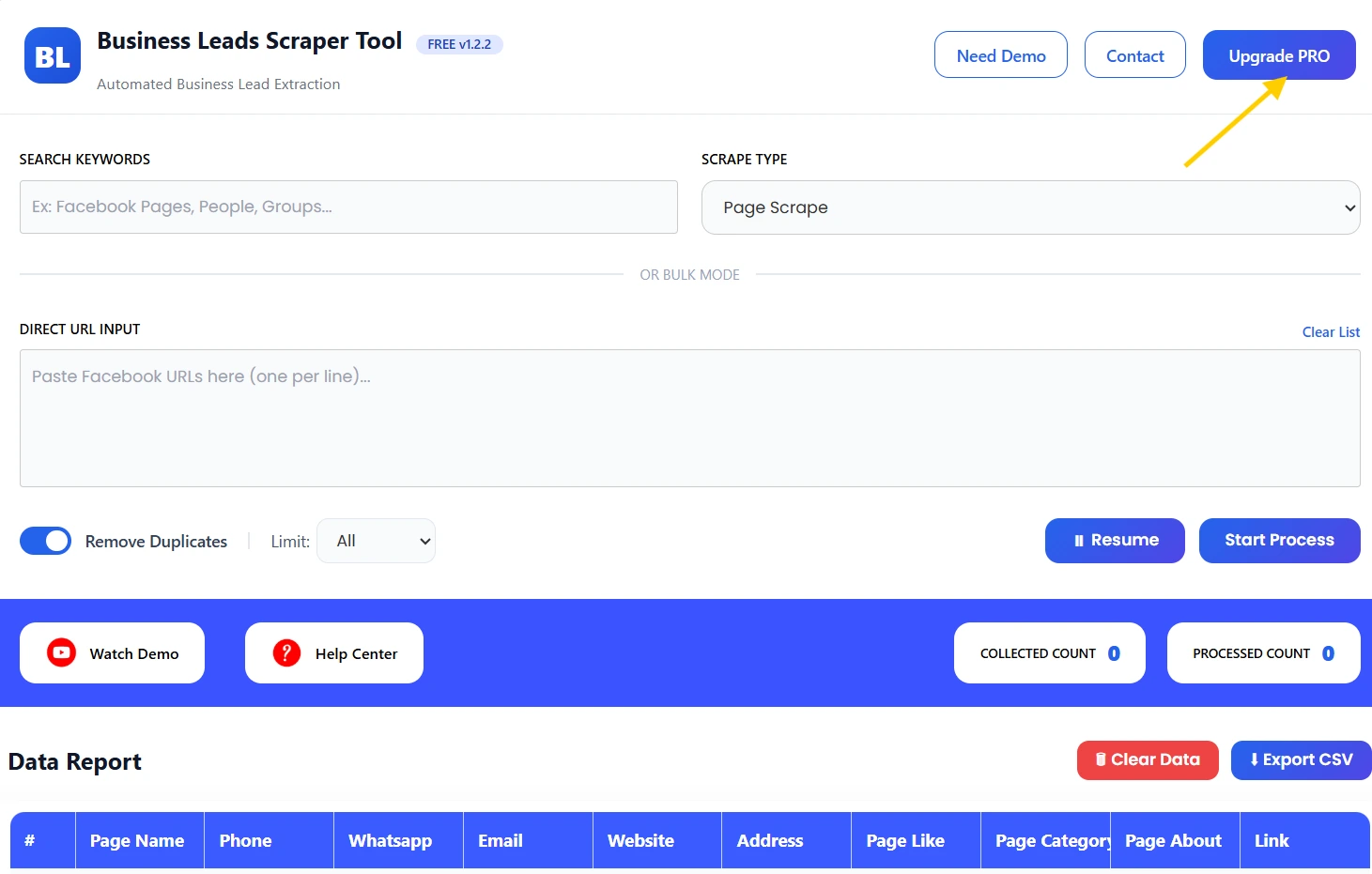
For advanced features and higher limits, upgrade to Pro version.
Pro version is ideal for:
- Large-scale lead extraction
- Faster scraping
- Higher limits
- Advanced filtering
📧 Email: info.scrappertool@gmail.com
📞 Phone / WhatsApp: +91 93163 08184
Watch Demo / Help Center
▶ Watch Demo
